Pricing For Talent RAMP
Login Free Trial
Zoom Events and Webinars ★ 4.5 · 413 reviews
Schedule Meeting
Marketplace › Marketing › Zoom Events and Webinars  · Zoom Events and Webinars alternatives

Zoom Events and Webinars

One platform to connect

AiDOOS Verified SAAS Marketing
4.5 ★★★★☆ 413 reviews · Millions of users globally
Live in 72 hours 30-day free trial
Pricing
Tailored to you
AiDOOS generates your proposal instantly — scoped & ready in seconds
Schedule Meeting

30-day free trial · No credit card required

Category
Marketing
Deployment
Cloud (SaaS)
API Access
Yes
AiDOOS Deploy
72 hours

About Zoom Events and Webinars

Zoom Events and Webinars is a comprehensive platform designed to host and manage virtual events of all sizes, from small internal meetings to large-scale public webinars. It provides an intuitive interface that simplifies event creation, registration, live streaming, and post-event analytics. The platform integrates seamlessly with other Zoom products, enabling a unified communication experience. Key features include customizable registration pages, attendee engagement tools like Q&A and polling, and robust reporting capabilities. Zoom Events offers multi-session support and networking opportunities, while Webinars focuses on broadcasting to large audiences with interactive features. The platform is trusted by marketing professionals for its reliability and ease of use, making it a go-to solution for virtual and hybrid event strategies. AiDOOS enhances the deployment and adoption of Zoom Events and Webinars by offering expert implementation services, custom integrations, and ongoing support, ensuring organizations maximize the platform's potential and achieve successful event outcomes.

Challenges It Solves

  • Organizing and managing virtual events with limited technical resources
  • Ensuring high-quality video and reliable streaming for large audiences
  • Engaging virtual audiences effectively with interactive tools
  • Tracking and measuring event performance and attendee engagement

Screenshots
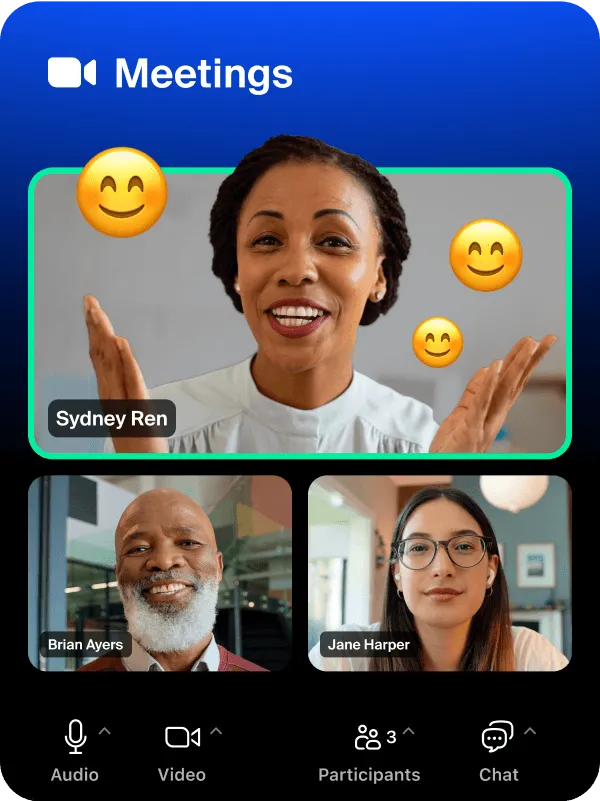
Zoom Events and Webinars screenshot 1
Zoom Events and Webinars screenshot 1 Zoom Events and Webinars screenshot 2 Zoom Events and Webinars screenshot 3

Use Cases

Marketing webinars

Host product launches, thought leadership sessions, and lead generation webinars with customizable registration and analytics.

Corporate virtual events

Organize company-wide town halls, internal training, and team-building events with multi-session support.

Educational seminars

Deliver distance learning, guest lectures, and academic conferences with interactive features.

Customer engagement events

Run customer appreciation events, Q&A sessions, and community meetups to foster relationships.

Pricing

Custom pricing — built for your team

Zoom Events and Webinars pricing is tailored to your organisation's size, integrations, and requirements. AiDOOS generates your proposal instantly — scoped & ready in seconds.

Starter Pro Enterprise
Schedule a Meeting
30-day free trial available — No credit card required. Full access to all features.
💡 Pricing insight from reviewers: Zoom Events and Webinars offer scalable pricing with custom quotes for enterprise use; widely regarded as cost-effective for its feature set.

Key Features

Unified Event Management

Plan, host, and analyze virtual events from a single platform.

Interactive Engagement Tools

Live Q&A, polling, and audience reaction features to keep attendees involved.

Advanced Registration and Ticketing

Customizable registration pages and ticketing options to manage attendee access.

Analytics and Reporting

Detailed reports on attendee engagement, event performance, and conversion metrics.

Multi-session and Breakout Rooms

Support for multi-session events and breakout rooms for group discussions.

Reliable Streaming and Recording

High-definition video streaming with cloud recording for on-demand access.

What Reviewers Say AI-synthesized from 413 reviews

What works well

  • Ease of use: intuitive interface and simple setup for hosts and attendees
  • Reliable performance: stable streaming and high-quality audio/video
  • Comprehensive feature set: includes registration, engagement, analytics, and integration with other Zoom tools

Common concerns

  • Pricing can be higher for large-scale events, especially for advanced features
  • Some users report occasional technical glitches during large events

Reviews

413 verified reviews
4.5
★★★★☆
out of 5 · 413 reviews
By segment
Enterprise30%
Mid-Market70%
I
IT Consultant
"Essential Tool for Webinars, Client Calls, and Community Events"
I use Zoom Events and Webinars daily to attend product enablement sessions, community events, and various webinars, and the experience remains consistently smooth. The platform is easy to use, and I especially value how effortless presenting is—screen sharing is stable, transitions are fluid, and there's no lag when navigating slides. The auto-caption feature is immensely helpful, particularly when speakers talk quickly or in noisy environments. While traveling, the mobile app keeps me connected so I don't miss important events. Setting up and joining webinars is uncomplicated, with no complicated setup required; implementation has always been straightforward. I also like the event lobby, which clearly displays the agenda, session times, and joining options, making navigation easy even in multi-session events. The built-in networking features allow participants to interact and chat directly within the platform. Feature-wise, Zoom covers everything I need: Q&A, polls, reactions, recordings, chat, HD streaming, screen sharing, auto-captions, custom registration pages, and the event lobby. These features work reliably on mobile as well. Customer support has been helpful when issues arise. Another helpful aspect is the seamless integration with Microsoft Outlook, which automatically syncs sessions and reminders to the Microsoft calendar, ensuring I'm always aware of upcoming events without manual tracking. Overall, Zoom Events and Webinars is reliable, user-friendly, and has all the features needed for attending or presenting virtual sessions hassle-free. Occasionally, the platform takes longer to load, especially with multiple browser tabs open. Switching back to the event lobby sometimes results in a blank screen for a few seconds before refreshing. During some webinars, the audio lagged slightly upon joining but corrected itself. These issues are infrequent but can disrupt the flow when quickly moving between sessions or joining at short notice. Zoom Events and Webinars makes it easy to attend webinars, enablement sessions, and community events without worrying about setup or compatibility. It consolidates everything—agenda, session links, speakers, and networking—into one place, so I don't need to switch between tools. Features like stable screen sharing, easy slide presentation, auto-captions, and interactive tools (Q&A, polls, chat) make sessions easier to follow and more productive. The mobile app lets me attend sessions while traveling, ensuring I never miss updates or training. Microsoft Outlook integration automatically syncs my event schedules, saving time and preventing missed sessions. Overall, Zoom Events and Webinars helps me stay connected, keep learning, and participate in events smoothly from anywhere.
P
Principal
"Zoom Webinars User Experience"
Zoom Webinars provides greater control over my sessions, enabling me to present without interruptions. I can moderate questions and conduct polls as needed. However, it doesn't support having different presenters on separate dates for a webinar series. Zoom Webinars allows me to schedule a series of webinars for the year, invite presenters, and host professional online sessions.
M
Marketing Analyst
"User-Friendly Webinars with Polls, Q&A, Chat, and Email Reminders"
What I like most is that Zoom is very user-friendly and straightforward for both attendees and hosts. Features like polling, Q&A, and chat greatly assist my webinars. The customized email reminders are a great feature I appreciate. The downside is that first-time login and discovering features can be somewhat challenging, and pricing could be lower. Zoom brings people together virtually for meetings and events, saving me time and allowing me to reach a broad audience without in-person meetings. I can also keep events organized since we hold monthly webinars.
P
Pasante de operaciones
"Streamlined and Effective for Classes and Meetings"
I appreciate the simplicity of joining meetings in Zoom Events and Webinars. It's intuitive and allows me to schedule sessions from anywhere. I also find it easy to participate in classes and meetings. So far, I've encountered no problems, and I like everything about the service. I have no issues currently; everything has worked flawlessly. Zoom Events and Webinars helps me connect with professionals and colleagues without traveling, and facilitates efficient online information sharing.
M
Marketing Manager
"Straightforward Setup and Fair Value"
Zoom Events and Webinars is quite simple and uncomplicated in my view. Pricing seems reasonable, and the webinar capacity limits are fairly generous. Setting up is swift, and you can start immediately without many restrictions on scale. It's a great starting point for live webinars unless you have specific requirements. There are a few annoyances. For instance, when creating a new webinar or adding speakers, I always have to re-enter the details. Ideally, I could copy from previous webinars where I used the same speakers, but that's not an option. Also, webinars are automatically deleted after a few months or even a single month. I'd prefer to keep a full history so I can reuse or copy content if I cover similar topics later. Zoom Events and Webinars is our tool for creating online events.
S
Senior Demand Generation Manager
"User-Friendly Zoom Webinars with Excellent Support and Integrations"
I appreciate how intuitive and user-friendly Zoom Events and Webinars are. They fulfill our virtual event needs, and attendees are always comfortable with the Zoom platform. Pricing is competitive, support is excellent, and it integrates seamlessly with our marketing tools. Currently, there's nothing I can think of to dislike. The platform has improved significantly since I used it two years ago. We host monthly customer training and quarterly prospect webinars. Zoom enables us to easily create, promote, and run these events.
O
Owner
"Intuitive, Feature-Rich, and Budget-Friendly"
It's become second nature for meetings within our organization. It's user-friendly and constantly evolving with new features. For all it offers, it's quite cost-effective. I'm not fond of the resource library and wish support were more personalized. I understand that's challenging given Zoom's growth, but traditional support can't be replaced. We have virtual meetings where we can see each other instead of just phone calls, making phone calls nearly obsolete. Through Zoom, the company clearly saves money, and meetings have become more productive thanks to the various tools available during sessions.
D
Director of Marketing & Communications
"Comprehensive Solution for Webinars and Podcasts"
I utilize Zoom Events and Webinars for recording events and webinars, as well as podcast segments. It serves as a complete platform for video, interviews, and webinars. The cloud recording feature is exceptionally useful. The new post-meeting AI insights add significant value, and I value the engagement tools such as polling, quizzes, raising hands, and screen sharing for audience interaction, especially in larger webinars. The video and audio quality is top-notch, critical for reviewing, editing, cutting, and publishing content elsewhere. It's difficult to identify any downsides—the service performs excellently! I employ this tool to record webinars, podcast segments, and testimonials. It offers outstanding video and audio quality and includes engagement features like polls and quizzes. It provides greater control over webinar setups compared to other options.
T
Technology and Risk Advisor
"Smooth Event Organization with Dependable Operation"
What stands out is how effortless it is to handle large virtual events while maintaining a polished experience for participants. All aspects, from registration and reminders to live engagement tools like Q&A and chat, plus post-event follow-ups, are integrated into a single system, greatly reducing time spent. Reliability is another key strength; presentations run without interruption, managing attendees is straightforward, and we can confidently host trainings, continuing education, and sizable member events without juggling multiple platforms. The backend navigation and setup for sizable events could use refinement. Although the platform is robust, some steps in event creation, registration, configuration, and customization feel layered and require additional time, especially for intricate events. More flexibility in branding, attendee reporting, and post-event analytics, along with a cleaner format, would be beneficial. The functionality is solid, but making those areas more user-friendly and consolidated in a single report would enhance the experience. I rely on Zoom Events and Webinars for virtual trainings, webinars, and large presentations. It centralizes registration, communications, and follow-ups, making it straightforward to craft professional experiences and streamline event management, particularly for large and geographically dispersed audiences.
D
Dropshipper
"Dependable Large-Scale Webinars with Strong Audience Interaction Tools"
The standout aspect of Zoom Events and Webinars is its dependability and capability to manage extensive virtual functions without performance glitches. It also offers interactive features such as Q&A, polling, and registration oversight. This simplifies the process of organizing and carrying out seamless professional webinars. A drawback is that configuration can be intricate, particularly for those new to handling bigger online gatherings. The cost might also be steeper than other simpler webinar solutions. Furthermore, there's limited flexibility in tailoring branding and the attendee experience. This tool resolves significant issues around hosting and coordinating large-scale online events, making it easier to reach audiences, centralizing event management, and enabling interactive virtual sessions. I can conduct webinars without anxiety over technical setup, keeping registration, sessions, and participant engagement consolidated in one platform. As a result, I save time on coordination and can deliver well-structured, professional events to broader audiences. It also boosts engagement through integrated tools like Q&A, polls, and analytics, which offer insights into participant involvement and aid in refining future events.

Reviewer Demographics

Top Industries

No data available

Company Size

No data available

Enterprise Readiness

SOC 2 Type II
GDPR
HIPAA
ISO 27001

Identity & Access

SSO Okta, Azure AD, Ping Identity, Google Workspace
RBAC Role-based
Audit Logs 365-day retention

Data Security

At restAES-256
In transitTLS 1.2+
Key mgmtVendor-managed

SLA & Availability

Uptime SLA99.9%
RPO24h
RTO4h
Pen test

Compliance & Portability

Data residencyUnited States, Europe, India, Japan, Australia
Data export CSV, JSON
Right to erasure✓ Supported

Integrations

HubSpot

Sync registrants and attendees between Zoom Events/Webinars and HubSpot CRM for streamlined marketing.

Native < 1 hour ⇄ Bi-directional

Salesforce

Integrate Zoom Events/Webinars with Salesforce to track webinars and events alongside customer data.

Native < 1 hour ⇄ Bi-directional

Marketo

Automate lead capture and nurture campaigns based on Zoom webinar and event activity.

Native 1-3 hours ⇄ Bi-directional

Mailchimp

Send webinar and event registrants into Mailchimp lists for targeted email campaigns.

Third_Party < 1 hour ⇄ Bi-directional

Stripe

Process ticket payments for paid events and webinars directly through Stripe.

Native < 1 hour

Cvent

Integrate with Cvent for comprehensive event management and registration.

Third_Party 1-3 hours ⇄ Bi-directional

Slack

Get real-time notifications and post-event updates directly in Slack channels.

Native < 1 hour

Governance & Compliance

EU AI Act

No data available

Data Processing Agreement

Data Processing Addendum DPA available

View DPA →

Sub-processors

Fully disclosed

View list →

Right to Erasure

✓ Supported

Change Notifications

30 days notice

NIST AI RMF

No data available

AiDOOS Managed Deployment

Deploy Zoom Events and Webinars in 72 hours

AiDOOS handles setup, CRM integration, SSO config, and user provisioning. Your team goes live — not your IT department.

12
Deployments
94%
Adoption rate
4.8/5
Post-deploy sat.
1-2 weeks
Time to value

Prerequisites

  • Active Zoom account with admin privileges
  • SSO credentials or domain verification
  • CRM or marketing automation integration keys

Configuration Options

  • SSO configuration
  • Custom branding for registration
  • Integration setup with CRM/marketing tools

How Zoom Events and Webinars Compares

Product AI & Analytics Ease of Use Enterprise Features Pricing Integrations Mobile Experience Quick Setup Customer Support Rating Price/mo
Zoom Events and Webinars This product
Good Excellent Excellent Good Excellent Good Excellent Good ★ 4.5 $Custom/user
GoTo Webinar
Fair Good Good Good Fair Good Good Good $49/user
Webex Events
Good Good Excellent Fair Good Good Good Good $Custom/user
Adobe Connect
Fair Fair Good Fair Fair Fair Fair Fair $50/user
Virtual Delivery Center · A new delivery category

A Virtual Delivery Center for Zoom Events and Webinars

Pre-vetted experts and AI agents in the loop, assembled as a delivery pod. Pay in Delivery Units — universal pricing across roles, seniority, and tech stacks. No hiring, no contracting, no procurement cycle.

  • Plans from $2,000 — Starter Pack, 10 Delivery Units, 90 days
  • Refundable on unused Delivery Units, anytime — no questions asked
  • Re-delivery guarantee on acceptance miss
  • Pre-flight delivery sizing — you see the plan before you commit

How a Virtual Delivery Center delivers Zoom Events and Webinars

Outcome-based delivery via AiDOOS’s VDC model.  Why VDC vs traditional consulting? →

Outcome-Based

Pay for results, not hours

Milestone-Driven

Clear deliverables at each phase

Expert Network

Access to certified specialists

Implementation Timeline

1
Discover
Requirements & assessment
2
Integrate
Setup & data migration
3
Validate
Testing & security audit
4
Rollout
Deployment & training
5
Optimize
Performance tuning
Schedule a Meeting

Frequently Asked Questions

Can I use Zoom Events and Webinars for paid events?
Yes, Zoom Events supports paid registration with integration to payment gateways like Stripe, allowing you to sell tickets directly through the platform.
What is the difference between Zoom Events and Zoom Webinars?
Zoom Webinars are designed for one-to-many presentations with attendees muted, while Zoom Events offers a multi-session format with a hub-and-spoke model, including features like registration page, networking, and analytics.
Does Zoom Events and Webinars integrate with Salesforce?
Yes, there is a native integration that allows you to sync registrants and post-event data to Salesforce for automated lead tracking.
Can I measure I'd like to know if I can track attendee engagement?
Zoom provides analytics dashboards showing registration, attendance, and engagement metrics such as attention tracking and polls, helping you measure the success of your events.
Is there a way to brand my event pages?
Yes, you can fully customize the registration and event hub pages with your logo, colors, and messaging through the Zoom web portal.

Quick Stats

★ 4.5
Rating
12
Deployments
72 hours
Live in
99.9%
Uptime SLA
Deployment Complexity
Easy (2/5)
Schedule a Meeting

Vendor

Zoom
Founded 2011 · San Jose, CA
Verified Vendor

Get an Instant Proposal

You'll get a structured implementation plan — scope, timeline, and cost — in seconds.