 · 0 reviews
X-Sign
Smart. Simple. Swift.
About X-Sign
X-Sign is BenQ's cloud-based digital signage content management system that enables users to create, schedule, and publish content on BenQ displays with ease. The platform offers a user-friendly interface with drag-and-drop design tools, pre-designed templates, and a content library, allowing users to design engaging signage in minutes. It supports various file formats including multimedia content, and can be deployed across Android, Windows, and iOS devices. X-Sign Manager provides remote device management, allowing users to control displays, schedule content, and monitor device status from anywhere. The software is designed for industries such as retail, restaurants, education, corporate, hospitality, and transportation. Through AiDOOS, X-Sign can be easily integrated into a company's existing infrastructure, with AiDOOS providing deployment, monitoring, and expert support to ensure a smooth and effective implementation, reducing IT overhead and accelerating time-to-value.
Challenges It Solves
- Difficulty in managing and updating content across multiple digital displays
- Inefficient scheduling and publishing of timely promotions or announcements
- Lack of remote monitoring and control capabilities for digital signage networks
- Creating engaging content without requiring extensive design skills
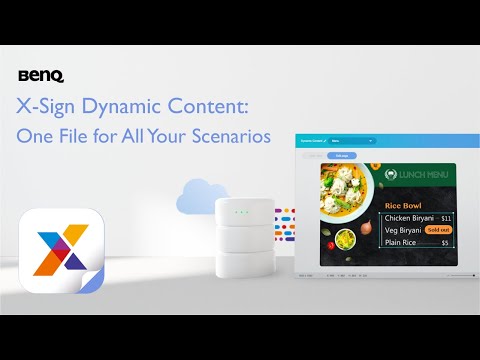
Watch Demo
Use Cases
Retail Advertising
Retailers use X-Sign to display promotional content, manage digital menus, and create engaging customer experiences.
Corporate Communication
Corporate offices leverage X-Sign for internal communications, meeting room signage, and wayfinding displays.
Education
Schools and universities use X-Sign to display announcements, digital signage in hallways, and interactive learning content.
Restaurant Digital Menus
Restaurants use X-Sign to manage digital menu boards, promote daily specials, and enhance the dining experience.
Pricing
Custom pricing — built for your team
X-Sign pricing is tailored to your organisation's size, integrations, and requirements. AiDOOS generates your proposal instantly — scoped & ready in seconds.
Key Features
Create visual content with an intuitive drag-and-drop interface.
Access a library of custom templates to jumpstart content creation.
Set conditions for content to update automatically and schedule playlists.
Monitor and control displays remotely via the X-Sign Manager.
Create interactive experiences for touchscreen displays.
Works with Android, Windows, and iOS devices.
What Reviewers Say
What works well
- User-friendly interface allows quick content creation for non-designers.
- Integrated with BenQ displays and player boxes, ensuring compatibility.
- Cloud-based platform enables remote management and scheduling.
Common concerns
- Limited to BenQ hardware, restricting use with other display brands.
- Advanced features may require paid subscription plans.
Reviews
Enterprise Readiness
Identity & Access
Data Security
SLA & Availability
Compliance & Portability
Integrations
Google Drive
Import media files such as images and videos from Google Drive to use in X-Sign content.
Dropbox
Import media files such as images and videos from Dropbox to use in X-Sign content.
Microsoft OneDrive
Import media files such as images and videos from OneDrive to use in X-Sign content.
Google Calendar
Display events and schedules from Google Calendar on digital signage.
YouTube
Play YouTube videos in X-Sign content and playlists.
RSS
Display live RSS feeds such as news and headlines on digital signage.
Weather Service
Display real-time weather data on digital signage.
Governance & Compliance
EU AI Act
No data available
Data Processing Agreement
No data available
Sub-processors
No data available
Right to Erasure
No data available
Change Notifications
No data available
NIST AI RMF
No data available
AiDOOS Managed Deployment
Deploy X-Sign in 72 hours
AiDOOS handles setup, CRM integration, SSO config, and user provisioning. Your team goes live — not your IT department.
Prerequisites
- Valid X-Sign user account
- Active internet connection
- BenQ display or compatible player
Configuration Options
- Default content templates
- Scheduling settings
- User roles and permissions
- Integration with cloud storage
How X-Sign Compares
| Product | AI & Analytics | Ease of Use | Enterprise Features | Pricing | Integrations | Mobile Experience | Quick Setup | Customer Support | Rating | Price/mo |
|---|---|---|---|---|---|---|---|---|---|---|
|
X
X-Sign This product
|
Fair | Good | Fair | Good | Good | Fair | Good | Good | — | $Custom/user |
|
SC
ScreenCloud
|
Good | Good | Good | Moderate | Excellent | Good | Good | Good | — | $20/user |
|
OS
OptiSigns
|
Fair | Good | Good | Good | Good | Good | Excellent | Good | — | $10/user |
|
SN
Screencast
|
Good | Good | Good | Moderate | EXCELLENT | Good | Good | Good | — | $25/user |
A Virtual Delivery Center for X-Sign
Pre-vetted experts and AI agents in the loop, assembled as a delivery pod. Pay in Delivery Units — universal pricing across roles, seniority, and tech stacks. No hiring, no contracting, no procurement cycle.
- Plans from $2,000 — Starter Pack, 10 Delivery Units, 90 days
- Refundable on unused Delivery Units, anytime — no questions asked
- Re-delivery guarantee on acceptance miss
- Pre-flight delivery sizing — you see the plan before you commit
How a Virtual Delivery Center delivers X-Sign
Outcome-based delivery via AiDOOS’s VDC model. Why VDC vs traditional consulting? →
Outcome-Based
Pay for results, not hours
Milestone-Driven
Clear deliverables at each phase
Expert Network
Access to certified specialists