 · 0 reviews
WPScreens
Turn your favorite WordPress slider into a digital signage system
About WPScreens
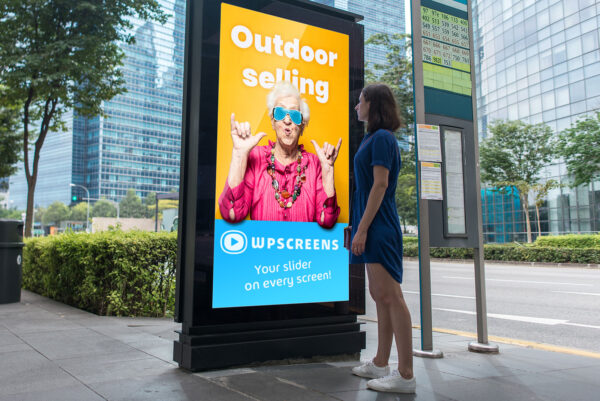
WPScreens is a WordPress plugin that transforms your existing sliders into a fully functional digital signage system. It allows you to display your website content on TV screens, billboards, or in-store displays directly from your WordPress dashboard. The plugin is designed to be user-friendly, requiring no technical or design skills. You can use any of the supported slider plugins (Smart Slider, Revolution Slider, WP Layer Slider, Depicter) to create attractive presentations. WPScreens supports multiple channels, unlimited screen streaming, and includes features like personalized logos, weather widgets, date/time display, newsfeeds, message tickers, and password protection. It works with Google Chrome and Google Cast, enabling you to stream content to any TV or screen. With a free version and a Pro version, WPScreens offers a cost-effective alternative to traditional digital signage systems, which often require expensive hardware and complex management. The plugin is developed by Mieters Media, a web development company from the Netherlands. On AiDOOS, WPScreens can be deployed and managed effortlessly, ensuring your digital signage is always up-to-date and reliable.
Challenges It Solves
- Traditional digital signage systems require expensive hardware and high monthly costs.
- Managing content for website and digital signage separately leads to double work and inconsistency.
- Existing digital signage solutions are often complex and require technical expertise.
- Limited flexibility in customizing content and integrations with popular tools.
Screenshots
Use Cases
Retail & In-Store Displays
Display promotions, product information, and dynamic content on screens within retail stores to engage customers.
Waiting Room Information
Show latest news, health tips, or general information in waiting rooms (e.g., medical offices) to inform and entertain visitors.
Corporate Communications
Use digital signage in office lobbies, meeting rooms, or employee areas to broadcast announcements, KPIs, or company news.
Restaurant Menu Boards
Display dynamic menus, daily specials, and promotions on screens to attract and inform customers in restaurants.
Pricing
Custom pricing — built for your team
WPScreens pricing is tailored to your organisation's size, integrations, and requirements. AiDOOS generates your proposal instantly — scoped & ready in seconds.
Key Features
Broadcast your WordPress content to any number of TV screens or displays using Google Cast.
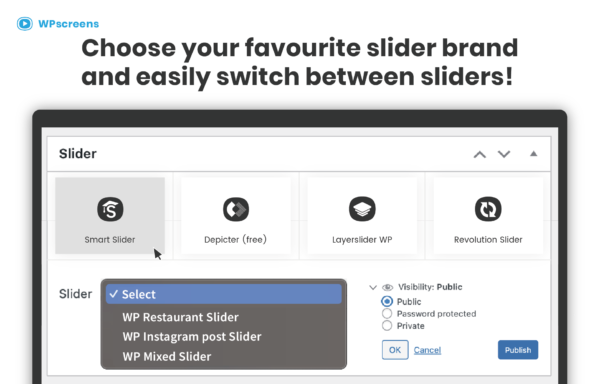
Works with popular slider plugins like Smart Slider, Revolution Slider, LayerSlider, and Depicter to create rich presentations.
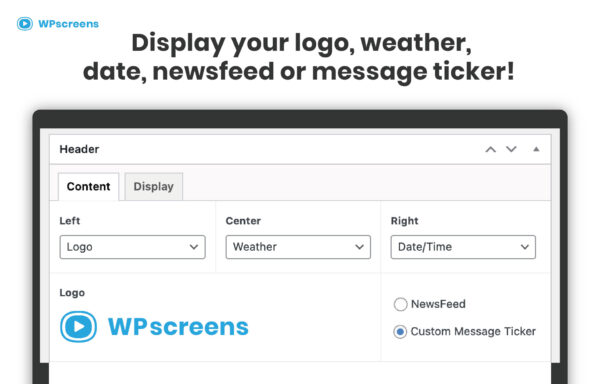
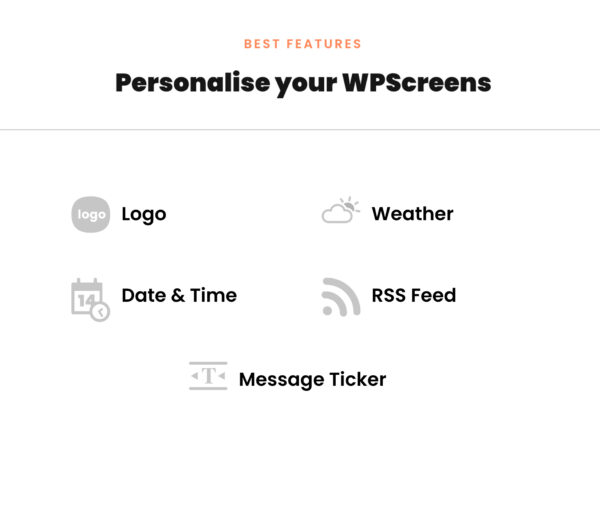
Add logos, weather forecasts, date & time, RSS feeds, and message tickers to your signage for dynamic, up-to-date content.
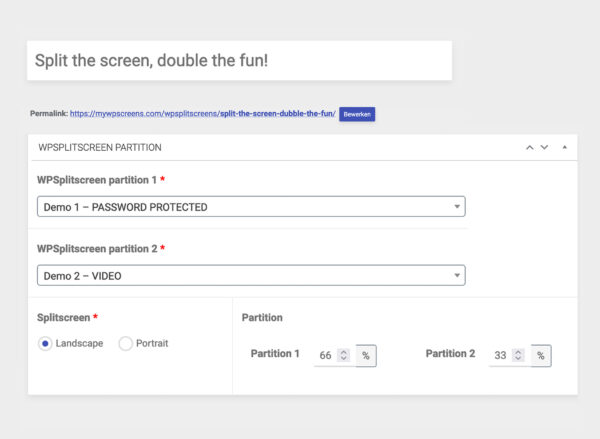
Display multiple sliders simultaneously on one screen for varied content in different sections.
Secure your digital signage presentations with password access to control who can view or modify content.
Access a variety of free templates and demo setups to quickly start your digital signage without designing from scratch.
What Reviewers Say
What works well
- User-friendly and easy to set up, requiring no technical or design skills.
- Integrates seamlessly with WordPress and popular slider plugins, eliminating double work.
- Low-cost solution compared to traditional digital signage systems, with no expensive hardware needed.
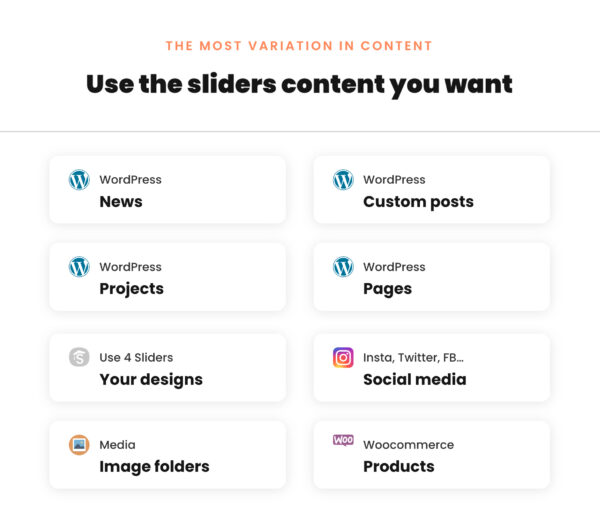
- Flexible content options including dynamic widgets, social media feeds, and WooCommerce products.
Common concerns
- Requires WordPress and a separate slider plugin, which may not be ideal for non-WordPress users.
- Dependent on Google Chrome and Google Cast for streaming, limiting hardware compatibility.
- Advanced features and support are only available with a paid license.
Reviews
No reviews yet for WPScreens
AiDOOS-verified review data is collected after deployment. Deploy this product and be among the first to share your experience.
Enterprise Readiness
Identity & Access
Data Security
SLA & Availability
Compliance & Portability
Integrations
4 total appsSmart Slider 3
A popular WordPress slider plugin that can be used with WPScreens to create and manage digital signage slides.
Revolution Slider
A feature-rich WordPress slider plugin that integrates with WPScreens for advanced slider designs.
WP Layer Slider
A WordPress slider plugin (free version) compatible with WPScreens for creating digital signage content.
Depicter Slider
A free WordPress slider plugin that can be used with WPScreens for digital signage presentations.
Google Chrome
Required browser for displaying WPScreens content on TV screens, with Google Cast support.
Google Cast
Enables casting WPScreens presentations to TV screens with Google Chrome.
WordPress
The underlying CMS that WPScreens runs on, allowing content management and website integration.
Display Instagram feed on digital signage screens through WPScreens.
Governance & Compliance
EU AI Act
No data available
Data Processing Agreement
No data available
Sub-processors
No data available
Right to Erasure
No data available
Change Notifications
No data available
NIST AI RMF
No data available
AiDOOS Managed Deployment
Deploy WPScreens in 72 hours
AiDOOS handles setup, CRM integration, SSO config, and user provisioning. Your team goes live — not your IT department.
Prerequisites
- WordPress 5.2 or higher
- A television screen with Google Chrome and Google Cast
- Active WPScreens license key for Pro features
Configuration Options
- Choose slider plugin (Smart Slider, Revolution Slider, etc.)
- Set up digital signage layout (logo, weather, time)
- Configure feed sources (RSS, Instagram, etc.)
- Enable password protection for screens
Often Deployed With
Common Setup Issues (& how AiDOOS handles them)
How WPScreens Compares
| Product | AI & Analytics | Ease of Use | Enterprise Features | Pricing | Integrations | Mobile Experience | Quick Setup | Customer Support | Rating | Price/mo |
|---|---|---|---|---|---|---|---|---|---|---|
|
W
WPScreens This product
|
Poor | Excellent | Fair | Excellent | Good | Good | Excellent | Good | — | $Custom/user |
|
SC
ScreenCloud
|
Good | Excellent | Excellent | Good | Excellent | Good | Excellent | Good | — | $20/user |
|
PS
PlaySignage
|
Poor | Good | Good | Excellent | Good | Good | Excellent | Good | — | $10/user |
|
YD
Yodeck
|
Good | Excellent | Excellent | Excellent | Good | Good | Excellent | Good | — | $6/user |
A Virtual Delivery Center for WPScreens
Pre-vetted experts and AI agents in the loop, assembled as a delivery pod. Pay in Delivery Units — universal pricing across roles, seniority, and tech stacks. No hiring, no contracting, no procurement cycle.
- Plans from $2,000 — Starter Pack, 10 Delivery Units, 90 days
- Refundable on unused Delivery Units, anytime — no questions asked
- Re-delivery guarantee on acceptance miss
- Pre-flight delivery sizing — you see the plan before you commit
How a Virtual Delivery Center delivers WPScreens
Outcome-based delivery via AiDOOS’s VDC model. Why VDC vs traditional consulting? →
Outcome-Based
Pay for results, not hours
Milestone-Driven
Clear deliverables at each phase
Expert Network
Access to certified specialists