Snagit
The fastest way to capture your screen and share information visually.
About Snagit
TechSmith Snagit is a professional-grade screen capture and recording tool designed to help individuals and teams communicate more effectively through visuals. With Snagit, users can capture screenshots, record short screen videos, and annotate images with callouts, arrows, text, and shapes to convey complex information clearly. Its intuitive editing toolset allows users to enhance captures instantly, while a built-in library of templates helps produce polished, consistent visual content without design expertise. Snagit is widely used for creating technical documentation, step-by-step guides, team communication updates, and training materials. Its scrolling capture feature enables full-page screenshots, while the video recording capability allows users to record and share quick how-to clips. Snagit integrates smoothly into existing workflows by supporting direct sharing to platforms like Microsoft Teams, Slack, Google Drive, and more. AiDOOS enhances the deployment and adoption of Snagit by connecting organizations with skilled freelance professionals who can rapidly onboard teams, build visual documentation workflows, and develop custom training programs. With AiDOOS, businesses can maximize the value of Snagit across technical writing, IT documentation, and corporate training functions without the overhead of full-time hiring.
Challenges It Solves
- Creating clear technical documentation manually is time-consuming and difficult to keep consistent
- Communicating complex processes through text alone leads to misunderstanding and repeated questions
- Teams waste time in meetings or writing long emails to explain tasks that could be shown visually
- Onboarding and training new employees with static documents results in low knowledge retention
Screenshots





Watch Demo
Use Cases
Technical Documentation
Technical writers and IT professionals use Snagit to create annotated screenshots and short how-to videos that make complex processes easier to understand and follow.
Corporate Training
Training and L&D teams use Snagit to build visual onboarding materials, process guides, and system walkthroughs that employees can reference at their own pace.
Team Communication
Employees replace lengthy emails and recurring meetings with quick annotated screenshots or screen recordings to explain updates, issues, or instructions clearly.
Software Marketing
Marketing teams use Snagit to capture and annotate product screenshots for use in sales decks, blog posts, social media, and product documentation.
Pricing
Custom pricing — built for your team
Snagit pricing is tailored to your organisation's size, integrations, and requirements. AiDOOS generates your proposal instantly — scoped & ready in seconds.
Key Features
Capture any region, window, or full screen with precision and ease.
Capture entire web pages or long documents in a single scrolling screenshot.
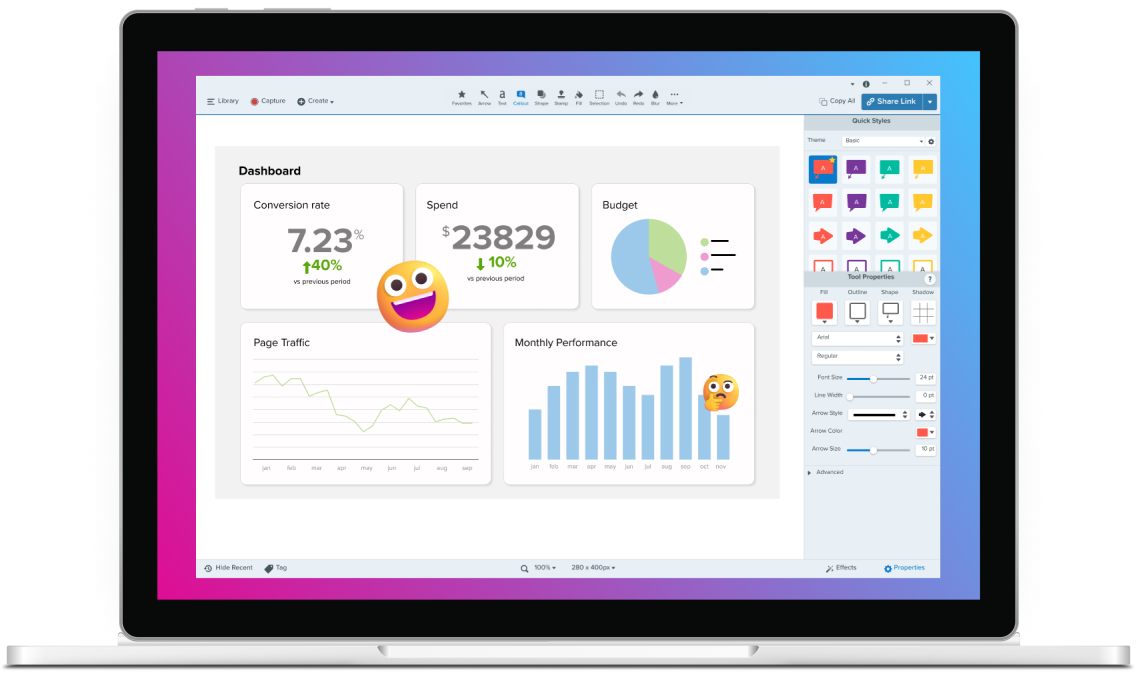
Add callouts, arrows, text, shapes, and highlights to screenshots for clear communication.
Record short screen videos and webcam footage to explain processes quickly.
Access a built-in library of customizable templates to create consistent visual documentation.
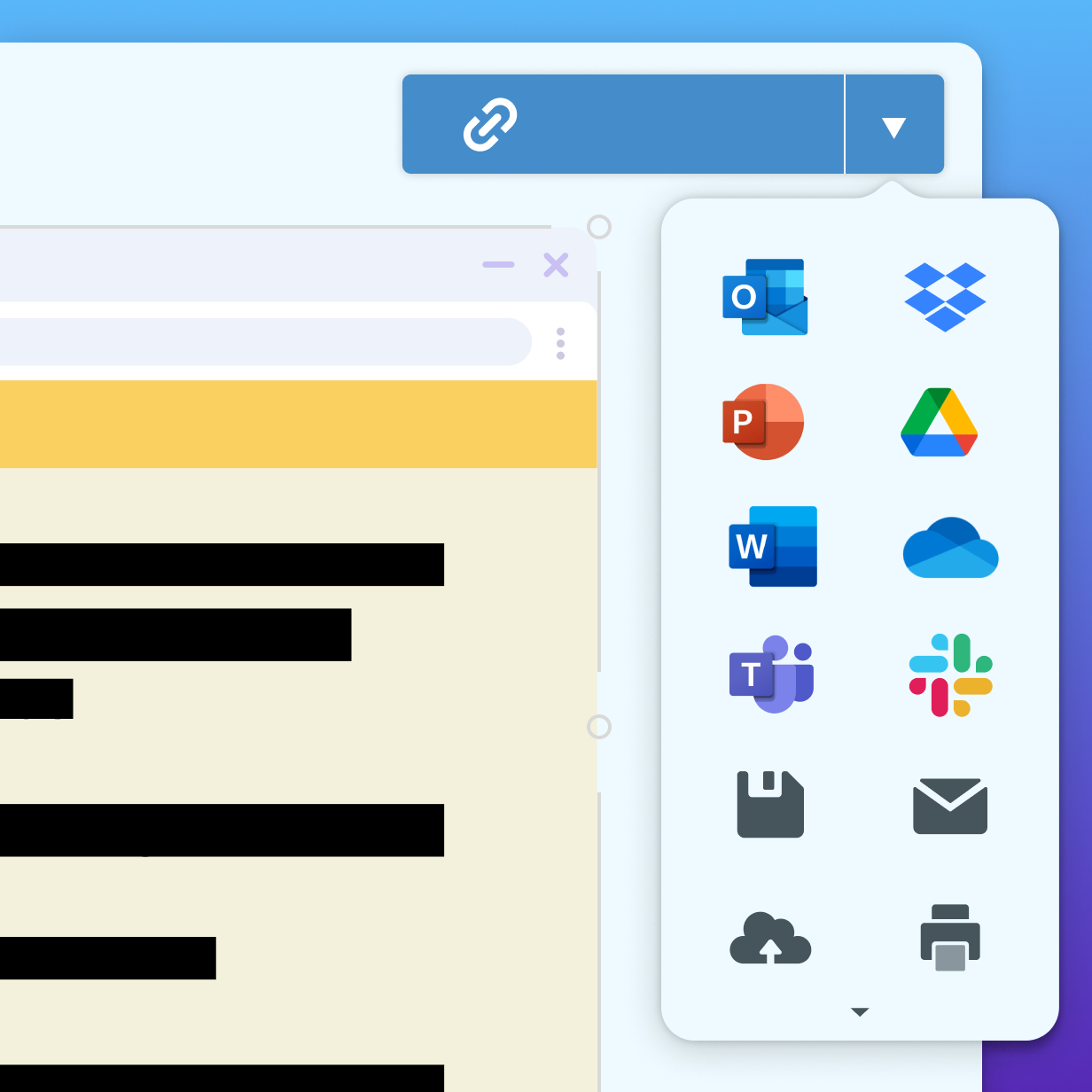
Share captures directly to platforms like Microsoft Teams, Slack, Google Drive, and more.
What Reviewers Say
What works well
- Intuitive and easy-to-use interface that requires minimal training to get started
- Versatile annotation tools make it easy to create clear, professional-looking visual documentation
- Scrolling capture feature enables full-page screenshots not available in basic OS tools
- Seamless sharing integrations with popular collaboration and cloud platforms
Common concerns
- Primarily a desktop application; lacks a fully-featured web or mobile version
- Video editing capabilities are basic compared to dedicated video editors like Camtasia
- One-time perpetual license has moved toward subscription model, which some users find less cost-effective
Reviews
No reviews yet for Snagit
AiDOOS-verified review data is collected after deployment. Deploy this product and be among the first to share your experience.
Enterprise Readiness
Identity & Access
Data Security
SLA & Availability
Compliance & Portability
Integrations
Microsoft Teams
Share Snagit captures and recordings directly within Microsoft Teams conversations.
Google Drive
Save and share Snagit captures to Google Drive for easy access and collaboration.
Slack
Share Snagit screenshots and recordings directly into Slack channels and messages.
Screencast
Upload and share Snagit recordings to TechSmith's Screencast platform for streamlined video reviews.
Microsoft Office
Insert Snagit captures directly into Word, PowerPoint, and other Office applications.
Camtasia
Send Snagit recordings directly to Camtasia for advanced video editing.
Governance & Compliance
EU AI Act
No data available
Data Processing Agreement
No data available
Sub-processors
No data available
Right to Erasure
No data available
Change Notifications
No data available
NIST AI RMF
No data available
AiDOOS Managed Deployment
Deploy Snagit in 72 hours
AiDOOS handles setup, CRM integration, SSO config, and user provisioning. Your team goes live — not your IT department.
Prerequisites
- Windows 10/11 (64-bit) or macOS 14.0 or later
- Valid TechSmith Snagit license or subscription
- Administrator access for enterprise deployment
- Network access to TechSmith license servers
Configuration Options
- MSI installer for bulk/enterprise deployment on Windows
- Integration with Screencast for cloud sharing
- Custom output destinations (Google Drive, Slack, Teams)
- Template library configuration and sharing
How Snagit Compares
| Product | AI & Analytics | Ease of Use | Enterprise Features | Pricing | Integrations | Mobile Experience | Quick Setup | Customer Support | Rating | Price/mo |
|---|---|---|---|---|---|---|---|---|---|---|
|
S
Snagit This product
|
Good | Excellent | Good | Good | Good | Fair | Excellent | Good | — | $Custom/user |
|
GS
Greenshot
|
Poor | Good | Poor | Excellent | Fair | Poor | Excellent | Fair | — | $0/user |
|
LS
Lightshot
|
Poor | Good | Poor | Excellent | Poor | Fair | Excellent | Poor | — | $0/user |
|
CA
CloudApp
|
Good | Good | Good | Good | Good | Good | Good | Good | — | $Custom/user |
A Virtual Delivery Center for Snagit
Pre-vetted experts and AI agents in the loop, assembled as a delivery pod. Pay in Delivery Units — universal pricing across roles, seniority, and tech stacks. No hiring, no contracting, no procurement cycle.
- Plans from $2,000 — Starter Pack, 10 Delivery Units, 90 days
- Refundable on unused Delivery Units, anytime — no questions asked
- Re-delivery guarantee on acceptance miss
- Pre-flight delivery sizing — you see the plan before you commit
How a Virtual Delivery Center delivers Snagit
Outcome-based delivery via AiDOOS’s VDC model. Why VDC vs traditional consulting? →
Outcome-Based
Pay for results, not hours
Milestone-Driven
Clear deliverables at each phase
Expert Network
Access to certified specialists