 · 0 reviews
SlideLizard
The PowerPoint Platform for Audience Engagement and Enterprise Presentation Management
About SlideLizard
SlideLizard is a comprehensive platform that integrates with Microsoft PowerPoint to transform static presentations into interactive and data-driven experiences. It offers several products: SlideLizard LIVE allows presenters to engage their audience with live polls, quizzes, and real-time feedback, while SlideLizard CREATOR provides a central slide library and asset management for enterprises to maintain brand consistency and streamline collaboration. SlideLizard INSIGHTS analyzes presentation performance to improve content. Additionally, LIZ AI is an agentic AI platform that automates the creation of brand-consistent presentations at scale, reducing manual work by up to 70%. By focusing on the enterprise segment, SlideLizard helps organizations maintain control over their presentation content, ensure compliance, and enhance communication effectiveness. AiDOOS enhances deployment and adoption by offering AI-driven migration, integration, and continuous optimization, ensuring seamless implementation and maximizing ROI for SlideLizard users.
Challenges It Solves
- Manual presentation creation wastes time and leads to inconsistencies.
- Scattered slide versions and assets cause confusion and outdated content.
- Static presentations fail to engage audiences effectively.
- Brand compliance is hard to enforce across large teams.
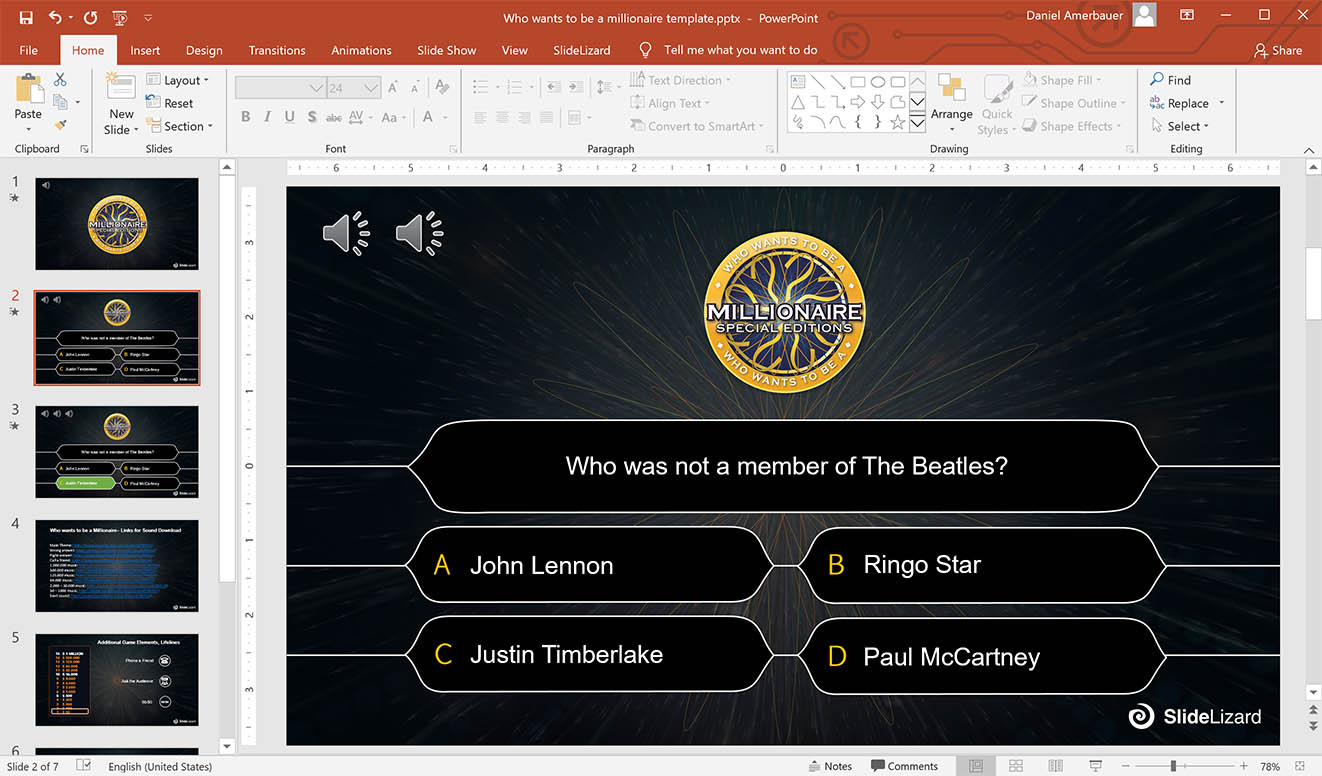
Screenshots



Use Cases
Interactive Presentations
Audience response features to turn one-way slides into engaging sessions.
Brand Compliance Management
Centralized slide and asset management to ensure consistent branding.
Enterprise Collaboration
Streamlined teamwork on presentations with shared slide libraries and approvals.
Automated Presentation Generation
LIZ AI to create brand-consistent decks at scale, reducing manual effort.
Pricing
Custom pricing — built for your team
SlideLizard pricing is tailored to your organisation's size, integrations, and requirements. AiDOOS generates your proposal instantly — scoped & ready in seconds.
Key Features
Create interactive polls and quizzes for real-time audience participation.
Manage and share approved slides from a central repository within PowerPoint.
Control slide updates with review and approval status workflows.
Automatically check slides for corporate design compliance.
Centralized management of images, videos, icons, and templates.
AI-powered presentation automation ensuring on-brand, data-driven content.
What Reviewers Say
What works well
- Deep integration with PowerPoint, keeping workflows seamless.
- Strong focus on enterprise needs: slide management, approvals, and brand compliance.
- Interactive features like polls and Q&A boost audience engagement.
Common concerns
- May require a learning curve for users unfamiliar with PowerPoint add-ins.
- Pricing is not transparent on the website, likely custom for enterprises.
Reviews
Reviewer Demographics
Top Industries
No data available
Company Size
No data available
Enterprise Readiness
Identity & Access
Data Security
SLA & Availability
Compliance & Portability
Integrations
Microsoft PowerPoint
Native integration with Microsoft PowerPoint, adding interactive features directly into presentations.
Microsoft Teams
Used for sharing presentations and collaborating during meetings within the Microsoft ecosystem.
Slack
Integrates for sharing slide updates and notifications within team communication channels.
Google Drive
Allows importing and exporting presentation files to and from Google Drive.
OneDrive
Provides cloud storage for presentations and assets, accessible directly within SlideLizard.
SharePoint
Used for enterprise document management and sharing of presentation content.
Zoom
Integrates for virtual meetings where presentations are shared and interacted with.
Webex
Enables web conferencing integration for remote presentation sessions.
Governance & Compliance
EU AI Act
No data available
Sub-processors
No data available
Right to Erasure
✓ Supported
Change Notifications
No data available
NIST AI RMF
No data available
AiDOOS Managed Deployment
Deploy SlideLizard in 72 hours
AiDOOS handles setup, CRM integration, SSO config, and user provisioning. Your team goes live — not your IT department.
Prerequisites
- Microsoft PowerPoint 2016 or later
- Microsoft 365 account
- Admin access for SSO configuration
Configuration Options
- Integration with Microsoft Teams
- Custom branding
- SSO configuration with Azure AD or Okta
How SlideLizard Compares
| Product | AI & Analytics | Ease of Use | Enterprise Features | Pricing | Integrations | Mobile Experience | Quick Setup | Customer Support | Rating | Price/mo |
|---|---|---|---|---|---|---|---|---|---|---|
|
S
SlideLizard This product
|
Good | Excellent | Excellent | Good | Good | Fair | Excellent | Good | — | $Custom/user |
|
MT
Mentimeter
|
Good | Excellent | Fair | Excellent | Good | Excellent | Excellent | Good | — | $$14.99/user |
|
PE
Poll Everywhere
|
Good | Excellent | Fair | Excellent | Good | Excellent | Excellent | Good | — | $$0/user |
|
KH
Kahoot!
|
Fair | Excellent | Poor | Excellent | Fair | Excellent | Excellent | Good | — | $$0/user |
A Virtual Delivery Center for SlideLizard
Pre-vetted experts and AI agents in the loop, assembled as a delivery pod. Pay in Delivery Units — universal pricing across roles, seniority, and tech stacks. No hiring, no contracting, no procurement cycle.
- Plans from $2,000 — Starter Pack, 10 Delivery Units, 90 days
- Refundable on unused Delivery Units, anytime — no questions asked
- Re-delivery guarantee on acceptance miss
- Pre-flight delivery sizing — you see the plan before you commit
How a Virtual Delivery Center delivers SlideLizard
Outcome-based delivery via AiDOOS’s VDC model. Why VDC vs traditional consulting? →
Outcome-Based
Pay for results, not hours
Milestone-Driven
Clear deliverables at each phase
Expert Network
Access to certified specialists