"Engaging and Effective Presentation Tool"
What I like best about Prezi is its ability to create engaging and visually dynamic presentations that keep audiences focused. The zooming interface helps connect ideas in a way that feels more natural than traditional slide-based presentations. I also appreciate the AI-powered tools, which save time when creating content and designing presentations. As someone who teaches, leads meetings, and presents regularly, I find Prezi to be an effective platform for communicating complex ideas in a clear and memorable way. One thing I dislike about Prezi is that there can be a learning curve for new users who are accustomed to traditional slide-based presentation tools. Some advanced features are only available in higher-tier plans, and occasionally large presentations may require a stable internet connection for the best experience. However, once you become familiar with the platform, the benefits generally outweigh these limitations. Prezi helps me solve the challenge of keeping audiences engaged during presentations. Traditional slide presentations can sometimes feel static, especially when explaining complex topics. Prezi's visual storytelling approach allows me to show relationships between ideas more effectively and maintain audience attention. This has been particularly beneficial in teaching, training, and leadership settings, where clear communication and engagement are essential. The AI features also help reduce preparation time, allowing me to focus more on the content and delivery of my presentations.
"Dynamic Presentations with a Learning Curve"
I like using Prezi to create dynamic, visually appealing presentations that help share ideas effectively. There are endless ways to display and creatively communicate with people. It's great for my kids' school presentations and for showing our products. Initial setup was quite easy too. Sometimes creating can be a bit labor-intensive, and I think it could be improved with easier shortcuts for zooming and adding presentation areas. But generally, it's pretty easy once you get the hang of it. I use Prezi to create dynamic and visually appealing presentations, which helps in sharing ideas. It offers endless ways to display and creatively communicate with people. Often my presentations are more flexible because Prezi is less linear and more like a canvas that can be modified on the fly.
"Keeps Audiences Engaged with Dynamic Presentations"
I'm someone who often relies on PowerPoint. Prezi lets me stand out completely by engaging my audience in ways that other presenters can't match. Just being able to move the screen organically provides visual stimulation that keeps my audience listening—even when my co-presenters have nearly put them to sleep. There's not much I dislike about Prezi. If I had to be really picky, I tend to use external AI tools for some content, but to be fair, Prezi even makes using third-party tools in your design process pretty easy. People often say I'm an engaging presenter, but it feels like traditional tools stifle that engagement by boring people with familiarity. Prezi gives me options. I used to find it a bit difficult to get started, but now that I can use AI to generate a presentation from PDFs or an existing document, it's much faster. I can put together something simple in an hour, or if it needs more detail, it saves me lots of time by giving me a starting point.
"Zoomable Canvas and Video Keep Audiences Hooked"
Over the years, I've used many presentation tools for client pitches, agency demos, and sales meetings, and Prezi remains the only one that consistently makes an audience lean in. The zoomable canvas isn't just a gimmick—when you're explaining a complex strategy or service, being able to zoom out to see the big picture and then zoom into specifics in real time is a real advantage.
In a July 2025 survey of sales, marketing, training, and consulting professionals, 4 out of 5 said Prezi captured attention better than traditional tools, and 91% reported positive improvements in their work outcomes. That matches what I've seen myself. Softwareexperts
The Prezi Video feature, which overlays your presentation content alongside you during video calls and recordings, became a real differentiator during remote work, and it's still great for webinars and virtual demos. Max Productive AI
They've also added AI features in 2025–2026, including prompt-based presentation generation, AI image generation, and text optimization—powered by OpenAI, with a policy that user inputs aren't used to train third-party AI models. The learning curve is real. Prezi is harder to learn than most slide-based tools, has limited offline editing, and occasional stability issues. If you need to hand off a file to a client or team member who uses PowerPoint, you'll hit a wall. Prezi doesn't natively export to .pptx—so you're mostly limited to PDF export, which loses the zoom and animation that make Prezi worthwhile. NarratioSkywork
The AI tools also feel pretty shallow compared to where the market is going. It's more nudges and phrasing suggestions than a truly smart assistant: AI-generated 'templates' that are really just layout presets, content prompts, and the occasional structure tip. For a fast-moving marketing or sales team, that might not be enough. When I'm pitching the Search Authority Flywheel™ to a home services client, walking a dealer group through Dealer Studio, or presenting the NATA Today staffing model to an automotive GM, a standard slide deck tends to make everything feel equal. Each point gets the same visual weight, even when the conversation isn't treating them that way. Prezi lets me start with the big picture and then zoom into the exact piece they're asking about, in real time, following wherever the discussion goes.
L
Learning & Development Specialist
"Interactive Training Made Easy with Prezi"
I recently used Prezi to show the worker journey at my company and found it extremely useful, especially since there's a template that simulates a journey. It was very straightforward to move around and add elements, and I could embed the design into our learning platform, 360L. I had some trouble with the autosave feature, so my design didn't always save when I needed it to. Even with the free version, I can bring my designs to life. Signing up was a breeze. I also used AI to generate a project from a document and was very happy with the outcome. Some templates aren't that useful, and I find zooming back to the mainframe a bit awkward. I'm on the free plan but still have access to most functions. Prezi helps me deliver specific training topics during new hire onboarding. It's much more interactive than scrolling through a document or slide deck. The AI feature lets me do less but still get the same results.
s
social media lead content creator
"User-Friendly Tool with Valuable Insights"
I got to use Prezi's free pricing option and also read and download a presentation. Here's what I think:
The UI/UX is straightforward and simple to use. The integrations were also easy, and it's refreshing to have something that isn't complicated. Performance was smooth and clean—the transitions on slides worked without any glitches. It was also handy that I could send a link for viewers to download.
I didn't need any support or onboarding because the product is easy to use for me. I'd say the AI/intelligence features were minimal for me; I hardly used them. But having them is a plus. Maybe a few more formatting options would be nice, but I understand they're aiming for simplicity and ease. It's fast and easy for presentations, making things less of a hassle. STRAIGHT FORWARD
"Prezi: A Must-Have for Visual Storytellers"
I appreciate how simple it is to modify and refresh Prezi, and having top-notch images that I can zoom into to highlight details in photos, something PowerPoint never let me do. The effects are great too, and I find it very intuitive, letting me upload it to a computer and access it from anywhere globally. The ease of use is perfect because I usually work with an iPad, but if that fails or I'm without Wi-Fi, I can use any computer to get to my whole Prezi library. I also like that Prezi offers a free tier, and I've been recommending it for the last ten years to anyone who asks. Setting it up was incredibly easy, and unlike PowerPoint, Prezi lets you enlarge images beyond their original resolution, which is a big plus for me. I did try to get a demo on recording presentations to video, and I wish that were part of the free service, but you can't have everything. I love how effortless it is to change and update presentations in Prezi. It offers quality images, zoom capabilities, and effects that PowerPoint doesn't have. It's very user-friendly and accessible from anywhere in the world.
"Quick and Easy Way to Create Professional Presentations"
As an Occupational Physician in India, I often lead health awareness sessions and educate employees on workplace risks, safety measures, and healthy living. Although I'm not a teacher or academic, putting together engaging presentations is a key part of my role.
Discovering Prezi has been fantastic. It lets me design visually appealing, professional presentations in much less time than traditional tools. The platform is intuitive and creative, helping me concentrate on the content instead of getting bogged down in design and formatting.
What I value most is Prezi's overall look. The dynamic style keeps audiences engaged and makes even routine workplace health topics more interesting and memorable. Most importantly, the time I save on creating presentations can be spent on what really matters—my patients and workplace health programs.
Since I started using Prezi, I rarely feel the need to go back to Keynote. For anyone involved in training, awareness campaigns, or professional presentations, I strongly recommend giving Prezi a try.
Thanks to the Prezi team for making such a great product. The AI could be better at understanding user prompts, especially for specialized fields like occupational health. Sometimes the content or design suggestions don't quite capture what I mean, so I have to make extra edits. Better prompt comprehension and context awareness would improve the experience. What I like most about Prezi is the time and effort it saves me. As an Occupational Physician, presentations aren't my main job, but I still need to run workplace health and safety sessions. Prezi lets me create professional-looking, engaging presentations without spending hours on design principles or formatting.
The platform enables even non-academics and non-teachers to present with confidence and professionalism. The visual appeal and ease of use make my presentations much better than anything I could create myself, allowing me to focus more on my patients and less on slide design.
"Engaging Transitions Tie the Whole Presentation Together"
The way slides transition keeps the presentation lively, captivating, and visually striking. The transitions are surprising yet fitting, which helps keep everyone focused and creates a smooth progression from one section to the next. They're not just about moving forward; they show how each slide relates to the overall story of the presentation.
Because they give hints of the structure and flow, the audience always knows where they are in the presentation and how each part contributes to the main message. This sense of coherence makes it easier to follow complex material and strengthens the connections between ideas. The end result is a presentation that feels both energetic and well-organized, with each slide clearly part of a larger narrative. I often wonder what the full paid version of Prezi could do. At my organization, we only have the free version, and seeing what it can already do makes me curious about the premium features. I'd love to try out the extra tools, transitions, and customization to see if they make presentations even more engaging and impactful. Prezi is saving me from the world of standard PowerPoint decks. Even though PowerPoint can do a lot in the hands of an expert, it often feels predictable and conventional. Prezi, on the other hand, brings a fresh, dynamic approach that grabs attention right away.
Using Prezi for the first time is genuinely surprising and engaging—the movement, transitions, and visual storytelling make everything feel more interactive and memorable. Instead of seeing slides as separate pieces, the audience can see how ideas fit together in the bigger picture.
I'm really looking forward to using Prezi for my presentation at the Admin Away Day on Tuesday, 23 June. It'll be interesting to see how my colleagues react to a format that's so different from the usual slide-based ones, and whether it makes the content more interesting and effective.
"AI-Powered Content Creation and Smooth Integration"
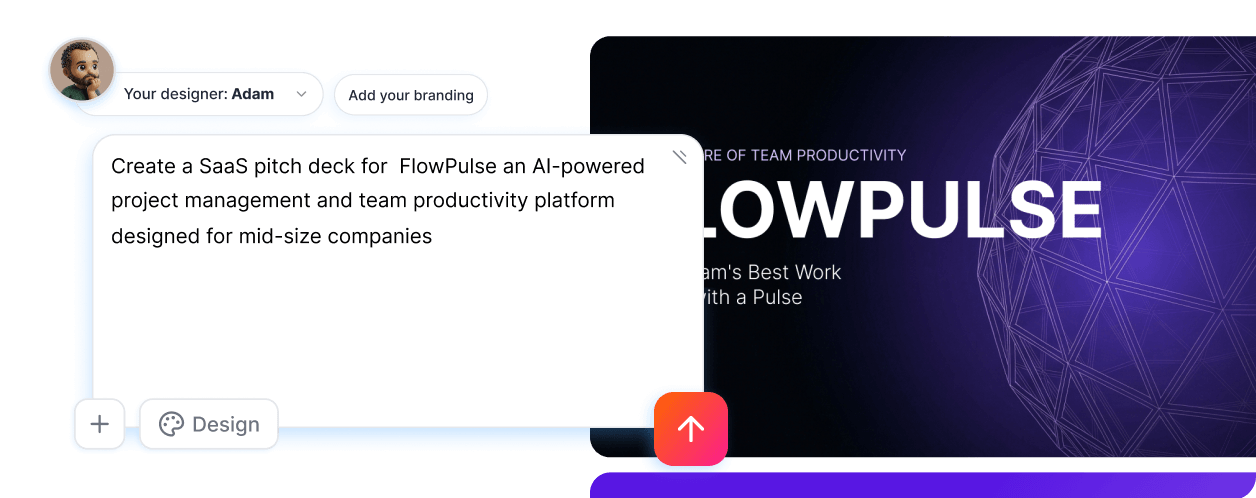
I'm a big fan of how Prezi's AI automatically generates content, offering a unique and broader perspective on my topic that goes beyond what I initially had in mind. It's really easy to navigate, especially for someone like me who is comfortable with technology, thanks to the clear on-screen guides and instructions. Combining Prezi with Notion AI worked flawlessly, allowing my slides and other materials to appear smoothly. The only downside is that some stock images require an upgraded plan or additional credits, which can be pricey for students on the free version. It would be great to have more budget-friendly options or chances to earn free access. I rely on Prezi for my final year projects and assignments, and the AI-generated content gives my work a depth I wouldn't have achieved on my own.
 ★ 4.2 · 5723 reviews
%202.png)
.png)