S
Software Engineer-Trainee
"Moving from Chaotic Curl Commands to Organized Collaborative API Workflows"
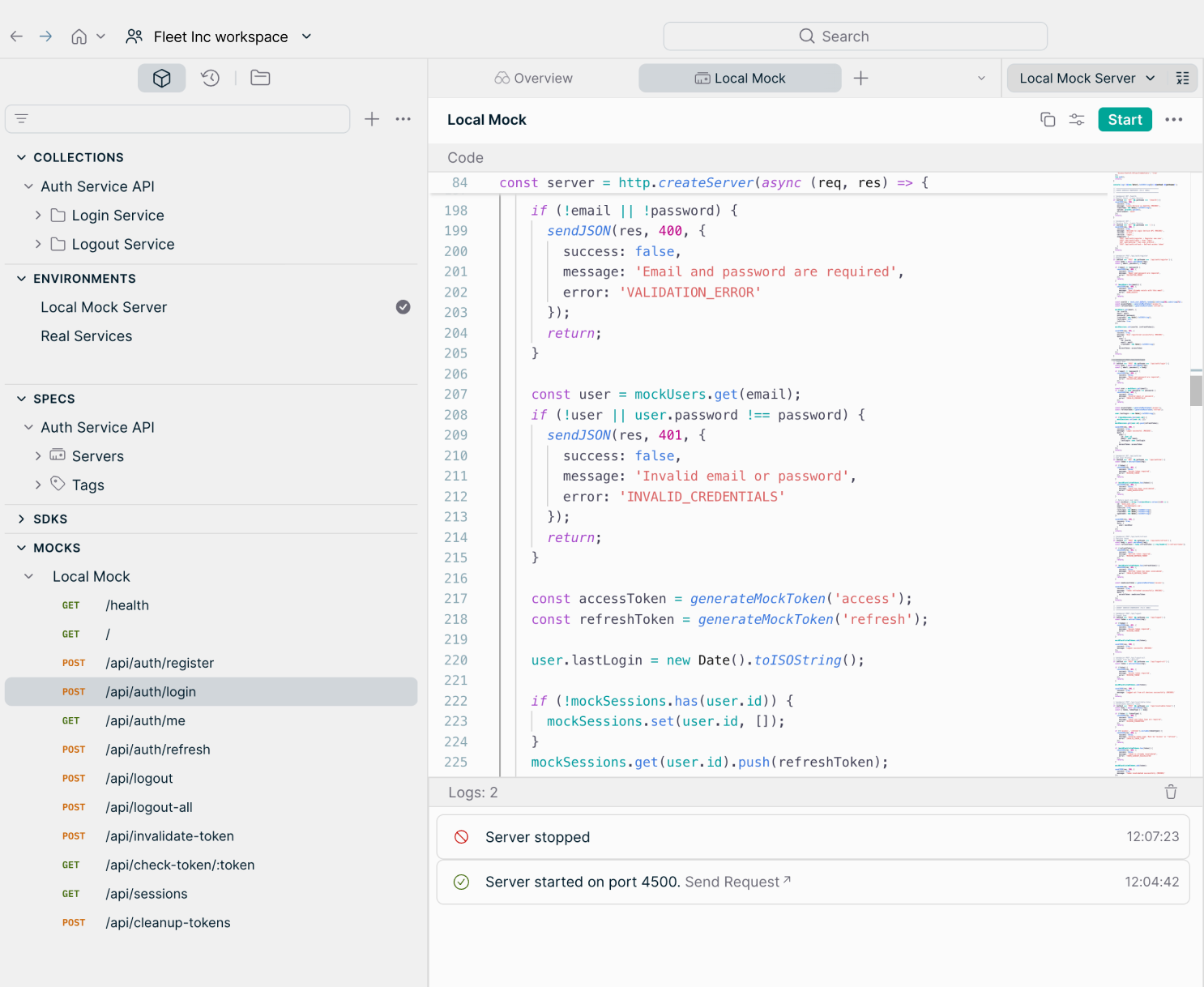
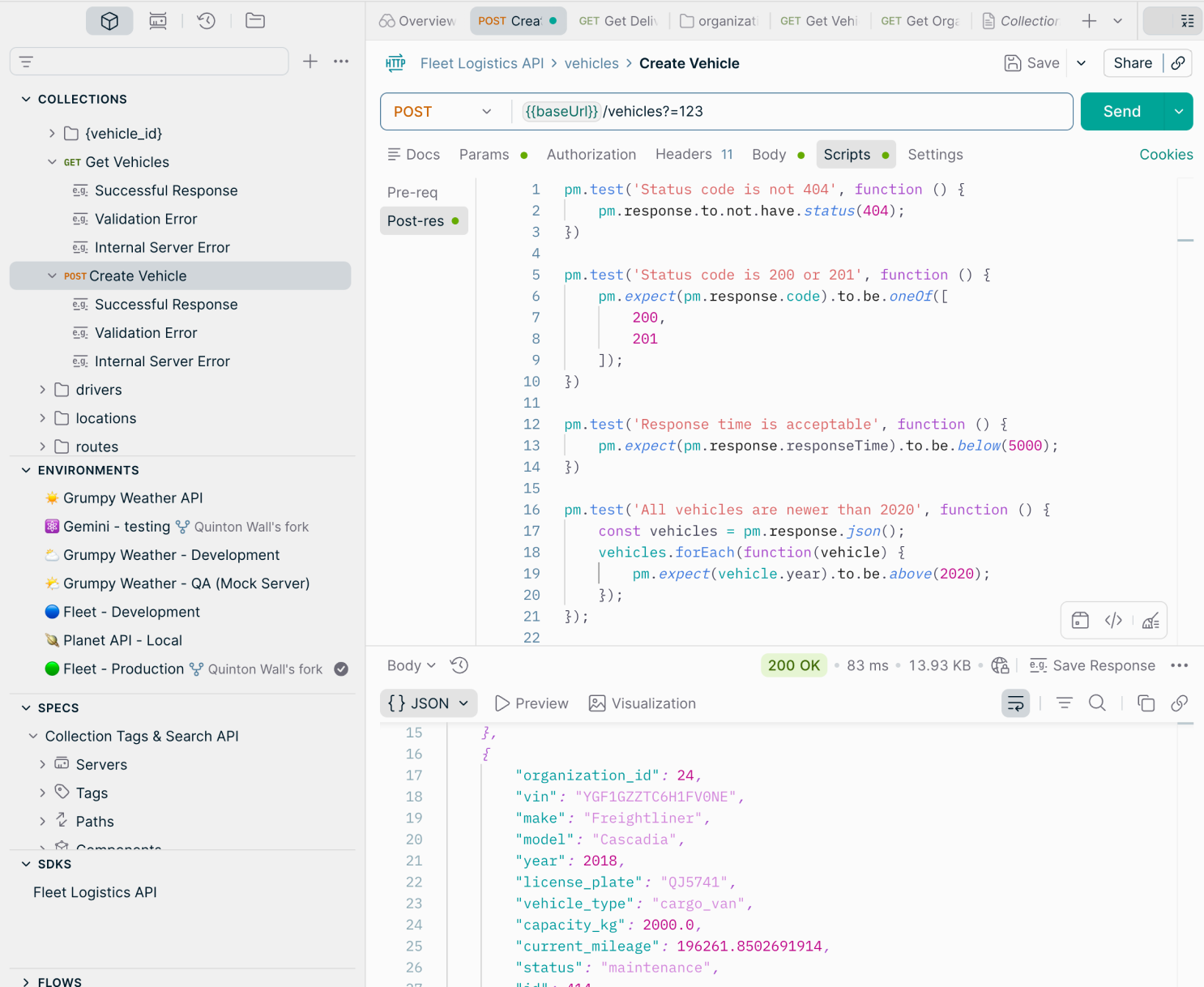
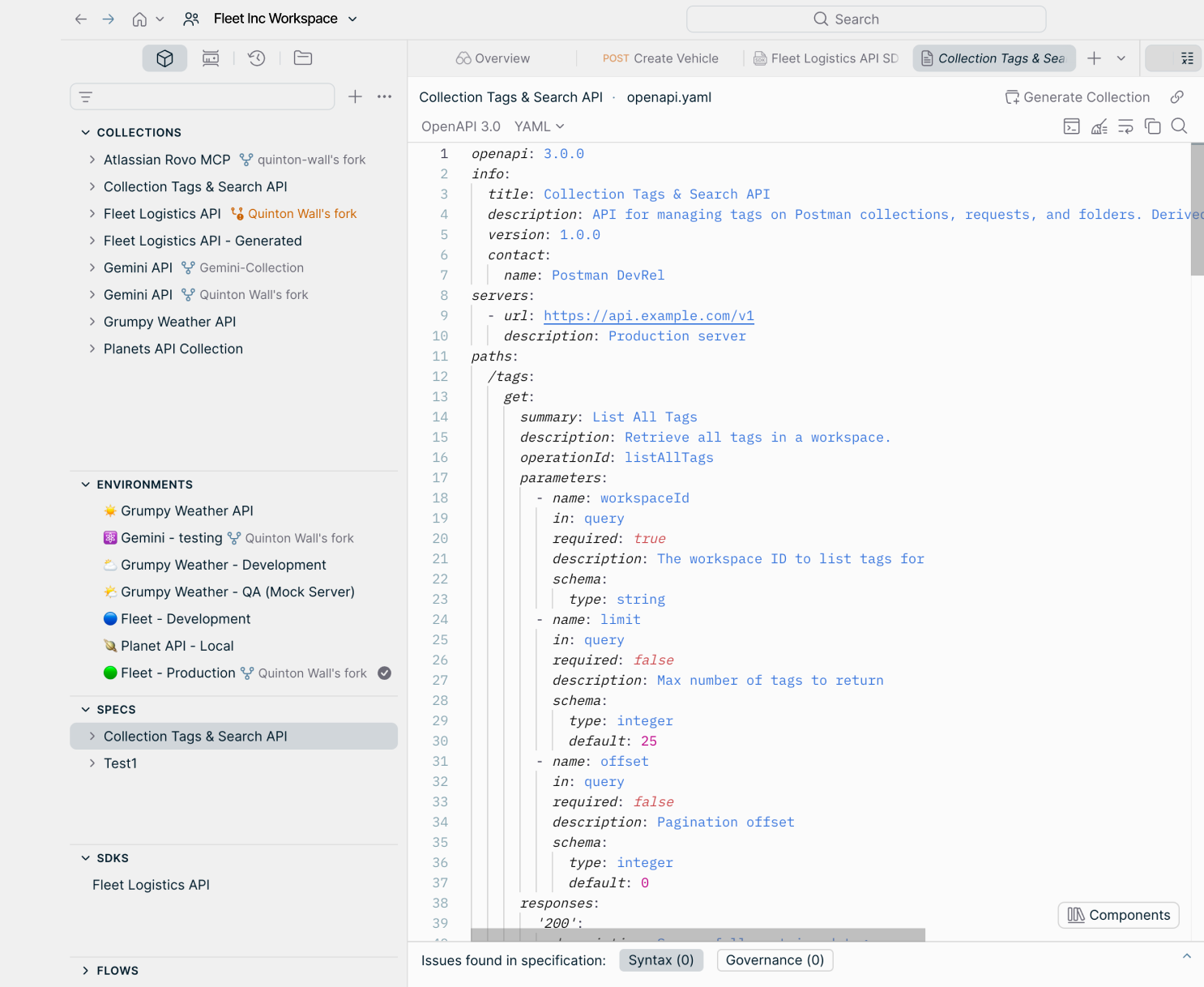
Postman has truly revolutionized our team's API development approach, and I say that practically, not just as a buzzword. UI/UX is where Postman first won me over. The interface is intuitive without being oversimplified. I recall setting up a request chain using pre-request scripts—which sounds complex—and it just clicked naturally. The sidebar organization, tabs, and collection structure make navigating large projects manageable. Integrations have been a nice surprise. We integrated Postman into our CI/CD pipeline using Newman, and now API tests run automatically on every deployment. It also connects smoothly with GitHub, Slack, and Jira, reducing context switches. Performance is decent for most tasks, though the desktop app can be slow to load with many collections open. Once running, it's smooth. Pricing/ROI is interesting. The free tier is generous for individual developers. For teams, the paid plan adds up, but considering the hours saved on debugging, documentation, and onboarding, it pays for itself quickly. Support/Onboarding is solid, with some of the best documentation I've seen for a dev tool; the learning center helped our junior developers get up to speed fast. AI features are new but promising—AI-assisted test generation has caught edge cases I might have missed manually. That said, there are pain points. The biggest frustration is the gradual paywalling of features. Features that used to be free, like certain collaboration tools and increased collection runs, are now restricted. For solo developers or small teams on tight budgets, that stings. It feels like the product is shifting toward enterprise customers. App performance is another issue. On older machines or with multiple large collections open, Postman can get sluggish. For a tool I use all day, startup times and UI freezes are more annoying than they seem. The shift to a cloud-first model hasn't been entirely smooth either. Requiring login to access your own collections felt like a regression for developers who prefer local storage for security or compliance. It caused friction in our team initially. Lastly, the learning curve for advanced features like test scripting, request chaining, or setting up monitors can be steep for newer developers. Documentation helps, but better in-app guidance would be useful. None of these are dealbreakers, but they're real enough that I'd want anyone evaluating Postman to know. The core problem Postman solves is fragmentation. Before, API work was scattered: curl commands in terminal, endpoints in Notion, auth tokens copy-pasted from Slack, test results in my head. It was messy and hard to hand off. Postman consolidated all that, with concrete benefits. Faster debugging is the most immediate. When an API response isn't expected, I can quickly isolate issues—check headers, inspect response body, compare with previous runs—without switching tools. What used to take 20-30 minutes now takes a few. Team collaboration has improved noticeably. Sharing a collection with a new backend dev means they have every endpoint, auth setup, and environment variable ready from day one. We've cut onboarding time for API work significantly. Automated testing via Newman has caught several bugs before production, saving time and preventing incidents. An unexpected benefit has been better API documentation. Since everything is already organized in collections, generating internal docs takes minimal effort. Overall, Postman has transformed API work from a chore into a structured, repeatable process, and that consistency has real daily value.
"Enhancing API Testing and Development Efficiency"
What I like most about Postman is its user-friendly interface and the ability to test APIs quickly without writing additional code. Features like Collections, Environment Variables, and automated testing scripts make API development and debugging more efficient. It also eases collaboration by allowing teams to share API requests, documentation, and test cases in a centralized workspace. The learning curve can be steep for beginners, especially with automated tests, scripting, and complex environment setups. However, extensive documentation helps overcome this. Postman solves the problem of testing, validating, and managing APIs efficiently during development. It lets me send requests, inspect responses, automate tests, and organize endpoints in collections without building a separate frontend. This helps me identify issues faster, reduce debugging time, and improve the overall quality and reliability of my applications. The collaboration and documentation features also make it easier to share APIs with team members and maintain consistency across projects.
S
Software Engineer -QA at Genzeon
"Assessing Postman's Impact on API Workflow Efficiency"
The interface makes it very easy to organize requests, manage APIs, and automate tests with collections. Additionally, environment variables and scripting with pre-request or test scripts make it highly powerful for both manual and automated workflows. However, with many collections or workspaces open, the learning curve can be steep, especially when diving into tests or complex workflows for the first time. It's powerful but can be heavy at times. Postman truly addresses the challenge of managing and testing APIs in a streamlined, centralized manner. Instead of juggling multiple tools or writing manual cURL commands, I can quickly organize requests, automate testing, and simulate different environments. This saves a ton of time and ensures I catch issues early, which is a huge benefit when building or integrating APIs.
"The Most Straightforward Tool for API Work I've Used"
I use Postman almost daily, and the features I depend on most are Environments and Variables. Being able to switch between development, staging, and production without editing every request prevents many silly errors, especially when managing multiple projects simultaneously. I've also been impressed with the evolution of API Collaboration features. Sharing collections, documentation, examples, and test cases with the team has eliminated several separate documents we used to maintain. Everything is centralized now, making life easier. Additionally, Postman's own documentation is among the best I've encountered. Performance has been consistent, even with large collections, and I rarely face stability issues. The only drawback is that some newer features like Flows and advanced collaboration tools take longer to master. Over time, Postman has expanded into a larger platform, so learning the basics is easy, but fully utilizing everything it offers takes time. A major part of my work involves integrating third-party services or consuming APIs from other teams. Before writing any code, I usually explore endpoints, check responses, test edge cases, and understand API behavior. Recently, we've been creating shared collections before development starts. While one part of the team works on the backend, frontend developers can validate responses, test contracts, and build against the same collections. By integration time, we've typically caught most issues before production. That's probably the main reason I stick with Postman. It's more than just an API testing tool now—it's where the entire team stays aligned on API expectations.
"Postman Organizes and Speeds Up API Testing with Collections"
I rely on Postman almost every time I work with backend APIs because it lets me test endpoints before linking them to the frontend. I particularly like collections and environment variables since they prevent me from repeatedly changing base URLs, tokens, and IDs when switching between local and deployed environments. The ability to inspect headers, payloads, status codes, and response times in one place makes debugging much quicker. As collections grow, keeping requests organized takes effort, and the desktop app can become noticeably heavier during long sessions. I also wish more collaboration and monitoring features were available on the free plan, as many individual developers and students rely on it for learning and personal projects. Postman has become one of the first tools I open when building APIs. It helps me verify authentication flows, test request payloads, validate responses, and catch backend issues before they show up in the frontend. Having everything stored in collections also simplifies regression testing whenever an API changes.
P
Packaged Application Development Analyst
"Postman Simplifies API Testing with Collections and Environment Variables"
Postman simplifies API testing greatly. I appreciate how effortless it is to create requests, test endpoints, manage collections, and share them with team members. A feature I use often is Collections and Environment Variables, which help avoid entering the same values repeatedly and make cross-environment testing easier in daily work. Sometimes the application can become slow with very large collections or multiple environments, and managing a large number of requests can be challenging if collections aren't well-organized. I've also noticed occasional sync delays when sharing collections across team members. Postman eases API development and testing by allowing developers to send requests, validate responses, and troubleshoot issues without writing custom scripts. For instance, while working on API changes, I used Postman to quickly verify request payloads, response codes, and edge cases before deploying. It was also useful during bug fixes and production issue investigations, as I could easily test APIs and confirm that authentication tokens, requests, and responses were working as expected. This helped identify issues faster and reduced overall testing effort.
"User-Friendly, No-Script REST API Testing Featuring Strong Automation"
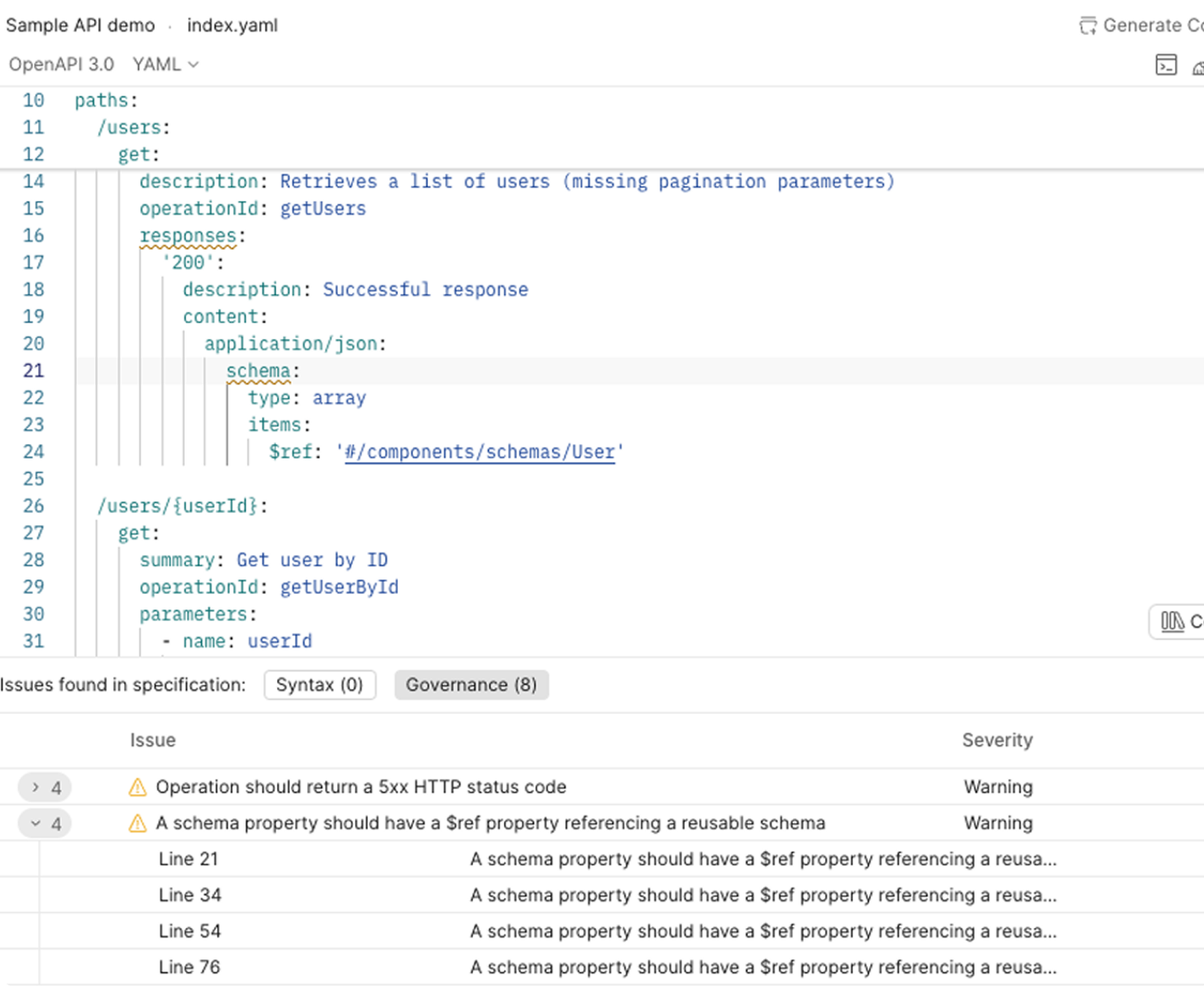
The primary benefit of Postman is its user-friendly interface and the capability to test REST APIs without writing custom scripts. It's straightforward to create requests, manage environments, organize collections, and automate API testing. The main advantage of Postman lies in its intuitive interface and the ability to test REST APIs without custom scripting. Creating requests, managing environments, organizing collections, and automating tests is simple. Some of the most valuable features include: easy API request creation with support for all HTTP methods; environment variables and collections that simplify testing across dev, staging, and production; pre-request and test scripts using JavaScript for automation; Collection Runner for sequential execution of multiple requests; API documentation generation and easy sharing with team members; authentication support (Bearer Token, OAuth 2.0, API Keys, Basic Auth, JWT, etc.); import/export for OpenAPI (Swagger) specs; CI/CD integration with Newman; and excellent collaboration features for teams. The learning curve is minimal, allowing even junior developers to become productive quickly. What I dislike: while excellent, a few areas could be improved—the desktop app can become memory-intensive with very large collections, syncing large workspaces can be slower than expected, and some advanced collaboration and governance features are only available in higher-tier paid plans. Postman is now a vital part of our API development workflow, helping us validate APIs before frontend integration, quickly identify request and response issues, automate regression testing, share standardized collections with developers and QA, reduce manual testing time, and improve collaboration among backend developers, frontend developers, and testers.
"Postman Simplifies API Testing Through Collections, Environments, and Sharing"
Postman makes API testing extremely user-friendly. I utilize it to send requests, examine responses, and promptly fix issues without needing to write additional code. Saving collections and environments allows for easy switching between different configurations, and sharing them with colleagues ensures everyone is aligned. In general, it saves considerable time during development and makes API testing more structured and efficient. The interface can initially feel overwhelming due to the abundance of features and options. Occasionally, the desktop app can also feel sluggish when dealing with large collections or multiple environments, resulting in frustrating lags. It enables me to test and validate APIs much faster during development, avoiding the need to write custom scripts for each request. Sharing collections and environments with teammates also ensures everyone uses the same API configurations, which minimizes confusion and speeds up collaboration.
"Easy-to-Use, Robust API Testing That Enhances Our Workflow"
Postman has proven to be a superb tool for API development and testing. Its user-friendly interface simplifies creating, organizing, and testing REST APIs, while also enabling me to quickly examine requests and responses. Features like collections, environments, authentication support, and automated testing have significantly improved my development workflow. It aids in faster API debugging, confident integration validation, and smooth team collaboration, making the entire API development process more efficient and productive. Postman is a robust API development tool, but there are a few areas that could be enhanced. The desktop application can be resource-heavy at times, particularly when handling large collections or multiple workspaces. I've also noticed that certain advanced features are restricted to paid plans, which can be limiting for solo developers and small teams. Additionally, syncing between workspaces and loading large collections can occasionally be slower than expected. Improved performance, a more streamlined interface for newcomers, and offering more collaboration features in the free tier would greatly enhance the experience. Postman has resolved many API development and testing challenges by providing a unified platform where we can efficiently create, test, and debug APIs. Prior to using Postman, validating endpoints and troubleshooting authentication or request issues required significantly more time and effort. With features such as collections, environments, automated tests, and detailed response inspection, we can identify problems faster, reduce development time, and ensure APIs behave reliably before deployment. Overall, it has enhanced team collaboration, accelerated integration testing, and increased productivity.
"Postman Accelerates API Creation, Testing, and Troubleshooting"
The aspect I appreciate most about Postman is how effortlessly it streamlines API creation, testing, and troubleshooting. It enables me to arrange API collections, control environments, automate test scenarios, and promptly verify API responses, which significantly cuts down development time and enhances team cooperation. A drawback I've encountered is that overseeing extensive API collections and environments becomes more challenging as projects expand. Dealing with multiple AI services and backend APIs, collections can become disorganized, making navigation and upkeep more time-consuming. Furthermore, collaboration capabilities such as advanced governance, reporting, and workspace management are more beneficial in premium plans, which can be restrictive for smaller teams. Overall, these are minor issues and don't overshadow the worth Postman provides for API development and testing. Postman addresses the issue of validating and debugging APIs prior to integrating them into our applications. In our AI-driven insurance document processing project, I rely on it to test APIs for document uploads, policy data extraction, authentication, and backend integrations. It permits me to swiftly confirm request and response data, catch problems early, and ensure APIs function correctly before deployment. This has minimized debugging time, boosted API dependability, and expedited the delivery of AI features, leading to a more stable and efficient development process.
 ★ 4.6 · 1800 reviews