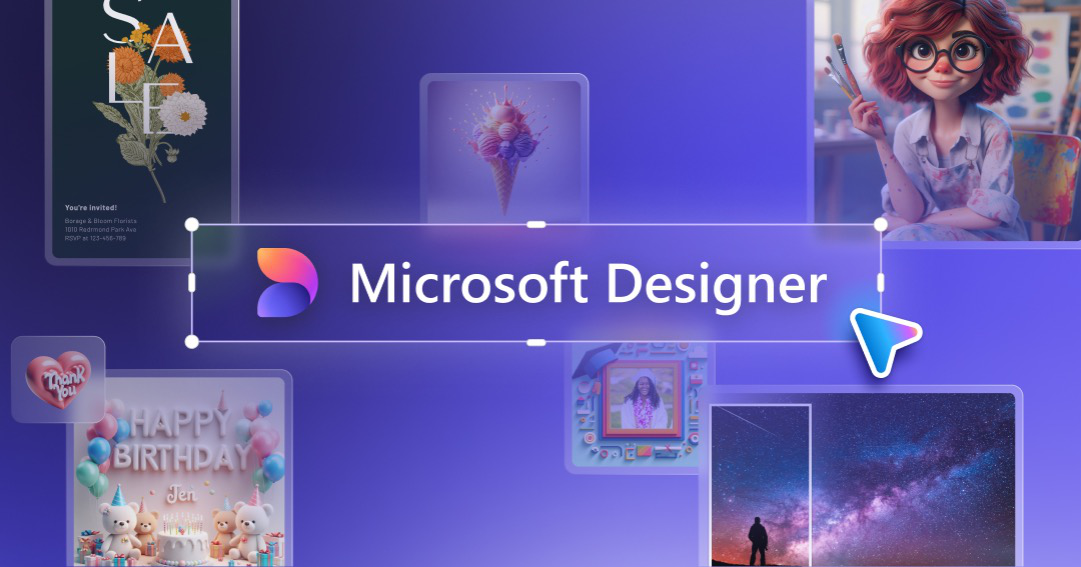
Looking to implement or upgrade Microsoft Designer?
Schedule a Meeting
AI Design

Microsoft Designer

AI-powered design tool that transforms ideas into professional visuals instantly

Category
Software
Ideal For
Marketing Teams
Deployment
Cloud
Integrations
50++ Apps
Security
Enterprise-grade data protection, secure cloud infrastructure
API Access
Yes - API available for enterprise deployments

About Microsoft Designer

Microsoft Designer is an AI-powered visual design platform that enables users to create professional-quality graphics, marketing materials, and presentations without requiring extensive design expertise. By leveraging advanced artificial intelligence and machine learning, Designer automates the creative process, allowing businesses and creative professionals to transform concepts into polished visual content in seconds. The platform combines intuitive design interfaces with intelligent suggestions, template libraries, and design generation capabilities to democratize professional design work. AiDOOS enhances Designer deployment by providing managed integration with enterprise systems, ensuring seamless governance across design workflows, optimizing resource allocation for design teams, and enabling scalable design operations across organizational boundaries. The platform supports multiple design formats and integrates with Microsoft Office 365 ecosystem, enabling teams to maintain consistency and efficiency throughout their creative processes.

Challenges It Solves

  • Design teams struggle with time-consuming manual design processes limiting content output
  • Non-designers lack professional tools to create brand-compliant marketing materials independently
  • Organizations face high costs maintaining in-house design departments for routine visual content
  • Inconsistent visual branding across departments reduces professional brand perception
  • Design bottlenecks delay marketing campaigns and business communication initiatives

Proven Results

72
Faster design production with AI-assisted workflows
58
Reduced dependency on specialized design professionals
81
Improved design consistency across organizational content

Key Features

Core capabilities at a glance

AI-Powered Design Generation

Instant professional designs from text prompts

Generate complete designs in under 60 seconds

Intelligent Design Templates

Curated templates for every use case

Access to thousands of professionally designed templates

Brand Kit Integration

Maintain consistent branding automatically

100% brand-compliant content across all designs

Image Enhancement

Professional-grade image editing capabilities

Transform photos into polished marketing assets

Design Suggestions

Real-time AI recommendations for visual improvements

Elevate designs with data-driven suggestions

Multi-Format Support

Create designs for any channel or platform

Generate social, web, print, and presentation assets

Ready to implement Microsoft Designer for your organization?

Real-World Use Cases

See how organizations drive results

Social Media Content Creation
Marketing teams quickly generate on-brand social media graphics, carousel posts, and promotional content without waiting for design resources. Designer enables consistent, high-volume content production for multiple platforms.
76
68% faster social content production cycle
Marketing Collateral Development
Create professional brochures, flyers, posters, and promotional materials in minutes. Teams maintain brand consistency while reducing reliance on external design agencies.
64
Reduce marketing material production costs by half
Presentation Design
Business professionals design compelling presentation slides, pitch decks, and business presentations with professional layouts and visuals automatically optimized for impact.
82
Presentation creation time reduced by 70%
E-Commerce Product Imagery
E-commerce teams enhance product photos and create promotional graphics for online stores. Improve product presentation and conversion rates with professional visual assets.
71
Boost product image quality and appeal instantly
Internal Communications
HR and internal communication teams create professional internal announcements, newsletters, and training materials that engage employees with polished visual content.
58
Improve internal communication effectiveness significantly

Integrations

Seamlessly connect with your tech ecosystem

M

Microsoft Office 365

Explore

Seamless integration with Word, PowerPoint, and Excel for embedding Designer-created content directly into documents and presentations

M

Microsoft Teams

Explore

Share and collaborate on designs within Teams conversations and channels for streamlined team workflows

O

OneDrive

Explore

Store and manage all design files in OneDrive with cloud synchronization and version control

S

SharePoint

Explore

Publish designs to SharePoint for organizational asset management and distribution

B

Bing Image Search

Explore

Access millions of high-quality images directly within Designer for design composition

M

Microsoft Copilot

Explore

Enhanced AI capabilities through Copilot integration for advanced design suggestions and generation

A

Adobe Creative Cloud

Explore

Export designs for further refinement in Adobe suite applications

C

Canva

Explore

Compatible with Canva for extended design template libraries and collaborative features

Implementation with AiDOOS

Outcome-based delivery with expert support

Outcome-Based

Pay for results, not hours

Milestone-Driven

Clear deliverables at each phase

Expert Network

Access to certified specialists

Implementation Timeline

1
Discover
Requirements & assessment
2
Integrate
Setup & data migration
3
Validate
Testing & security audit
4
Rollout
Deployment & training
5
Optimize
Performance tuning

See how it works for your team

Alternatives & Comparisons

Find the right fit for your needs

Capability Microsoft Designer VXG Server Glean Cresta
Customization Good Excellent Good Excellent
Ease of Use Excellent Good Excellent Good
Enterprise Features Excellent Excellent Good Excellent
Pricing Excellent Fair Fair Fair
Integration Ecosystem Excellent Good Good Excellent
Mobile Experience Good Good Excellent Good
AI & Analytics Excellent Excellent Excellent Excellent
Quick Setup Excellent Good Excellent Good

Similar Products

Explore related solutions
VXG Server

VXG Server

VXG Server: Unified Video Management, Streaming, and AI Processing for Modern Enterprises Empower y…

Explore

Glean

Glean

Glean: Empowering Effective, Personalized Learning for Students Glean is a leading personal study p…

Explore
Cresta

Cresta

Contact centers face numerous challenges in maximizing agent efficiency and effectiveness, includin…

Explore

Frequently Asked Questions

What design formats can Microsoft Designer create?
Designer supports multiple formats including social media graphics (Instagram, Facebook, LinkedIn), presentations, posters, flyers, web graphics, email headers, and custom dimensions. All designs are optimized for various platforms and print specifications.
Does Designer maintain brand consistency across designs?
Yes, the Brand Kit feature allows organizations to store logos, colors, and fonts. All AI-generated designs automatically apply brand guidelines, ensuring 100% consistency across all marketing materials and communications.
Can non-designers use Microsoft Designer effectively?
Absolutely. Designer is designed for users of all skill levels. The AI-powered suggestions, templates, and text-to-design functionality enable non-designers to create professional-quality content instantly without design training.
How does AiDOOS enhance Designer for enterprise deployments?
AiDOOS provides managed governance, seamless integration with enterprise systems, centralized design asset management, team collaboration frameworks, and scalability solutions that enable large organizations to deploy Designer across departments efficiently.
What are the pricing options for Microsoft Designer?
Designer offers a free tier with essential features, premium individual subscriptions for advanced capabilities, and enterprise plans with team collaboration, advanced permissions, and dedicated support for large organizations.
How secure is content created in Designer?
All designs are encrypted and stored securely in Microsoft cloud infrastructure with enterprise-grade security standards. Role-based access controls, audit logging, and compliance certifications protect organizational data and intellectual property.