Pricing For Talent
Login Free Trial Book a Demo
Lead Connect · 0 reviews
Schedule Meeting
Marketplace › Marketing › Lead Connect  · Lead Connect alternatives

Lead Connect

LinkedIn Outreach Automation Platform

AiDOOS Verified SAAS Marketing
☆☆☆☆☆ 0 reviews
Live in 72 hours Free trial
Starting from
$22.95
per user / month
Schedule Meeting

Free trial · No credit card required

Category
Marketing
Deployment
Cloud (SaaS)
AiDOOS Deploy
72 hours

About Lead Connect

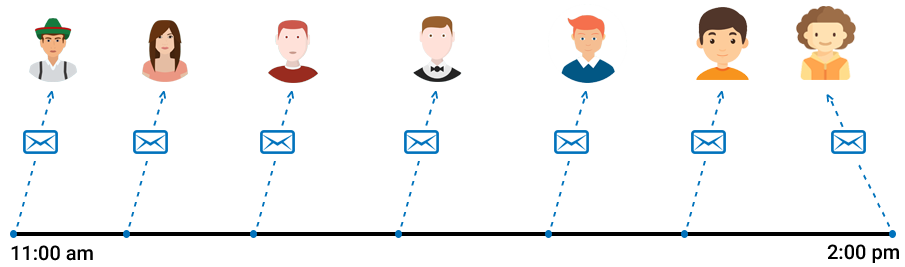
LeadConnect is a LinkedIn outreach automation platform that helps sales and marketing professionals automate lead generation on LinkedIn. It allows users to send personalized connection requests and follow-up messages automatically, with up to 10 follow-ups until a response is received. The platform supports LinkedIn Basic and Sales Navigator, and includes reply detection to stop follow-ups when a prospect responds. It also features a blacklist to avoid contacting prospects that teammates are already reaching out to. LeadConnect integrates with HubSpot to sync prospect details and conversation history, and it supports email finding through integrations with FindThatLead, Hunter.io, and AnymailFinder. The tool offers templates for personalization and tracks response and acceptance rates. LeadConnect is available as a Chrome extension and offers a free forever plan with limited invites. AI-powered enhancements from AiDOOS can further optimize campaign sequences and lead scoring using machine learning, and provide intelligent routing and data enrichment for better conversion.

Challenges It Solves

  • Manual LinkedIn outreach is time-consuming and hard to scale
  • It's difficult to maintain personalized follow-ups with many prospects
  • Syncing LinkedIn interactions with CRM like HubSpot is cumbersome
  • Sales teams often contact the same prospects causing confusion

Screenshots

Lead Connect screenshot 1
Lead Connect screenshot 1 Lead Connect screenshot 2 Lead Connect screenshot 3 Lead Connect screenshot 4 Lead Connect screenshot 5 Lead Connect screenshot 6 Lead Connect screenshot 7 Lead Connect screenshot 8

Use Cases

Sales Lead Generation

Automate sending connection requests and follow-ups to targeted prospects on LinkedIn to generate sales leads.

Recruitment Outreach

Use automated sequences to connect with potential candidates and schedule interviews.

Partner Development

Reach out to potential business partners or affiliates with personalized invitations and follow-ups.

Pricing

Custom pricing — built for your team

Lead Connect pricing is tailored to your organisation's size, integrations, and requirements. AiDOOS generates your proposal instantly — scoped & ready in seconds.

FREE FOREVER PROFESSIONAL GROW ULTIMATE
Schedule a Meeting
Free trial available — No credit card required. Full access to all features.

Key Features

Automated LinkedIn Invitations

Send personalized connection requests automatically based on search criteria or CSV upload.

Personalized Follow-Ups

Set up automated follow-up sequences with up to 10 messages until a response is received.

HubSpot CRM Sync

Sync prospect details and conversation history to HubSpot automatically upon connection acceptance.

Reply Detection

Automatically stops follow-ups when a prospect replies to save time and avoid spamming.

Team Blacklist

Prevent multiple teammates from sending requests to the same person.

Email Finding Integration

Find business emails using integrations with FindThatLead, Hunter.io, and AnymailFinder.

What Reviewers Say

What works well

  • Automates repetitive LinkedIn outreach tasks
  • Integrates with HubSpot for seamless data sync

Common concerns

  • Free plan limits invites to only 2 per day
  • Requires LinkedIn Premium or Sales Navigator for higher limits

Reviews

None
★★★☆☆
out of 5
S
Small-Business (50 or fewer emp.)
"Great LinkedIn Lead Generation Tool"
It's easy to use and helps with lead generation, sending messages, and adding connections effortlessly. Another great feature is the direct sync to our HubSpot CRM; once a lead is captured from LinkedIn, it automatically appears in HubSpot. So if you're a HubSpot user, this is great. Sometimes there are issues when LinkedIn updates their privacy settings. Overall, a good lead generation software can help grow your business.
S
Small-Business (50 or fewer emp.)
"Ultimate Platform for Your Lead Generation"
Generating business leads is the most important part of any business. Since people are not yet familiar with this platform, it takes time. For those seeking business leads, I'm starting to use it, but it seems the benefits I'll receive will be business leads.
F
Founder And Managing Partner
"10x Your Results on LinkedIn"
An automated way to reach thousands of prospects on LinkedIn. It saves me time by handling tedious prospecting. The HubSpot integration and sequences are well thought out and executed. If you use HubSpot and LinkedIn, this is a must-have tool. I don't dislike much, but I'd like more features at this price point. It helps with LinkedIn lead generation, getting hundreds of leads without extra effort.
M
Marketing Analyst
"Easiest Way to Generate Leads"
This software is easy to manage. Importing and exporting data is simple, and converting that data into valuable leads is straightforward. Sometimes it loads slowly, which affects productivity. It's the best software for SMB organizations. It's easy to use with a great UI. It helps us grow the business faster. Client acquisition leads to revenue.
S
Small-Business (50 or fewer emp.)
"Too Buggy and Doesn't Work Well"
It automates LinkedIn lead generation by sending connection requests and then inMails once accepted. However, it doesn't work properly. I can't delete a list during a campaign, and it randomly changes the list. For instance, I created a list for the US only, but it added leads from around the world. We don't sell outside the US. Their support is unhelpful; they take many emails and a long time to even attempt a fix. It also keeps opening a window of the list added in the campaign. I'm looking for an alternative. Avoid this tool. It could help automate LinkedIn connections if it worked, but it doesn't and is too buggy.
S
Search Engine Optimization Specialist
"A Must-Have Tool!"
Lead Connect assists me with my prospects by offering the best services I truly need for my job. It also generates exactly what I require. I haven't found any faults with this tool; I just hope they keep improving so it remains useful for a long time. The knowledge I gain from it leads to better work and quality output. It's highly beneficial because it helps me a lot by providing the best leads.
V
Verified Reviewer
"Unreliable Tool, Poor Support"
I'm frustrated with Lead Connect because it doesn't consistently work as advertised. It fails to send the promised number of invitations daily and miscounts duplicates. Customer service was particularly bad—rude and dismissive, even saying a negative review wouldn't matter. The tool only works as a Chrome extension with my computer on, limiting usability, and there's no dashboard for my team. The system feels clunky, especially the billing page which was empty. Overall, it's not intuitive or user-friendly. I also had trouble with initial setup. We chose it for being cheaper, but it turned out to be a case of 'you get what you pay for.' It didn't perform as promised: it didn't fire daily, never reached 30 invites per day, and kept sending requests to the same people, counting them as new. Relying on a Chrome extension means the tool only runs when my computer is on and Chrome open. Customer support was even more disappointing. When I contacted them, they dismissed my issues without reviewing my video evidence. The rep, Arpan, made unprofessional comments like 'enjoy the delay' and 'if you can't understand simple English, it's your problem.' When I mentioned an empty billing page, he said I was 'holding him up.' The billing page itself doesn't show past payments or invoices. Overall, the tool feels cheap, poorly built, and full of errors. I can't recommend it. If you need reliable LinkedIn automation, look elsewhere.

Enterprise Readiness

Identity & Access

SSO✗ Not supported
RBAC
Audit Logs

Data Security

At restAES-256
In transitTLS 1.2+
Key mgmtVendor-managed

SLA & Availability

Uptime SLA99.9%
RPO
RTO
Pen test

Compliance & Portability

Data residency
Data export
Right to erasure

Integrations

HubSpot

Sync LinkedIn prospect details and conversation history to HubSpot automatically upon connection acceptance.

Native < 1 hour ⇄ Bi-directional

FindThatLead

Find business emails of LinkedIn prospects directly within the LinkedIn interface.

Third_Party < 1 hour

Hunter.io

Find business emails of LinkedIn prospects directly within the LinkedIn interface.

Third_Party < 1 hour

Anymail Finder

Find business emails of LinkedIn prospects directly within the LinkedIn interface.

Third_Party < 1 hour

LeadCRM

Advanced CRM sync extension works well with LeadConnect.

Third_Party < 1 hour ⇄ Bi-directional

Governance & Compliance

EU AI Act

No data available

Data Processing Agreement

No data available

Sub-processors

No data available

Right to Erasure

No data available

Change Notifications

No data available

NIST AI RMF

No data available

AiDOOS Managed Deployment

Deploy Lead Connect in 72 hours

AiDOOS handles setup, CRM integration, SSO config, and user provisioning. Your team goes live — not your IT department.

12
Deployments
94%
Adoption rate
4.8/5
Post-deploy sat.
1-2 weeks
Time to value

Prerequisites

  • Google Chrome browser
  • LinkedIn account (Basic or Sales Navigator)
  • HubSpot account (for integration)

Configuration Options

  • Set connection request limits per day
  • Configure follow-up sequences and cadence
  • Enable HubSpot sync and map fields
  • Activate team blacklist

How Lead Connect Compares

Product AI & Analytics Ease of Use Enterprise Features Pricing Integrations Mobile Experience Quick Setup Customer Support Rating Price/mo
Lead Connect This product
Fair Good Fair Good Good Poor Excellent Fair $22.95/user
LinkedIn Sales Navigator
Excellent Good Excellent Fair Good Excellent Good Good $99.99/user
Dux-Soup
Fair Excellent Fair Excellent Good Poor Excellent Good $29.00/user
Expandi
Good Good Good Fair Excellent Poor Good Excellent $99.00/user
Virtual Delivery Center · A new delivery category

A Virtual Delivery Center for Lead Connect

Pre-vetted experts and AI agents in the loop, assembled as a delivery pod. Pay in Delivery Units — universal pricing across roles, seniority, and tech stacks. No hiring, no contracting, no procurement cycle.

  • Plans from $2,000 — Starter Pack, 10 Delivery Units, 90 days
  • Refundable on unused Delivery Units, anytime — no questions asked
  • Re-delivery guarantee on acceptance miss
  • Pre-flight delivery sizing — you see the plan before you commit

How a Virtual Delivery Center delivers Lead Connect

Outcome-based delivery via AiDOOS’s VDC model.  Why VDC vs traditional consulting? →

Outcome-Based

Pay for results, not hours

Milestone-Driven

Clear deliverables at each phase

Expert Network

Access to certified specialists

Implementation Timeline

1
Discover
Requirements & assessment
2
Integrate
Setup & data migration
3
Validate
Testing & security audit
4
Rollout
Deployment & training
5
Optimize
Performance tuning
Schedule a Meeting

Frequently Asked Questions

Does LeadConnect work with LinkedIn Free and Sales Navigator?
Yes. LeadConnect works with both LinkedIn Basic and Sales Navigator, as stated on the features page. A Sales Navigator or LinkedIn Premium subscription is recommended for higher connection limits.
How many connection requests can I send per day with LeadConnect?
The number depends on your plan: Free Forever (up to 2/day), Professional (up to 30/day), Grow (up to 60/day), and Ultimate (up to 100/day). These are limited by LinkedIn account type as well.
Does LeadConnect integrate with HubSpot CRM?
Yes, LeadConnect offers native HubSpot integration that automatically syncs prospect details and conversation history from LinkedIn to HubSpot upon connection acceptance.
Can I use LeadConnect with multiple teammates?
Yes. LeadConnect includes Team and Team Blacklist features to prevent multiple teammates from contacting the same person.
Does LeadConnect offer email finding capabilities?
Yes. LeadConnect integrates with third-party email finders like FindThatLead, Hunter.io, and Anymail Finder to find business emails directly within the LinkedIn interface.
Is there a free trial for LeadConnect?
Yes. LeadConnect offers a free forever plan and a free trial as mentioned on the pricing page. The free plan includes limited features.

Quick Stats

Rating
12
Deployments
72 hours
Live in
99.9%
Uptime SLA
Deployment Complexity
Easy (2/5)
Schedule a Meeting

Vendor

Lead Connect
Chicago, IL
Verified Vendor

Get an Instant Proposal

You'll get a structured implementation plan — scope, timeline, and cost — in seconds.