S
Senior Manager, Global Communications
"Solid Email Marketing with Good Support and CRM, but Design Could Improve"
As one of the most popular email marketing services, it's widely recognized by other organizations and marketers, and the customer support is quite good. The UX/UI is pretty straightforward, and it allows for decent contact management for a small or mid-sized organization like ours. As my lists expand, managing audiences and tags gets increasingly confusing and harder to keep refined. The design builder, especially for formatting images and text, is also tricky when trying to create more complex layouts. For a mid-sized organization, the pricing model is fairly cost-effective since it scales with contact count. That structure also encourages us to regularly clean up our lists and manage them better to keep costs down. Because it's such a widely used CRM, the skills are transferable across teams, and it doesn't take much training for new communications staff.
"Outstanding Support and Engagement Optimization"
I truly value what Mailchimp does for improving open rates and engagement with our audience—that's the core of it all. If your email doesn't get delivered and opened, nothing else matters. Their support is exceptional; they're available 24/7, even at 3 AM, and they're competent and actually solve problems, not just take notes. The onboarding was also a breeze thanks to their outstanding technical team, even for a marketing person like me who isn't an IT pro. Honestly, I can't think of a single negative. I'm not just saying that; it's true. I rely on Mailchimp to boost open rates and engagement with readers. It's vital for ensuring emails get through and are opened. Their support is top-notch and knowledgeable, available around the clock, which makes a huge difference. We send a travel deals newsletter to 250k subscribers, and every issue drives about 70% more engagement (and sales) compared to a top-three e-newsletter provider we used for two years.
"Excellent Usability and Support, but Pricing and Limits Need Work"
Mailchimp is a highly effective tool for managing email marketing in a straightforward, organized, and professional manner, especially in an agency environment juggling multiple clients and campaigns.
The best part is its user-friendliness: the interface is clear, the email builder is intuitive, and creating newsletters, promotional emails, or automated messages doesn't require complex setup. This speeds up both content creation and list management.
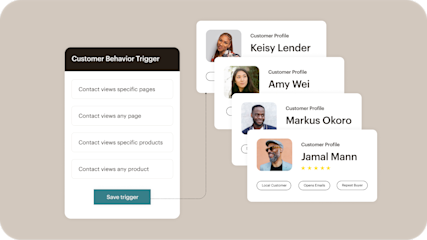
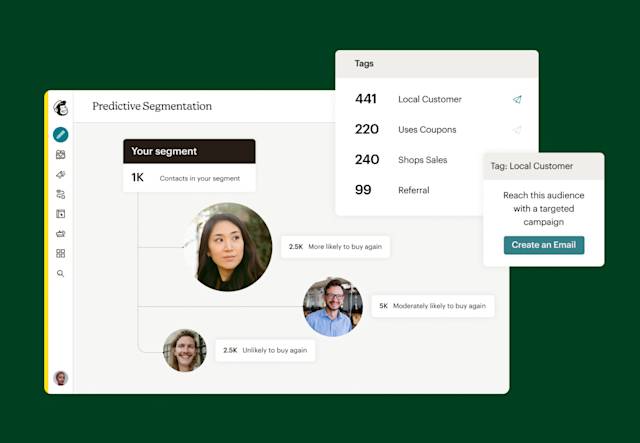
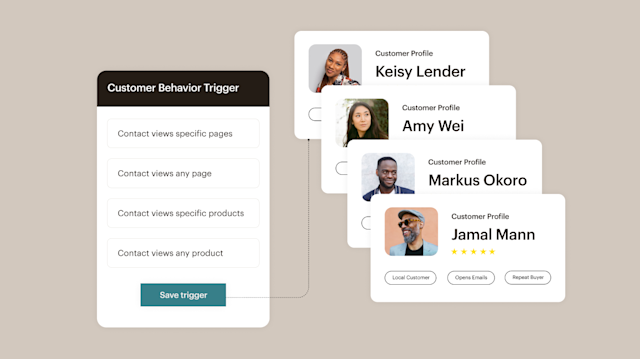
It's also feature-rich: contact segmentation, automation, templates, reports, testing, and audience management are all available. For a marketing team, having everything needed to plan, send, and monitor campaigns in one place is essential.
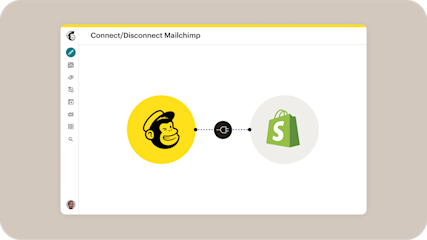
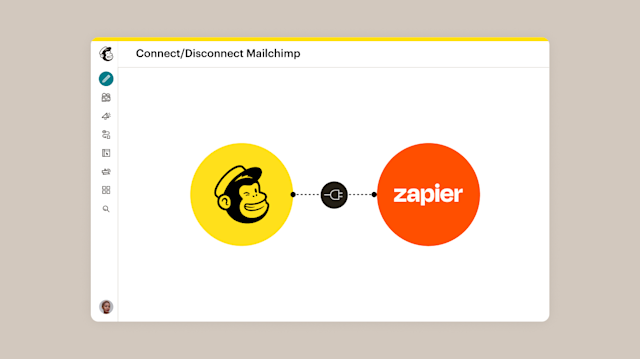
Integrations are another strength. Mailchimp connects effortlessly with e-commerce platforms, CRMs, landing pages, and other digital tools, smoothing data flow and reducing manual work.
In terms of value, it's a solid choice because it allows independent handling of many activities that would otherwise take significant time. Support and onboarding are also good; getting started is simple, and documentation helps you navigate features quickly.
Overall, Mailchimp is a reliable and comprehensive platform suited for marketing teams, agencies, and companies that want to manage email campaigns and automations more efficiently.
The less impressive side is the pricing structure based on contact count, which can quickly become expensive as lists expand or when managing multiple client databases.
Also, some advanced features are gated behind higher-tier plans. For basic use, it's straightforward and effective, but for complex automations, advanced segmentation, or more customized workflows, you might hit limitations compared to specialized platforms.
All in all, it remains a valid and dependable tool, but the cost-to-contact ratio and feature availability are worth careful consideration, especially for agencies or businesses with growing databases.
Mailchimp primarily helps with the operational side of email campaigns and marketing automations.
In our agency, we use it to create newsletters, send promotional emails, manage contact lists, and set up automatic flows like welcome emails, follow-ups, re-engagement campaigns, or post-purchase communications. This lets us maintain ongoing contact with users without manually handling each send.
The main benefit is time savings: once automations are configured, many tasks run automatically and in an orderly fashion. Plus, the platform lets us track opens, clicks, and performance, which aids in understanding what content works best and where to improve.
In summary, Mailchimp helps centralize email marketing, automate parts of the workflow, and make communication with clients, leads, and databases more effective.
"Smooth Experience, but Costs Increase Quickly"
During the trial, I was impressed by how effortless it was to get started. Even team members without email marketing experience could create acceptable campaigns quickly using the drag-and-drop editor.
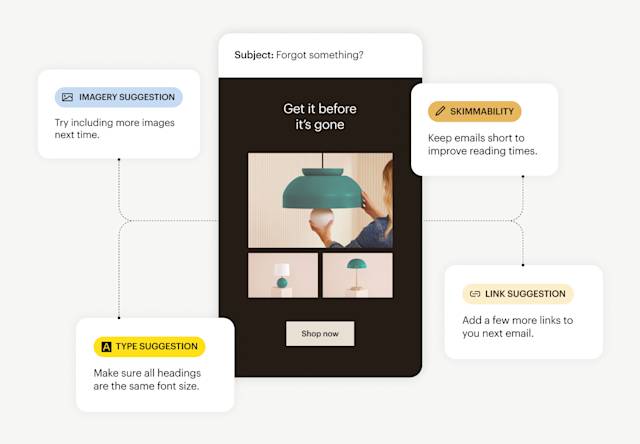
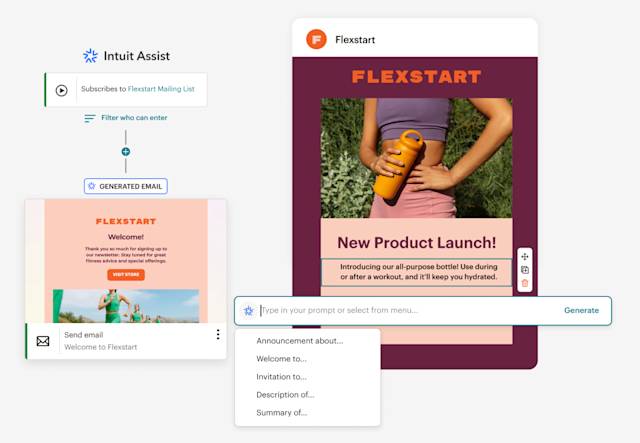
We primarily used it for newsletters and small promotions, and everything felt smooth and dependable. Emails went out without glitches, reports updated promptly, and some AI-generated subject line suggestions were genuinely useful.
In comparison to other tools, Mailchimp felt more intuitive and less overwhelming initially. The biggest drawback was the pricing. It's reasonable for testing or smaller lists, but costs escalate as your contact list grows.
We also discovered that some integrations were more restricted than expected unless you upgrade to higher tiers. Nothing deal-breaking, but compared to other options we tested, it became harder to justify the expense long-term. We used Mailchimp mainly to see if it could handle our newsletters and client campaigns with minimal setup and technical effort.
The most helpful aspect was how quickly we could get everything operational. Importing contacts, setting up campaigns, and sending emails was straightforward, even for novices. It also simplified collaboration because we didn't need a designer or developer for every minor campaign. The analytics were valuable, particularly for quickly checking open rates and engagement after sending.
"A Designer-Friendly Email Tool That's Simple to Use"
Mailchimp simplifies the process of designing professional-looking emails without getting bogged down in technical details. The templates offer enough flexibility for creative adjustments, keeping the branding on point. It performs exceptionally well and quickly, and whenever I have an issue, support is readily available. The only thing I dislike is that the design editor can be somewhat restrictive compared to full design software. Sometimes it takes extra effort to get the layout and typography just right, which slows me down a bit. Mailchimp allows me to build emails quickly without needing coding skills, saving time and letting me focus on design and collaborating with my marketing manager to produce polished campaigns that we send on schedule.
R
Risk and compliance analyst
"Easy for Beginners, with Strong Automation and Analytics"
My favorite part is the clean, easy-to-navigate interface. The drag-and-drop builder allows me to create professional emails without any coding. I also like the automation tools and comprehensive analytics, which help me monitor performance and boost engagement. A downside is that the free plan restricts some advanced features, which can be limiting for small users or newcomers. Also, pricing can get steep compared to other options, especially as your list expands. Mailchimp addresses the need to reach customers professionally through email marketing. It lets me manage contacts, design appealing campaigns, automate sends, and track engagement all in one place. This saves time, enhances communication with my audience, and lifts engagement and overall marketing effectiveness without needing technical expertise.
"Great Tags, Segments, and Send Time Optimization"
The tagging and segmentation features make audience management much simpler. I love being able to schedule emails ahead of time with send time optimization. The support team has been helpful, and Mailchimp's webinars are both interesting and educational. However, there are many details that need manual updates—for instance, duplicating campaigns rather than starting from a template means regenerating plain text and updating all tracking settings. Occasionally, I encounter formatting problems after sending that weren't visible in previews or test sends. The platform provides a user-friendly interface that simplifies email marketing campaigns, and the audience insights help us understand our contacts' demographics and interactions. The reporting is also quite useful.
F
Finance & Admin Director
"User-Friendly Email Campaigns with Polished Templates and Valuable Tracking"
What stands out most is how accessible Mailchimp is, even for those without marketing expertise. The interface is intuitive, templates look clean, and we can craft professional emails without needing a designer or coder.
I also appreciate the way Mailchimp helps with contact organization, audience segmentation, and performance analysis. Seeing open rates, clicks, and engagement levels helps us gauge what's working and what needs improvement. For a nonprofit, this is crucial because we must communicate with donors, volunteers, partners, and supporters in a structured and thoughtful manner.
In short, Mailchimp simplifies staying in touch with our audience, sending regular updates, and handling email marketing all in one platform. Pricing can be a downside as your list grows or you need advanced features. For smaller nonprofits, the valuable tools are spread across different tiers, making it unclear if the cost is justified.
Another challenge is that design flexibility can feel somewhat constrained. The templates are useful, but getting emails to look exactly as envisioned might take extra time. Mailchimp addresses the challenge of managing consistent communication with a large audience—instead of manual sends or juggling spreadsheets and disparate systems, we have a centralized hub to organize contacts, create campaigns, send updates, and monitor engagement.
The benefits include more professional, organized, and efficient communication. We can reach donors, volunteers, partners, and community members with polished updates that are easier to manage. Templates and campaign tools save time, while reporting helps us understand who's opening emails, clicking links, and interacting with our content.
"User-Friendly Email Creation and Analytics, but Costs Are Rising"
The ease of building and sending emails is a big plus—templates are easy to tweak, managing my audience is a breeze, and the analytics clearly show what's effective. It saves me time and provides valuable insights. The main drawback is the cost. Mailchimp has gotten significantly pricier, which makes it harder to justify when there are cheaper alternatives. Still, I enjoy using it because it keeps me in touch with customers and streamlines my email marketing, allowing me to organize contacts, send promotions and updates, and track engagement all in one spot. It's a real time-saver and helps me market my business consistently.
"Mailchimp: A Top Pick for Email Communication"
The premium tier of Mailchimp provides a wide range of features like email templates, a media library, and tools to manage campaigns. It also seamlessly integrates with popular social networks for automatic sharing, and offers comprehensive analytics such as open and click rates, the best times to send based on engagement by hour, geographic distribution, and device usage to ensure mobile optimization. Additionally, it supports A/B testing, compares performance across campaigns, and leverages AI to craft more compelling messages, improve subject lines, and automatically resend to those who missed the first send.
While the free version has its limitations, it can work well for smaller teams that only need occasional emails. But if you're sending more than twice a month or have over 500 contacts, the paid version becomes necessary—and it's still a reasonable investment.
The push for ease of use and automation has come at the cost of flexibility for power users needing advanced features. Thanks to our CRM integration, we no longer have to manually sync email lists; address changes, unsubscribes, and new sign-ups are handled automatically. The premium version offers a vast selection of templates, and creating a campaign from scratch is straightforward. It makes our marketing communications robust and all-encompassing.
 ★ 4.2 · 12984 reviews