 · 0 reviews
htmlsig
Create professional HTML email signatures
About htmlsig
htmlsig is a SaaS platform designed for creating, managing, and deploying professional HTML email signatures. The service offers a drag-and-drop signature editor with 40+ customization options, including social media icons, custom fonts, and logo/banner support. It enables users to build branded signatures that are mobile responsive and work across major email clients like Gmail, Outlook, Apple Mail, and Thunderbird. For teams, htmlsig provides a centralized dashboard to organize, edit, and deploy signatures seamlessly. Key features include bulk actions, quick search and filtering, and team organization. Additionally, the platform offers one-click email deployment, duplication for scaling, and self-service generators that let team members create their own branded signatures. Analytics tools track link clicks, social media engagement, and banner performance, providing valuable insights to measure the impact of email signatures. AiDOOS enhances deployment and adoption by providing additional enterprise integration, security, and support services, ensuring that organizations can leverage htmlsig effectively at scale.
Challenges It Solves
- Replacing inconsistent or unbranded email signatures across an organization
- Manual signature updates for team members, wasting time and causing brand inconsistency
- Lack of insight into how email signatures perform
- Scaling signature creation for large teams without compromising brand compliance
Screenshots
Use Cases
Individual Branding
Create a professional email signature to enhance your personal brand.
Team Consistency
Ensure all team members use the same branded email signature.
Marketing Analytics
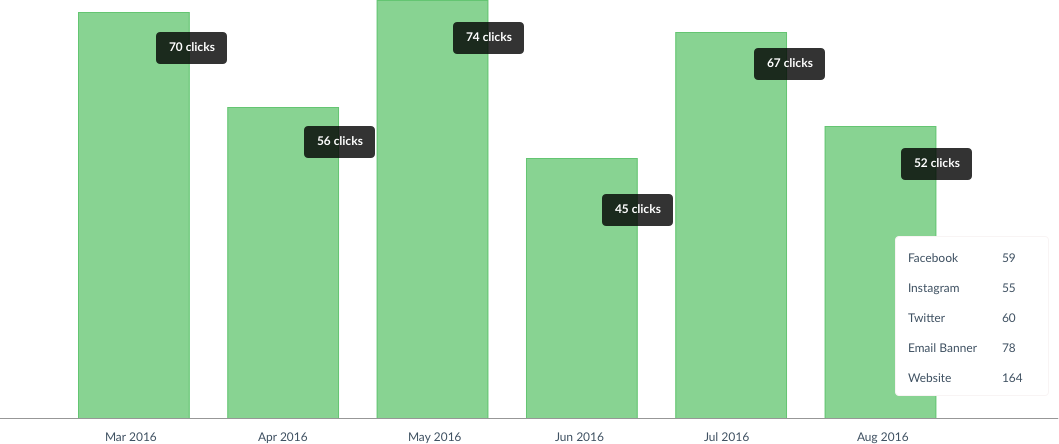
Track how many people click on links in your email signatures.
Enterprise Deployment
Scale signature management across large organizations with generators and bulk actions.
Pricing
- Signature Editor
- Dashboard
- Analytics
- Email Signatures
- Duplicate Signatures
- Signature Editor
- Dashboard
- Analytics
- Email Signatures
- Duplicate Signatures
- Generators
- Signature Editor
- Dashboard
- Analytics
- Email Signatures
- Duplicate Signatures
- Generators
Key Features
Create beautiful, branded email signatures with drag-and-drop customization
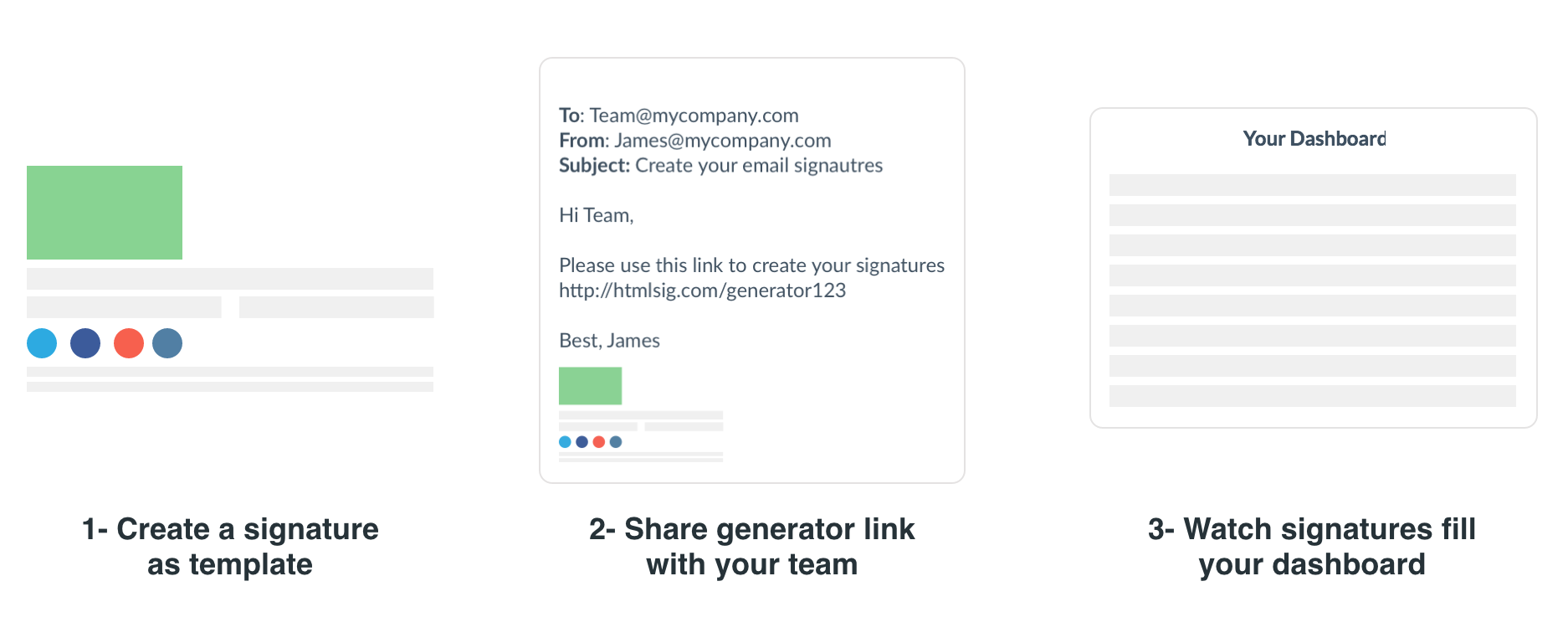
Manage all team signatures in one central place
Track clicks and engagement on your email signature links
Deploy signatures to team members with one click and easy instructions
Clone signatures instantly for quick personalization
Let team members create their own branded signatures via a link
What Reviewers Say
What works well
- Easy-to-use drag-and-drop editor requiring no coding
- Centralized dashboard for managing team signatures
- Built-in analytics to track email signature performance
- Supports multiple email clients including Gmail and Outlook
Common concerns
- No free plan available
- Starting price may be a barrier for individuals needing just one signature
Reviews
Enterprise Readiness
Identity & Access
Data Security
SLA & Availability
Compliance & Portability
Integrations
Governance & Compliance
EU AI Act
No data available
Data Processing Agreement
No data available
Sub-processors
No data available
Right to Erasure
No data available
Change Notifications
No data available
NIST AI RMF
No data available
AiDOOS Managed Deployment
Deploy htmlsig in 72 hours
AiDOOS handles setup, CRM integration, SSO config, and user provisioning. Your team goes live — not your IT department.
Prerequisites
- Active htmlsig subscription
- Email domain with DNS control
- Admin access to email platform
Configuration Options
- Signature templates with brand assets
- User directory sync via CSV
- Analytics tracking domain setup
How htmlsig Compares
| Product | AI & Analytics | Ease of Use | Enterprise Features | Pricing | Integrations | Mobile Experience | Quick Setup | Customer Support | Rating | Price/mo |
|---|---|---|---|---|---|---|---|---|---|---|
|
h
htmlsig This product
|
Good | Excellent | Good | Good | Fair | Good | Excellent | Good | — | $8/user |
|
WS
WiseStamp
|
Good | Excellent | Good | Excellent | Good | Good | Excellent | Good | — | $5.99/user |
|
EX
Exclaimer
|
Good | Good | Excellent | Good | Excellent | Good | Good | Good | — | $2.8/user |
|
CT
CodeTwo
|
Good | Good | Excellent | Good | Excellent | Good | Good | Good | — | $3.0/user |
A Virtual Delivery Center for htmlsig
Pre-vetted experts and AI agents in the loop, assembled as a delivery pod. Pay in Delivery Units — universal pricing across roles, seniority, and tech stacks. No hiring, no contracting, no procurement cycle.
- Plans from $2,000 — Starter Pack, 10 Delivery Units, 90 days
- Refundable on unused Delivery Units, anytime — no questions asked
- Re-delivery guarantee on acceptance miss
- Pre-flight delivery sizing — you see the plan before you commit
How a Virtual Delivery Center delivers htmlsig
Outcome-based delivery via AiDOOS’s VDC model. Why VDC vs traditional consulting? →
Outcome-Based
Pay for results, not hours
Milestone-Driven
Clear deliverables at each phase
Expert Network
Access to certified specialists