Pricing For Talent RAMP
Login Free Trial
FileAudit ★ 4.5 · 14 reviews
Schedule Meeting
Marketplace › Security › FileAudit  · FileAudit alternatives

FileAudit

FileAudit - Keep an eye on file access activities across Windows servers and cloud environments in real time.

AiDOOS Verified SAAS Security
4.5 ★★★★☆ 14 reviews
Live in 72 hours Free trial
Pricing
Tailored to you
AiDOOS generates your proposal instantly — scoped & ready in seconds
Schedule Meeting

Free trial · No credit card required

Category
Security
Deployment
Hybrid
API Access
No
AiDOOS Deploy
72 hours

About FileAudit

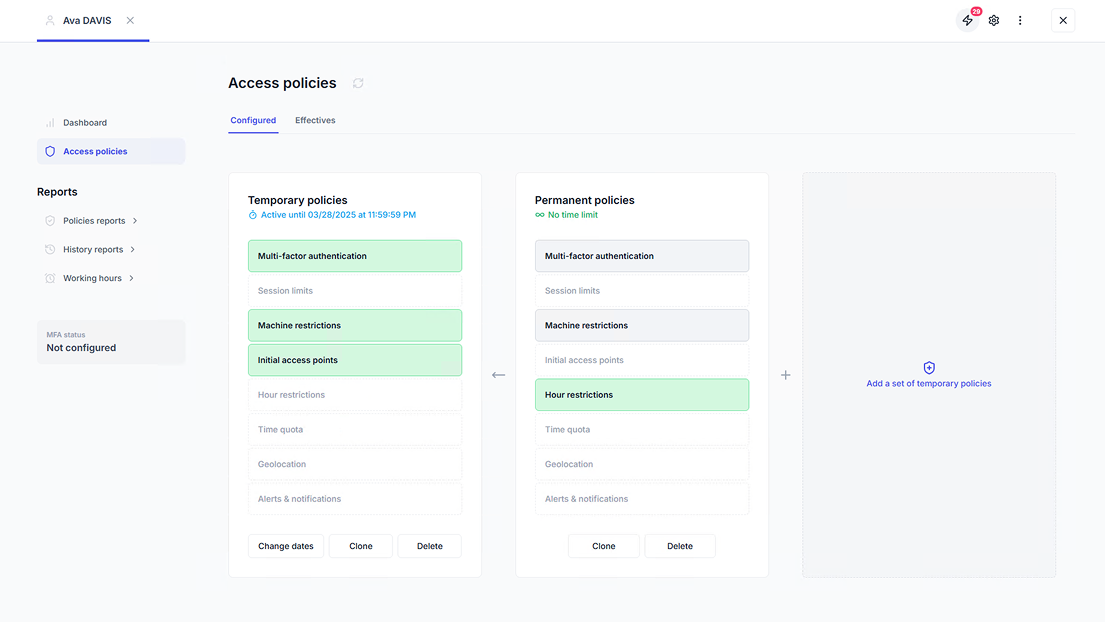
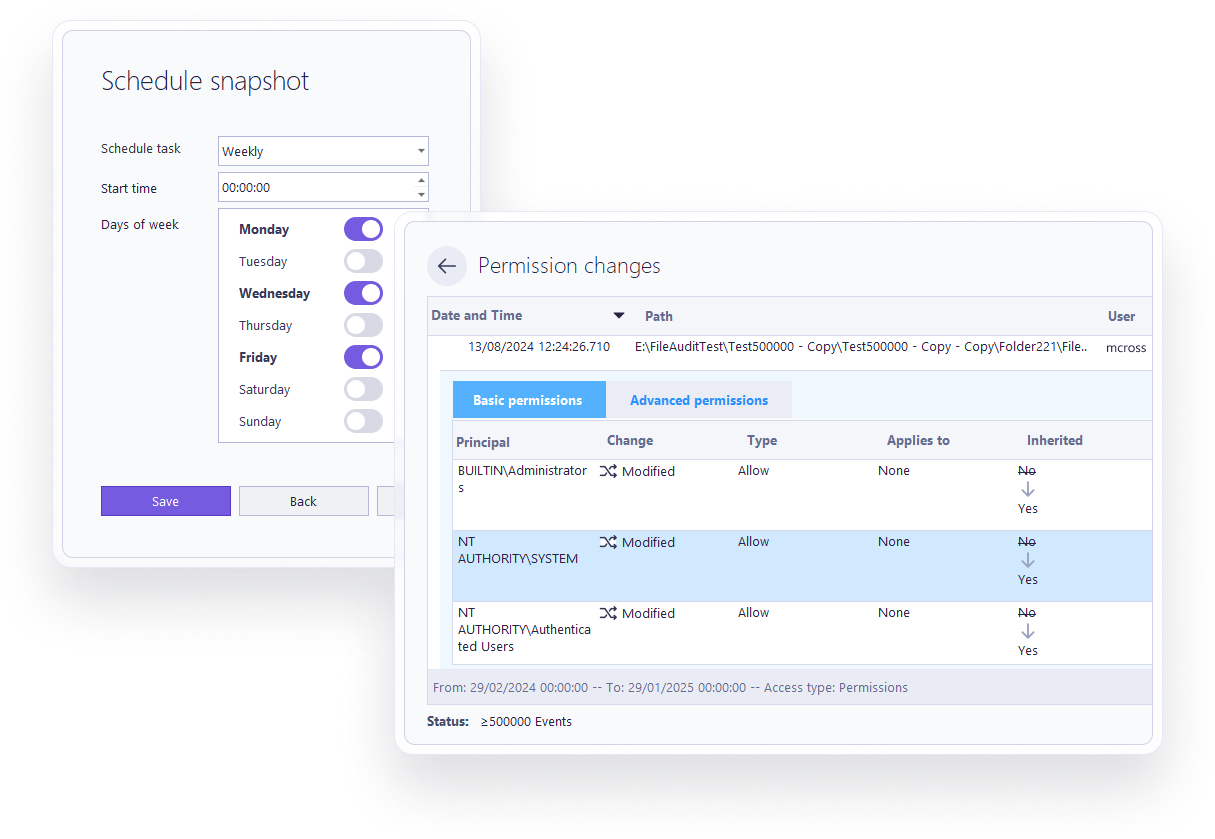
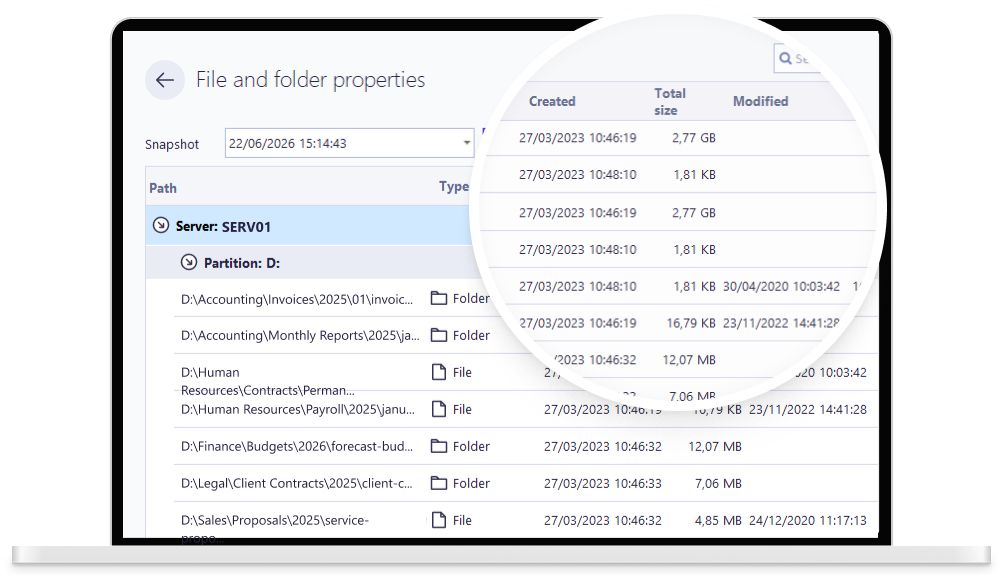
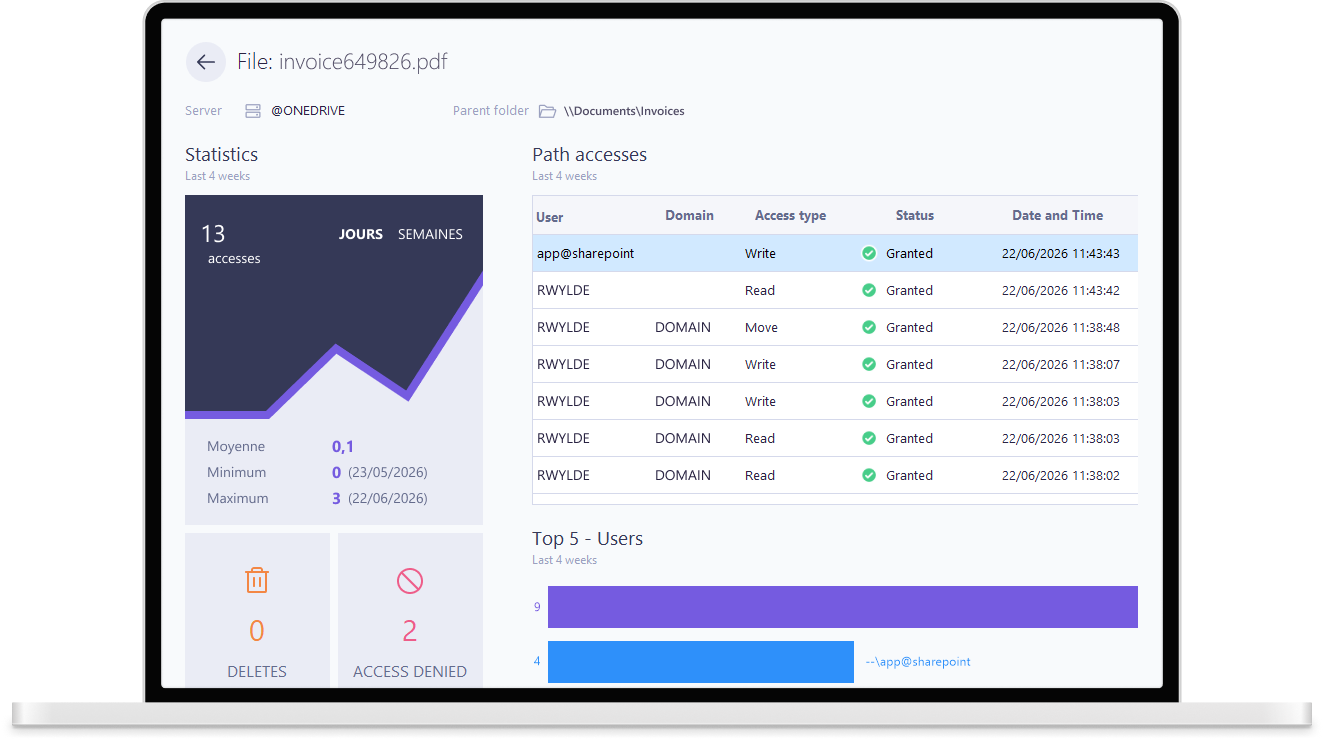
FileAudit by IS Decisions is a file access auditing and monitoring solution for Windows servers and cloud-based file storage. It provides real-time visibility into who is accessing files and folders, when, and from where, offering a centralized and sortable list of access events including read, write, delete, rename, permission changes, and ownership changes. FileAudit captures critical details such as file path, object type, status (granted/denied), user, domain, source IP address, and machine name. It supports monitoring across on-premises Windows servers and popular cloud services like Microsoft OneDrive for Business, Microsoft Teams, SharePoint Online, Google Drive, Dropbox Business, and Box. The software enables powerful filtering by server, path, access status, access type, object type, domain, user/group, and source, helping administrators quickly identify risky activities. FileAudit also offers real-time alerts on both individual and mass access events, with customizable thresholds to detect bulk copying, deletion, or movement, and can trigger automated responses such as scripts to mitigate threats like ransomware. It includes NTFS permissions reporting and tracking changes, letting you stay on top of who has access to what. With AiDOOS, you can deploy and adopt FileAudit faster, streamlining the setup process and ensuring you gain complete visibility into your file environments without operational overhead.

Challenges It Solves

  • Manual tracking and monitoring of file access across Windows servers and cloud storage is time-consuming and error-prone.
  • Maintaining compliance with regulations like GDPR, HIPAA, and SOX requires detailed audit trails of file access activities.
  • Without real-time alerts, detecting unauthorized access, data theft, or ransomware attacks is delayed, leading to potential data breaches.
  • Managing NTFS permissions and tenant-level access is complex without a centralized tool.

Screenshots

FileAudit screenshot 1
FileAudit screenshot 1 FileAudit screenshot 2 FileAudit screenshot 3 FileAudit screenshot 4 FileAudit screenshot 5 FileAudit screenshot 6 FileAudit screenshot 7 FileAudit screenshot 8

Use Cases

Security and Compliance

Track file access to meet regulatory compliance requirements and detect unauthorized access attempts.

Data Theft Prevention

Receive real-time alerts on bulk file copying or unusual access patterns to prevent data exfiltration.

Ransomware Mitigation

Use mass access alerts to detect mass file deletions or modifications typical of ransomware attacks and trigger automated responses.

Cloud Storage Auditing

Extend auditing coverage to Microsoft Teams, SharePoint, and other cloud platforms for complete visibility.

Pricing

Custom pricing — built for your team

FileAudit pricing is tailored to your organisation's size, integrations, and requirements. AiDOOS generates your proposal instantly — scoped & ready in seconds.

Free Trial Standard
Schedule a Meeting
Free trial available — No credit card required. Full access to all features.
💡 Pricing insight from reviewers: Pricing is typically subscription-based per user or per server, with free trial available and costs comparable to similar auditing tools.

Key Features

Windows File Server Monitoring

Real-time monitoring and auditing of file access on Windows servers.

Cloud Data Storage Monitoring

Track access to files in OneDrive for Business, Teams, SharePoint, Google Drive, Dropbox, Box.

Real-Time Alerts

Get immediate alerts on access events like deletions, access denials, bulk copying, or movement.

NTFS Permissions Reporting

View and audit basic and advanced NTFS permissions.

Filtering and Search

Use powerful filters to narrow down audit events by server, path, user, domain, IP, and more.

Automated Response

Automatically run scripts or actions when specific access thresholds are met.

What Reviewers Say AI-synthesized from 14 reviews

What works well

  • Intuitive and easy-to-use interface for monitoring file access events.
  • Granular filtering and detailed audit information with source IP and machine names.
  • Supports both on-premises Windows servers and major cloud storage providers.

Common concerns

  • May require initial setup and configuration to get the most out of the tool.
  • Advanced alerting features may have a learning curve for new users.

Reviews

14 verified reviews
4.5
★★★★☆
out of 5 · 14 reviews
By segment
Enterprise38%
Mid-Market62%
I
IT Director
"Top-Notch, Low-Intrusion Audit Software at an Affordable Price"
It's SQL-based and logs everything you need. The license can be finicky, but customer support is excellent. It's a great program worth the cost. Knowing who accesses or deletes files during emergencies or anytime is invaluable.
I
Information Technology And Services Professional - Lead GRC - IAM Specialist
"FileAudit is Vital in Cloud Environments for Threat Protection and Maintaining CIA"
It's a GUI-based solution, but it's a bit heavy and not straightforward to set up. Requires administrative effort and isn't easy to grasp. Hopefully, the next version will improve based on feedback and surveys. There's a lack of vision and transparency. Issues with file integrity.
E
Enterprise (> 1000 emp.)
"FileAudit Assessment"
I appreciate the options available before selecting what fits best. I haven't encountered any dislikes yet. It's easy to use sensitive data across various platforms. It monitors, alerts, and reports on file access activity across platforms.
S
Small-Business (50 or fewer emp.)
"Auditing is Critical to Our Operations"
Trigger-based alerts automate our routine audit checks. The only area where FileAudit might be lacking is cybersecurity: antivirus and data leak prevention. We spend countless hours manually reviewing audit logs for file access and configuring permissions.
I
IT Consultant
"File Scanning"
We'll check if the file contains any scripts or viruses. Scanning takes a long time. Useful for detecting suspicious scripting.
H
Head Of Development
"Essential Tool"
The simplicity of monitoring and auditing files, their usage, and tracking sensitive folders is great. The automatic alert setup is the standout feature. There's no comparable tool on the market. Speeding it up would be beneficial. It aids in access control and usage monitoring.
C
Cybersecurity Innovation Office
"User-Friendly Interface"
The interface is highly intuitive and welcoming, making it simple for new users to find their way around. So far, I've encountered no problems with the tool. It simplifies auditing and also boosts the team's IAM tasks.
E
Enterprise (> 1000 emp.)
"Simplified File Tracking"
Effortlessly monitor or audit file moves, see where files are transferred, who does it, and which computer is used. You can also set up scripts on alerts to block unwanted transfers or system slowdowns. I can't think of any downsides—everything about this software is excellent. Security teams can quickly query files and recover them if needed, and it's fast to see who last modified a file with instant results.
A
Associate Solutions Architect
"A Solution Every Enterprise Should Consider"
Setting it up is straightforward, and the live monitoring of access across devices and users is an efficient method for managing access in diverse environments. Not exactly a con, but its integration capabilities with ITSM or reporting tools should be enhanced for smoother workflows, such as PowerBI integration for live dashboards on standard reporting systems. It covers access management, threat prevention, denial management, attempts, and intrusion alerts. Cloud data monitoring further boosts the overall value.
T
Team Lead, SRP/DSS Team
"Extremely Handy"
This tool is incredibly practical; it provides audit data in a well-organized format. The way it presents information has been very beneficial. Accuracy is unquestionable, which is crucial. Additionally, the support is excellent. Honestly, there's not much to highlight negatively, though usability might be slightly improved for newcomers, but once familiar, it's smooth sailing. It has helped us cut down on unauthorized access and provided alerts for suspicious behavior. We encountered various difficulties obtaining access details on file servers, which we resolved using the real-time access attempt information.

Reviewer Demographics

Top Industries

No data available

Company Size

No data available

Enterprise Readiness

Microsoft Partner
France CyberSecurity Label
CSPN Certification (in progress)

Identity & Access

SSO✗ Not supported
RBAC Based on Windows user permissions
Audit Logs

Data Security

At restAES-256
In transitTLS 1.2+
Key mgmtVendor-managed

SLA & Availability

Uptime SLA99.9%
RPO
RTO
Pen test

Compliance & Portability

Data residency
Data export CSV, XML, PDF
Right to erasure

Integrations

Microsoft OneDrive Business

Monitor file access events in OneDrive for Business, including read, write, delete, and share activities.

Native < 1 hour ⚡ AiDOOS Pre-wired

Microsoft Teams

Audit file access within Microsoft Teams channels and files.

Native < 1 hour ⚡ AiDOOS Pre-wired

SharePoint Online

Monitor file access and sharing activities in SharePoint Online.

Native < 1 hour ⚡ AiDOOS Pre-wired

Google Drive

Track file access and sharing events in Google Drive.

Native < 1 hour

Dropbox Business

Audit file access in Dropbox Business.

Native < 1 hour

Box

Monitor file access and sharing in Box.

Native < 1 hour

Active Directory

Integration with Active Directory to map users and groups for audit reporting.

Native 2-4 hours

SIEM

Export audit events to SIEM platforms for centralized logging and analysis.

Third_Party 2-4 hours

Governance & Compliance

EU AI Act

No data available

Data Processing Agreement

No data available

Sub-processors

No data available

Right to Erasure

No data available

Change Notifications

No data available

NIST AI RMF

No data available

AiDOOS Managed Deployment

Deploy FileAudit in 72 hours

AiDOOS handles setup, CRM integration, SSO config, and user provisioning. Your team goes live — not your IT department.

12
Deployments
94%
Adoption rate
4.8/5
Post-deploy sat.
2-4 weeks
Time to value

Prerequisites

  • Windows Server 2008 R2 or later
  • Active Directory environment
  • Administrator credentials
  • Network access to file servers

Configuration Options

  • Select file servers and folders to audit
  • Define alert thresholds
  • Set up notification recipients
  • Schedule reports

How FileAudit Compares

Product AI & Analytics Ease of Use Enterprise Features Pricing Integrations Mobile Experience Quick Setup Customer Support Rating Price/mo
FileAudit This product
Fair Excellent Good Good Good Poor Excellent Good ★ 4.5 $Custom/user
Netwrix Auditor
Good Good Excellent Fair Good Fair Moderate Good $Custom/user
ManageEngine EventLog Analyzer
Good Good Good Good Good Fair Moderate Good $Custom/user
Varonis Data Security Platform
Excellent Fair Excellent Poor Good Fair Complex Good $Custom/user
Virtual Delivery Center · A new delivery category

A Virtual Delivery Center for FileAudit

Pre-vetted experts and AI agents in the loop, assembled as a delivery pod. Pay in Delivery Units — universal pricing across roles, seniority, and tech stacks. No hiring, no contracting, no procurement cycle.

  • Plans from $2,000 — Starter Pack, 10 Delivery Units, 90 days
  • Refundable on unused Delivery Units, anytime — no questions asked
  • Re-delivery guarantee on acceptance miss
  • Pre-flight delivery sizing — you see the plan before you commit

How a Virtual Delivery Center delivers FileAudit

Outcome-based delivery via AiDOOS’s VDC model.  Why VDC vs traditional consulting? →

Outcome-Based

Pay for results, not hours

Milestone-Driven

Clear deliverables at each phase

Expert Network

Access to certified specialists

Implementation Timeline

1
Discover
Requirements & assessment
2
Integrate
Setup & data migration
3
Validate
Testing & security audit
4
Rollout
Deployment & training
5
Optimize
Performance tuning
Schedule a Meeting

Frequently Asked Questions

What does FileAudit do?
FileAudit is a Windows file server auditing tool that provides real-time monitoring of file access, detects unauthorized access, simplifies compliance reporting, and can trigger alerts based on user-defined policies.
Which platforms does FileAudit support?
FileAudit supports Windows Server environments and extends monitoring to major cloud storage providers including Microsoft OneDrive Business, Microsoft Teams, SharePoint Online, Google Drive, Dropbox Business, and Box.
Can FileAudit integrate with Active Directory?
Yes, FileAudit integrates with Active Directory to map users and groups, allowing you to filter and report on file access based on AD objects.
Does FileAudit provide pre-built reports?
Yes, FileAudit includes predefined reports for common compliance requirements (e.g., GDPR, HIPAA) and allows you to schedule reports and customize filters.
How does FileAudit help with regulatory compliance?
FileAudit helps meet regulations such as GDPR, HIPAA, PCI DSS, SOX, and ISO 27001 by providing detailed audit trails of file access, alerts on suspicious activity, and reporting capabilities.
Can FileAudit alert on bulk file operations or ransomware-like behavior?
Yes, FileAudit can trigger mass access alerts when many file reads, writes, or deletions occur within a short period, helping to stop threats like ransomware.

Quick Stats

★ 4.5
Rating
12
Deployments
72 hours
Live in
99.9%
Uptime SLA
Deployment Complexity
Moderate (3/5)
Schedule a Meeting

Vendor

IS Decisions
Founded 2000 · BIDART, Aquitaine
Verified Vendor

Get an Instant Proposal

You'll get a structured implementation plan — scope, timeline, and cost — in seconds.