 ★ 4.8 · 70 reviews
Eventify
All-in-one event management software with AI agents for in-person, hybrid & virtual events.
About Eventify
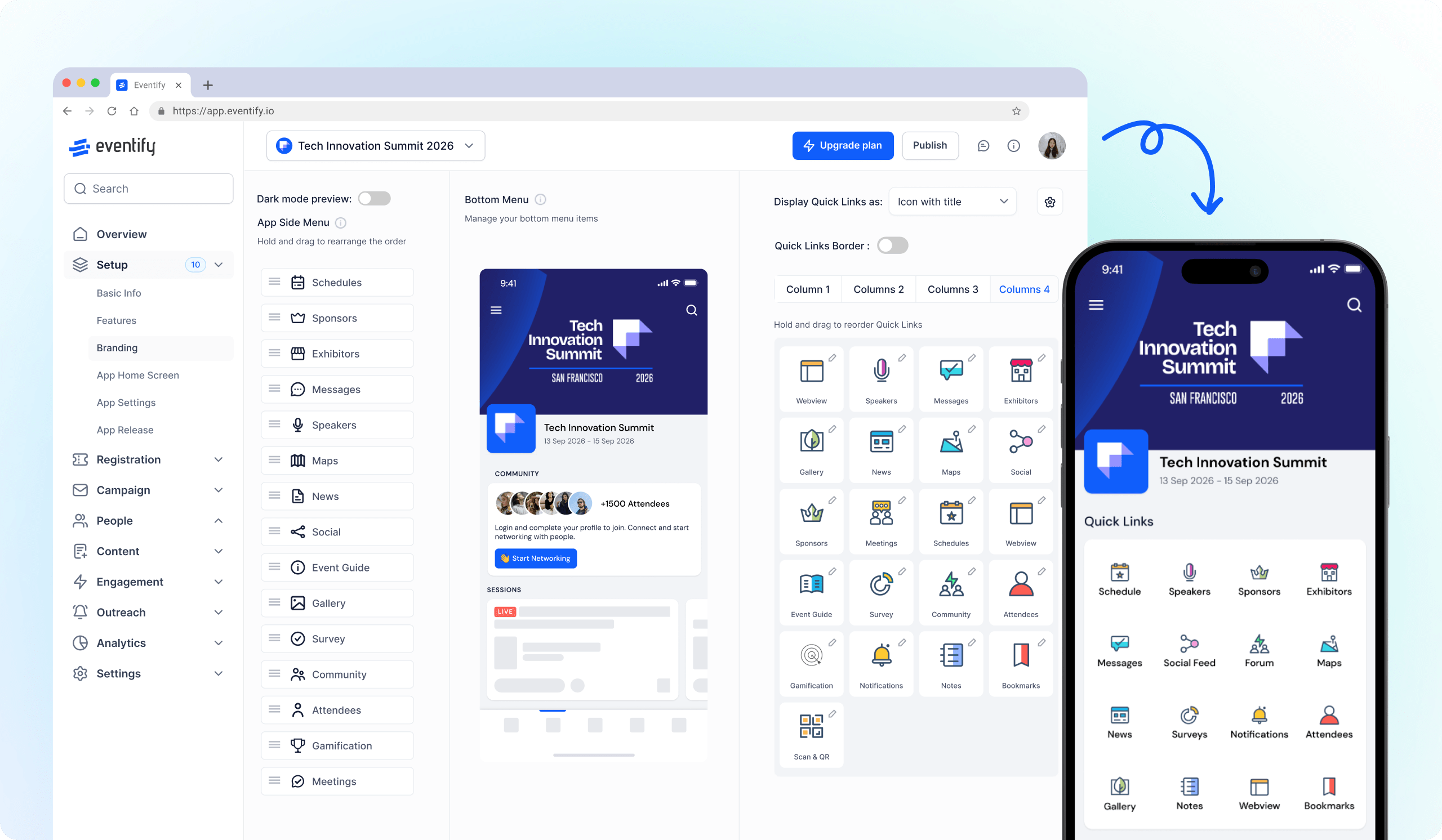
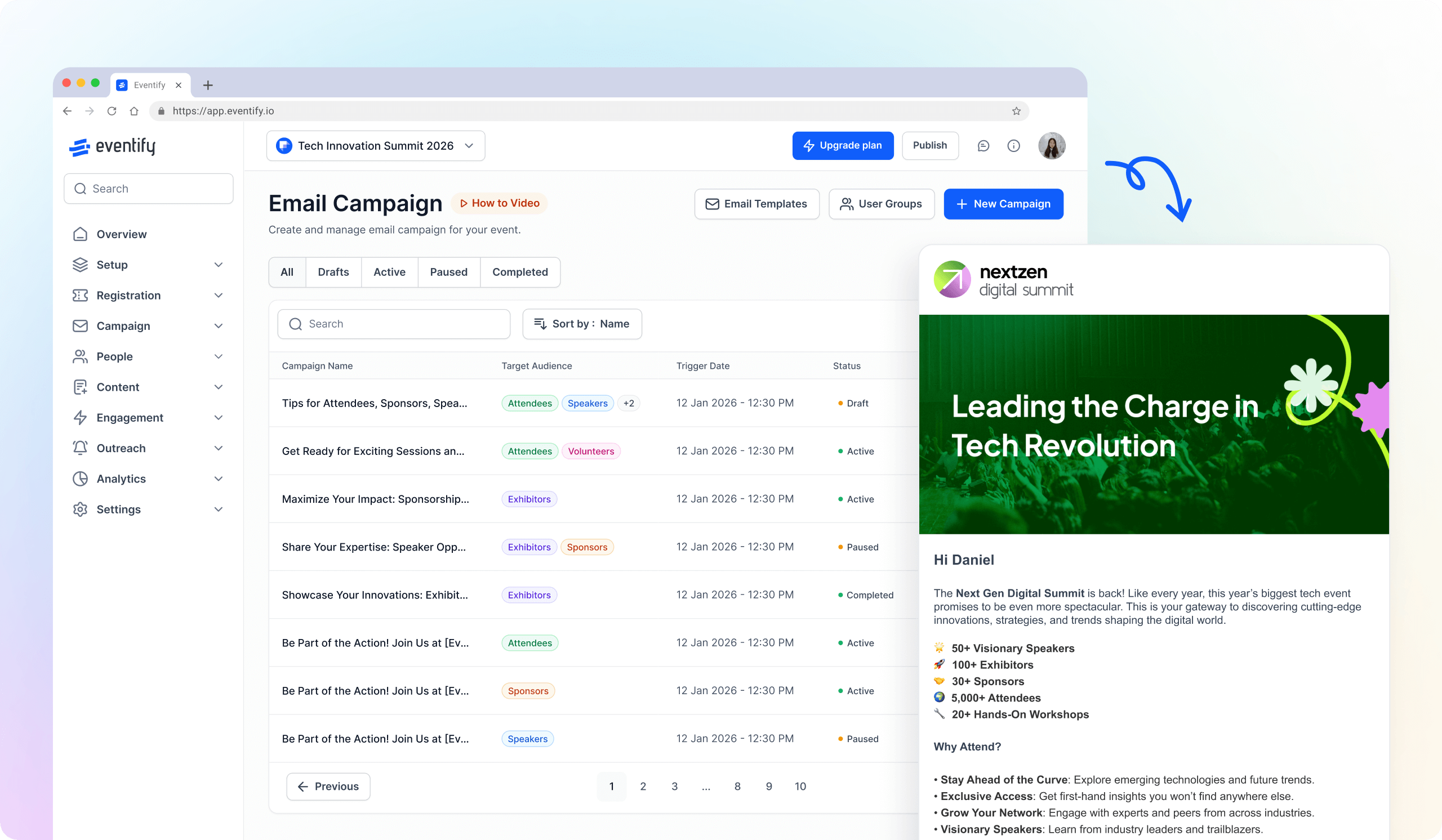
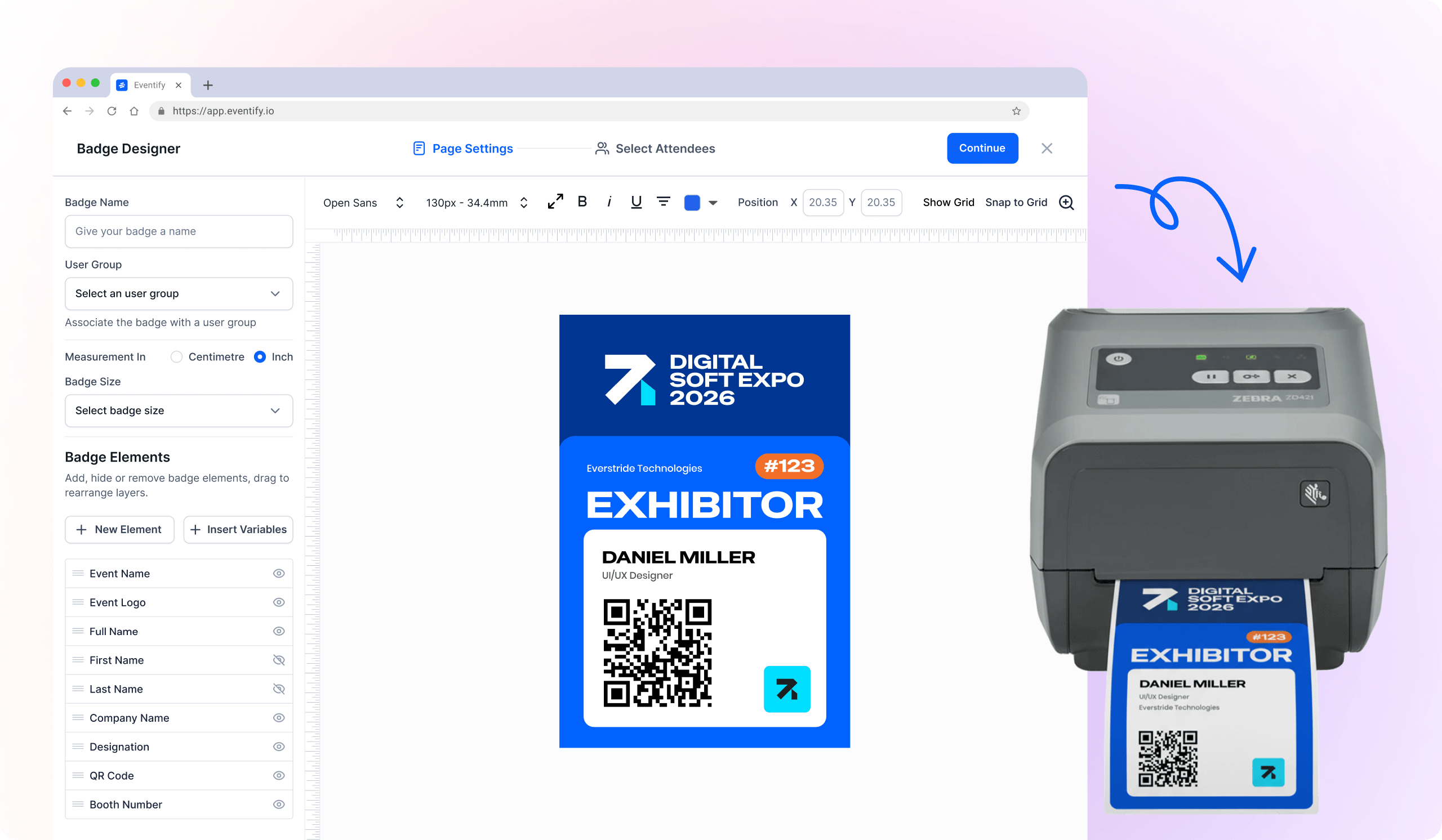
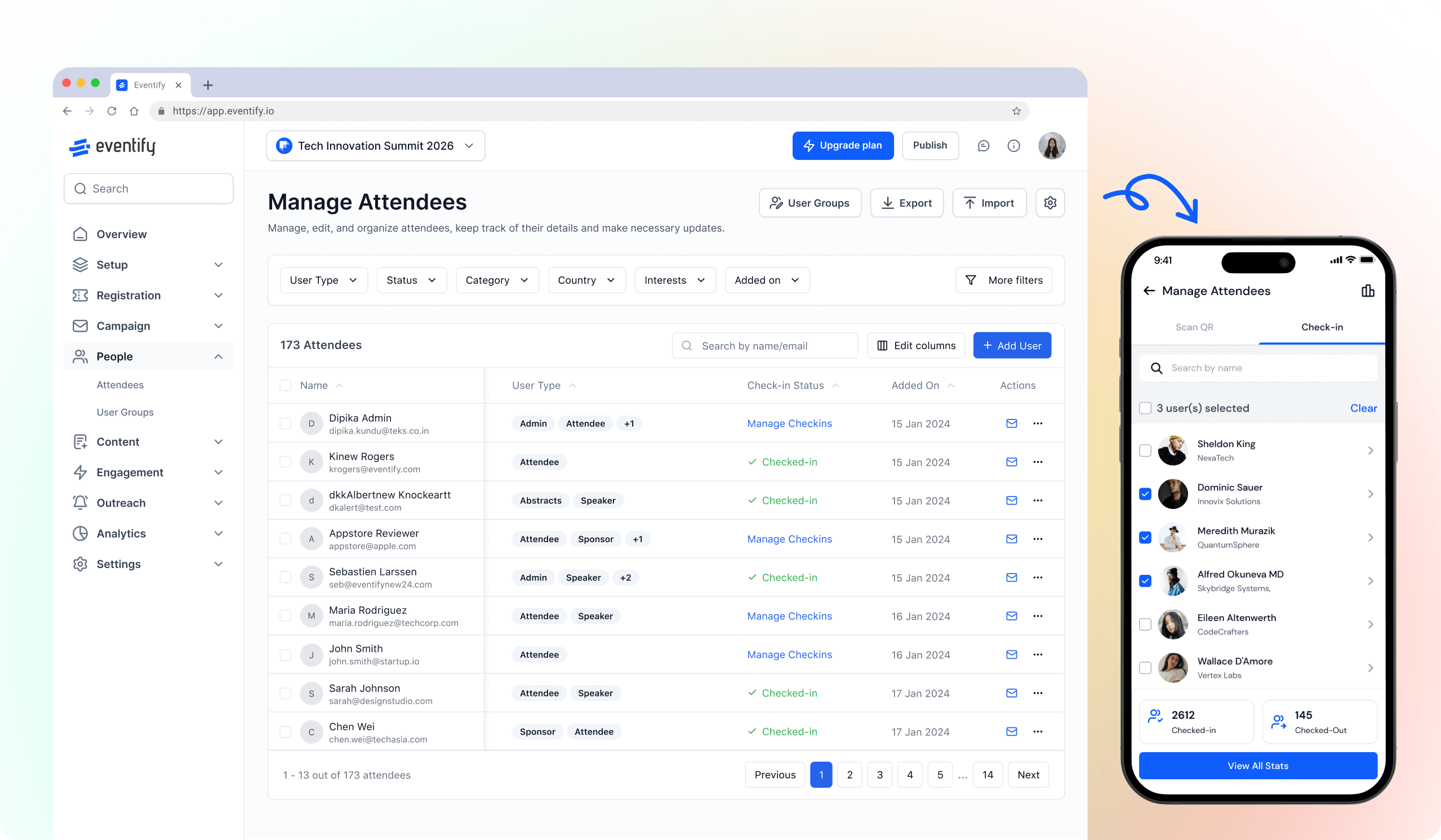
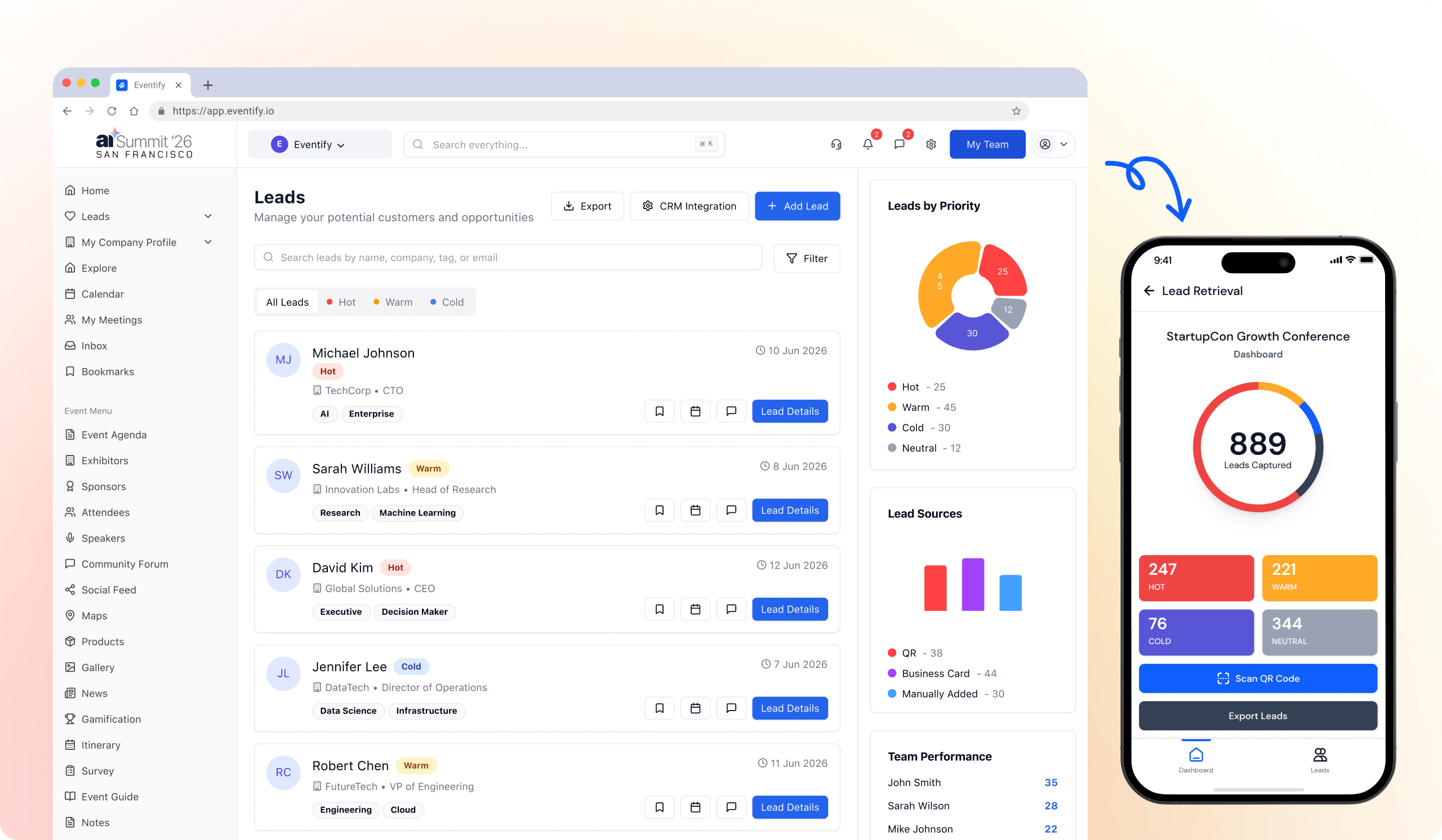
Eventify is a comprehensive event management platform designed for B2B events and conferences. It offers a suite of tools that cover every stage of event planning and execution, from registration and ticketing to attendee engagement and post-event analytics. The platform supports in-person, virtual, and hybrid formats, allowing organizers to create seamless experiences. Key features include a branded event website and registration, on-site badge printing and check-in, interactive floor plans for exhibitor management, and a mobile event app for networking and engagement. Eventify also provides AI-powered tools like an AI copilot and AI analytics to help organizers optimize their events. It integrates with popular CRMs like Salesforce and HubSpot, as well as payment gateways like Stripe, to streamline workflows. Security is a priority, with ISO 27001:2022 and SOC 2 Type II certifications, ensuring data protection and compliance. Eventify is used by over 5,000 event professionals and has received positive reviews on G2 for its user-friendly interface and comprehensive features. The platform helps organizations reduce costs, attract sponsors, and boost attendee engagement, making it a valuable partner for successful events. With flexible pricing plans and a focus on customer success, Eventify aims to deliver exceptional event experiences. For deployment, Eventify offers cloud-based SaaS, accessible via web, iOS, and Android, and provides customization options for branding and whitelabeling. Through AiDOOS, customers can leverage specialized services to further enhance their event management capabilities, ensuring a tailored approach to their unique needs.
Challenges It Solves
- Managing multiple event stages with disjointed tools
- Engaging attendees in both physical and virtual settings
- Handling on-site logistics like check-in and badge printing efficiently
- Driving lead capture and sponsor ROI
Screenshots

.png)
Use Cases
Product Launch Events
Launch products with branded sites, livestream, engagement tools, and analytics to build hype and measure success.
Conferences and Summits
Manage large-scale conferences with sessions, networking, and sponsor management.
Virtual and Hybrid Events
Reach global audiences with livestreaming, virtual booths, and engagement features.
Trade Shows and Exhibitions
Exhibitors can manage booths, process sales, and use interactive floor plans to enhance participation.
Pricing
Custom pricing — built for your team
Eventify pricing is tailored to your organisation's size, integrations, and requirements. AiDOOS generates your proposal instantly — scoped & ready in seconds.
Key Features
Create branded registration pages and manage ticketing with various tiers and promo codes.
Enable attendees to network through 1:1 meetings, chat, and matchmaking.
Streamline on-site check-in with QR codes and on-demand badge printing.
Create interactive floor maps to help attendees navigate and exhibitors manage booths.
Leverage AI to automate tasks, gain insights, and enhance event experiences.
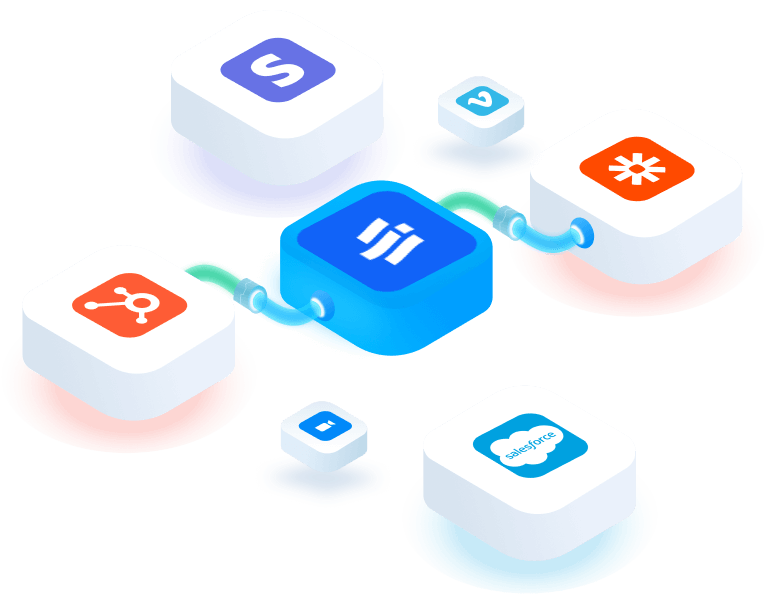
Connect with CRM, marketing, and payment tools like Salesforce, HubSpot, and Stripe.
What Reviewers Say AI-synthesized from 70 reviews
What works well
- Intuitive user interface and ease of use
- All-in-one platform covering registration to analytics
- Strong security certifications (ISO 27001, SOC 2)
Common concerns
- Pricing details not transparently listed on website
Reviews
70 verified reviewsReviewer Demographics
Top Industries
No data available
Enterprise Readiness
Identity & Access
Data Security
SLA & Availability
Compliance & Portability
Integrations
Salesforce
Two-way CRM sync for sales and marketing teams.
HubSpot
Automate marketing tasks and gain customer insights.
Stripe
Secure payment processing and transactions.
Zoom
Host virtual meetings and live sessions.
Zapier
Connect to 4,000+ apps via automated workflows.
Vimeo
Embed pre-recorded videos and session replays.
Microsoft Dynamics
Synchronize CRM and business data via Zapier.
Oracle
Sync enterprise data across Oracle applications via Zapier.
Governance & Compliance
EU AI Act
No data available
Data Processing Agreement
No data available
Sub-processors
Fully disclosed
Right to Erasure
✓ Supported
Change Notifications
No data available
NIST AI RMF
No data available
AiDOOS Managed Deployment
Deploy Eventify in 72 hours
AiDOOS handles setup, CRM integration, SSO config, and user provisioning. Your team goes live — not your IT department.
Prerequisites
- Active Eventify account
- Admin access
- Data migration plan
Configuration Options
- SSO integration
- CRM sync setup
- Custom branding
How Eventify Compares
| Product | AI & Analytics | Ease of Use | Enterprise Features | Pricing | Integrations | Mobile Experience | Quick Setup | Customer Support | Rating | Price/mo |
|---|---|---|---|---|---|---|---|---|---|---|
|
E
Eventify This product
|
Good | Excellent | Good | Good | Good | Excellent | Excellent | Good | ★ 4.8 | Custom |
|
CV
Cvent
|
Good | Fair | Excellent | Poor | Good | Good | Fair | Good | — | Custom |
|
BZ
Bizzabo
|
Good | Good | Good | Fair | Good | Good | Good | Good | — | Custom |
|
WH
Whova
|
Fair | Excellent | Fair | Good | Fair | Excellent | Excellent | Good | — | Custom |
A Virtual Delivery Center for Eventify
Pre-vetted experts and AI agents in the loop, assembled as a delivery pod. Pay in Delivery Units — universal pricing across roles, seniority, and tech stacks. No hiring, no contracting, no procurement cycle.
- Plans from $2,000 — Starter Pack, 10 Delivery Units, 90 days
- Refundable on unused Delivery Units, anytime — no questions asked
- Re-delivery guarantee on acceptance miss
- Pre-flight delivery sizing — you see the plan before you commit
How a Virtual Delivery Center delivers Eventify
Outcome-based delivery via AiDOOS’s VDC model. Why VDC vs traditional consulting? →
Outcome-Based
Pay for results, not hours
Milestone-Driven
Clear deliverables at each phase
Expert Network
Access to certified specialists