 ★ 4.6 · 0 reviews
Descript
Edit video and audio as easily as editing text.
About Descript
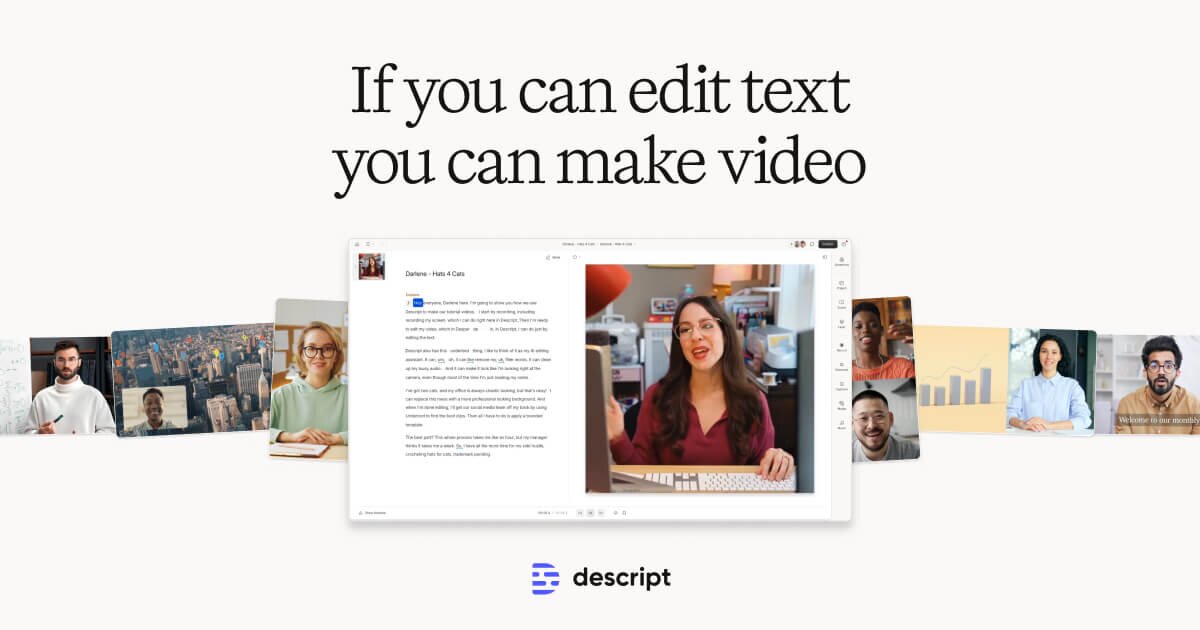
Descript is an all-in-one AI-powered video and audio editing platform that transforms how creators and teams produce content. Its core innovation is text-based editing: when you record or import media, Descript instantly transcribes it, allowing you to edit the video or audio simply by editing the transcript — deleting text removes footage, rearranging text rearranges clips. The platform includes Underlord, an AI co-editor that can write scripts, apply branded layouts, remove filler words, eliminate background noise with Studio Sound, fix eye contact, generate B-roll, clone voices, and translate content into 30+ languages. Descript supports the full production workflow — recording (including screen recording and remote guests), editing, collaboration, and publishing — in a single tool. Teams can create branded layout templates, collaborate with stakeholders via in-video comments, and publish to hosting platforms like YouTube, Wistia, and podcast directories with one click. It integrates with tools like Zoom, Adobe Premiere, Final Cut Pro, and Google Drive. Used by marketing teams, customer success, support, sales enablement, and independent creators, Descript enables high-quality video production without deep technical expertise. Through AiDOOS, organizations can rapidly deploy Descript workflows with on-demand specialists who accelerate onboarding, template creation, and scaled content production.
Challenges It Solves
- Video editing requires specialized technical skills that most marketing and business teams lack
- Updating existing videos when products or information change is time-consuming and often requires full re-records
- Producing high-quality audio and video is costly without expensive equipment and professional editors
- Scaling video content production across large teams leads to backlogs and inconsistent quality
Watch Demo

Use Cases
Podcast Production
Record, transcribe, and edit podcast episodes using text-based editing; publish directly to podcast hosting platforms with one click.
Marketing Video Creation
Create product demos, launch videos, how-to content, and social clips with branded layouts and AI-generated B-roll.
Customer Training & Support Videos
Produce and easily update product tutorials and help videos; use voice cloning to correct outdated audio without full re-records.
Webinar Repurposing
Import Zoom recordings, remove dead air and filler words, and generate multiple short-form social clips from a single webinar.
Enterprise Content Scaling
Enable multiple teams across an organization to produce high-quality video at scale using shared brand templates and AI-assisted workflows.
Pricing
Custom pricing — built for your team
Descript pricing is tailored to your organisation's size, integrations, and requirements. AiDOOS generates your proposal instantly — scoped & ready in seconds.
Key Features
Edit video and audio by editing the auto-generated transcript — no timeline scrubbing required.
An AI assistant that writes scripts, applies layouts, removes filler words, generates B-roll, and more.
Regenerative AI removes background noise and enhances voice quality without expensive microphones.
Fix or update audio by typing new text — Descript clones your voice to generate new speech without re-recording.
Translate and dub video content into 30+ languages with AI-generated captions and audio.
Create reusable branded video layouts with custom fonts, colors, and logos for consistent team output.
What Reviewers Say
What works well
- Text-based editing makes video production accessible to non-technical users without timeline experience
- AI tools like Studio Sound, filler word removal, and eye contact correction significantly reduce post-production time
- All-in-one platform handles recording, editing, collaboration, and publishing without switching tools
- Voice cloning allows audio corrections and updates without re-recording sessions
Common concerns
- AI credit and media hour limits on lower-tier plans can be restrictive for high-volume producers
- Advanced users accustomed to traditional timeline editors may find the text-first workflow limiting for complex cuts
- AI-generated features like voice cloning and avatars raise ethical considerations that require careful use
Reviews
No reviews yet for Descript
AiDOOS-verified review data is collected after deployment. Deploy this product and be among the first to share your experience.
Enterprise Readiness
Identity & Access
Data Security
SLA & Availability
Compliance & Portability
Integrations
Zoom
Import Zoom recordings directly into Descript for editing with 1-click import.
Adobe Premiere
Export project timeline from Descript to Adobe Premiere for final editing. Non-destructive, original files preserved.
Final Cut Pro
Export project timeline from Descript to Final Cut Pro for final editing.
YouTube
Publish finished videos directly to YouTube from Descript, including metadata.
Google Drive
Publish and share finished content to Google Drive directly from Descript.
Slack
Play Descript videos in Slack messages and receive notifications on comments and project activity via Descript bot.
HubSpot
Publish and share Descript video content through HubSpot.
Wistia
Publish finished videos to Wistia hosting platform directly from Descript.
Governance & Compliance
EU AI Act
No data available
Data Processing Agreement
No data available
Sub-processors
No data available
Right to Erasure
No data available
Change Notifications
No data available
NIST AI RMF
No data available
AiDOOS Managed Deployment
Deploy Descript in 72 hours
AiDOOS handles setup, CRM integration, SSO config, and user provisioning. Your team goes live — not your IT department.
Prerequisites
- Active Descript account (Creator, Business, or Enterprise plan)
- Browser-based or desktop app access
- Media files or recording setup for content creation
Configuration Options
- Brand Studio setup with custom colors, fonts, and logos
- SSO configuration for Enterprise plans
- Integration connections to publishing platforms (YouTube, Wistia, etc.)
- Team workspace and user permissions setup
How Descript Compares
| Product | AI & Analytics | Ease of Use | Enterprise Features | Pricing | Integrations | Mobile Experience | Quick Setup | Customer Support | Rating | Price/mo |
|---|---|---|---|---|---|---|---|---|---|---|
|
D
Descript This product
|
Excellent | Excellent | Good | Good | Good | Fair | Excellent | Good | ★ 4.6 | $16/user |
|
AP
Adobe Premiere Pro
|
Good | Fair | Excellent | Fair | Excellent | Fair | Poor | Good | — | $54.99/user |
|
CC
CapCut
|
Good | Excellent | Fair | Excellent | Fair | Excellent | Excellent | Fair | — | $0/user |
|
RF
Riverside.fm
|
Good | Good | Fair | Good | Good | Good | Good | Good | — | $15/user |
A Virtual Delivery Center for Descript
Pre-vetted experts and AI agents in the loop, assembled as a delivery pod. Pay in Delivery Units — universal pricing across roles, seniority, and tech stacks. No hiring, no contracting, no procurement cycle.
- Plans from $2,000 — Starter Pack, 10 Delivery Units, 90 days
- Refundable on unused Delivery Units, anytime — no questions asked
- Re-delivery guarantee on acceptance miss
- Pre-flight delivery sizing — you see the plan before you commit
How a Virtual Delivery Center delivers Descript
Outcome-based delivery via AiDOOS’s VDC model. Why VDC vs traditional consulting? →
Outcome-Based
Pay for results, not hours
Milestone-Driven
Clear deliverables at each phase
Expert Network
Access to certified specialists