Pricing For Talent RAMP
Login Free Trial
Databricks ★ 4.6 · 1362 reviews
Schedule Meeting
Marketplace › Analytics Tools & Software › Databricks  · Databricks alternatives

Databricks

The Data + AI Platform

AiDOOS Verified SAAS Analytics Tools & Software
4.6 ★★★★☆ 1362 reviews · 20,000+
Live in 72 hours Free trial
Pricing
Tailored to you
AiDOOS generates your proposal instantly — scoped & ready in seconds
Schedule Meeting

Free trial · No credit card required

Category
Analytics Tools & Software
Deployment
Cloud (SaaS)
API Access
Yes
AiDOOS Deploy
72 hours

About Databricks

Databricks is a cloud-based unified data and AI platform that brings together data engineering, data warehousing, data governance, and artificial intelligence on a single lakehouse architecture. It enables organizations to ingest, transform, and analyze data at scale, while also building and deploying AI models and applications. The platform is built on open-source projects like Apache Spark, Delta Lake, and MLflow, offering an open and governed approach to data management. Databricks simplifies ETL workflows, provides real-time analytics, and supports advanced AI use cases including generative AI and agents. For AiDOOS, integrating Databricks enhances deployment and adoption by providing a robust, scalable foundation for data and AI workloads, enabling teams to leverage a centralized platform with built-in governance and security, reducing complexity and accelerating time-to-insight. With over 20,000 customers and 60% of the Fortune 500 using Databricks, it is a leading choice for enterprises seeking to unify their data and AI initiatives.

Challenges It Solves

  • Managing complex data engineering pipelines
  • Ensuring data governance and compliance across diverse data sources
  • Scaling data analytics and AI workloads efficiently
  • Breaking down data silos between data lakes and data warehouses

Screenshots
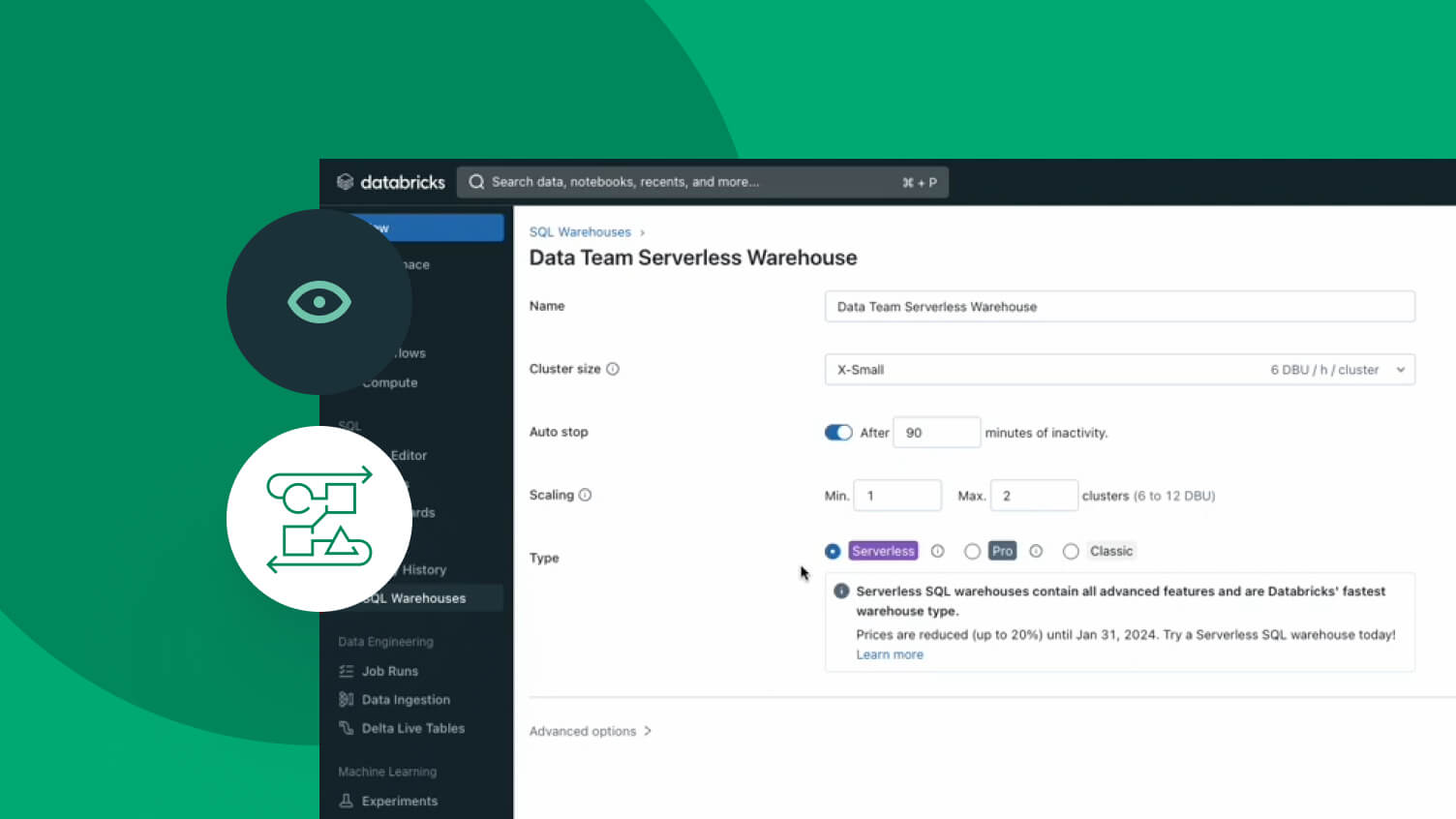
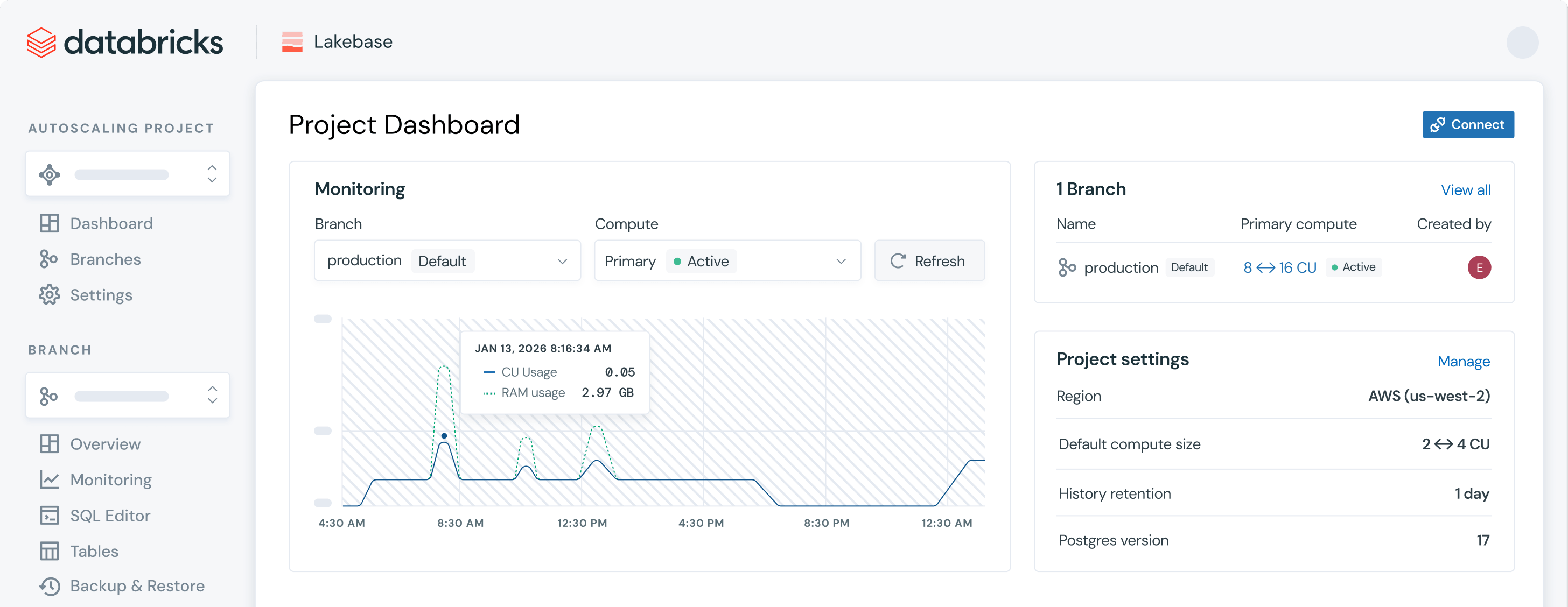
Databricks screenshot 1
Databricks screenshot 1 Databricks screenshot 2 Databricks screenshot 3 Databricks screenshot 4 Databricks screenshot 5 Databricks screenshot 6 Databricks screenshot 7 Databricks screenshot 8

Watch Demo

Databricks — Product Overview

Use Cases

Data Engineering and ETL

Build and manage batch and streaming ETL pipelines, transforming raw data into ready-to-use analytics datasets.

Data Warehousing and BI

Serve as a high-performance data warehouse for business intelligence, querying large datasets with low latency.

Machine Learning and AI

Develop and productionize machine learning models with integrated tools like MLflow and support for popular frameworks.

Pricing

Custom pricing — built for your team

Databricks pricing is tailored to your organisation's size, integrations, and requirements. AiDOOS generates your proposal instantly — scoped & ready in seconds.

Standard Enterprise
Schedule a Meeting
Free trial available — No credit card required. Full access to all features.
💡 Pricing insight from reviewers: Databricks offers usage-based pricing with per-second billing, which can be cost-effective for variable workloads but may require careful cost management.

Key Features

Lakehouse Architecture

Unify data lake and data warehouse capabilities on one platform.

Delta Lake

Open-source storage layer providing ACID transactions and scalable metadata handling.

Unified Governance with Unity Catalog

Centralized governance for data and AI assets with fine-grained permissions and auditing.

Databricks SQL (Lakehouse)

High-performance SQL warehouse for BI and data warehousing workloads.

Machine Learning and AI Tools

Build, train, and deploy machine learning models with MLflow and easy integration with popular frameworks.

Data Engineering with Lakeflow

Unified solution for building reliable ETL pipelines and orchestrating workflows.

What Reviewers Say AI-synthesized from 1362 reviews

What works well

  • Unified platform simplifies data architecture by combining data lakes and data warehouses.
  • Strong multi-cloud support (AWS, Azure, Google Cloud) and open-source foundation.
  • Built-in governance and security features (Unity Catalog) enhance compliance.

Common concerns

  • Pricing can be complex and potentially high for large-scale deployments.
  • Requires expertise in Spark and data engineering to fully leverage its capabilities.

Reviews

1362 verified reviews
4.6
★★★★☆
out of 5 · 1362 reviews
By segment
Enterprise56%
Mid-Market44%
S
Schedule Manager
"Databricks: Integrations, Intuitive UI, and Reliable Performance"
My favorite aspect of Databricks is its integrations; we connect it to multiple data sources in our workplace. I also have to mention the UX/UI design, which makes the workflow intuitive and user-friendly. Performance speed has never disappointed; it works as expected. Compared to market pricing, the cost is reasonable for us. The help center is available, and if you can't find answers, specialists assist with inquiries. For example, we had an exam process issue and they helped solve it. A dislike is the AI quality of Genie; it could be improved, especially reasoning. The exam issue was resolved but caused some discomfort. In aviation, we use this software for data analysis, automating processes that simple tools can't handle. We integrate with multiple tools (names confidential for security). It helps analyze passenger demand by route and season, combining and analyzing large datasets. Overall, a good tool; our team is satisfied.
S
Social Media Manager
"Databricks Streamlined Our Large-Scale Workflows and Team Collaboration"
What I liked most was how easy it became to handle large-scale data workflows in one place. We used to have separate tools for processing, notebooks, and collaboration, which got messy fast. With Databricks, the team could collaborate on notebooks, run pipelines, and experiment with ML models without switching environments. Pricing can get expensive if clusters aren't managed properly, especially for smaller teams. There's a learning curve for those coming from SQL-only backgrounds. We primarily used Databricks for centralized data engineering and analytics, reducing multi-tool dependency and improving analyst-engineer collaboration. A major improvement was faster ETL and better pipeline visibility. It also made AI/ML experimentation easier since infrastructure was integrated.
e
engineer
"Databricks is fantastic"
What I love most about Databricks is its seamless blend of big data processing and AI. The notebook interface makes collaboration easy, and Spark ensures quick performance. Delta Lake provides reliable data versioning and management, which is great for enterprise settings. A downside is that initial setup and network configuration can be complex and require technical know-how. Costs can escalate quickly based on usage, so monitoring is essential. Also, documentation in some languages like Japanese is lacking. Databricks helps tackle managing and analyzing large data from multiple sources. It simplifies ETL, improves reliability via Delta Lake, and enables scalable ML. This has cut our time on data prep and model training, leading to faster insights and better decisions.
C
CI Solution Engineer
"Consolidates Data and Enhances Teamwork"
I use Databricks to transform and analyze large volumes of data, unifying data from various SQL functions and cloud storage, making analysis easier. Eliminating information silos is vital for collaboration, and the optimized Spark engine performs well with large data. Its compatibility with Python, Scala, and SQL makes it comfortable for all team members. It fosters smoother communication and allows for immediate adjustments, which I value. It also facilitates collaboration between teams. I'd like specific training resources to learn advanced features, and initial setup was a bit difficult. I use Databricks to manage and unify data from multiple sources, easing analysis. It solves information silos and handles large data volumes, enhancing team collaboration with the optimized Spark engine.
D
Digital Marketing
"Top-Notch Notebooks Unify ML and Data Engineering"
The notebook experience is one of the premium features I use constantly. It saves time and reduces operational overhead, allowing me to focus on productive data work because the user flow is so streamlined. The biggest advantage is having ML and data engineering under one roof, eliminating tool switching. Support and onboarding are smooth, and performance beats competitors. Nothing so far since it's been a short time, but more product videos would help, especially for users new to multiple tools. A larger community could also be beneficial long-term. As mentioned, having everything in one place simplifies work and boosts productivity. Easy integrations with various platforms make it even more usable.
F
Full Stack Developer
"Useful for Managing and Analyzing Operational Data"
We use Databricks to process booking and service data before creating operational dashboards. I imported datasets into Delta tables, used SQL to prepare revenue and booking metrics, and built KPI dashboards for provider performance and monthly trends. Catalog Explorer made it easier to inspect schemas and validate data before reporting. Having data prep, querying, and visualization in one workspace cut manual work and sped up report generation. The main challenge was the initial learning curve. Understanding the workspace layout, Catalog Explorer, SQL Warehouses, and dashboard configuration took time when I started. After a few days, it became intuitive, but better onboarding would smooth the experience. Databricks centralizes data prep, SQL analysis, and reporting in one platform. I created managed Delta tables, analyzed data with SQL, and built dashboards to track KPIs, provider performance, and trends. This made reporting faster and more efficient monitoring.
S
Senior Associate, Legal and Research
"Efficient Legal Workflow with Databricks"
Databricks is really helpful for workflow automation and analysis in the legal field. It manages legal compliance and contract documents in one place, saving a lot of time. I like how easy it is to work with and its many tool integrations. The PySpark feature really sets Databricks apart. Its ease of use and simple UI make it accessible even to non-tech people, helping everyone manage tasks easily. Initial setup was very easy and completed within a week. Overall, it's a great product. There aren't many drawbacks except occasional bugs and downtime. Sometimes I need to click a button twice to get output. Also, the font size is a bit small compared to other tools. I use Databricks for workflow automation, managing legal documents, saving time, simplifying analysis, and integrating tools.
S
Software Engineer II
"Great for Rider Service Ops Reporting"
The top thing about Databricks is how it helps our team track rider service operations efficiently. We use Databricks Dashboards and SQL Warehouses to monitor daily revenue, service requests, customer satisfaction, completed services, and failed transactions in one place. This has sped up operational reporting and lets us spot trends without manual report prep. One challenge was figuring out how SQL Warehouses, dashboards, and permissions fit together when building operational reports. Setting up dashboards for rider metrics took some time initially. Once we got the hang of it, it became easier, but better onboarding for first-timers would help. Databricks centralizes rider service analytics in one workspace. We track daily revenue, service requests, CSAT, completed services, and failed transactions via dashboards. Before Databricks, preparing reports across multiple datasets was more time-consuming. Having these metrics in one place has greatly improved reporting efficiency and helped our team identify trends faster.
L
Lead Business Efficiency Architect
"Databricks Simplifies ETL and Analytics with Flexible Notebooks"
I've been using Databricks in our data engineering processes to build and maintain ETL pipelines, analyze big datasets, and support reporting. A key plus is that it combines data engineering, analytics, and notebooks into one workspace. Instead of juggling multiple tools, I can write PySpark, validate transformations, work with teammates, and schedule jobs all in the same place. This has made daily development more organized, especially when handling multiple pipelines. The notebook environment is another frequent go-to for developing and testing transformations before production. During development, I use notebooks to inspect sample data, troubleshoot failed transformations, and validate logic with SQL and PySpark. Mixing code, docs, and query results in one spot helps team members understand implementations during reviews or handovers. I also value the scalability; some jobs process millions of records, and Databricks handles distributed processing without us managing infrastructure directly. Cluster management, scheduling, and cloud storage integration reduce overhead. However, cluster startup times can slow down quick debugging sessions, and careful resource management is needed to control costs. On the whole, Databricks has simplified large-scale data processing while offering flexibility for both dev and production. There are a few improvement areas: cluster startup time can interrupt flow when testing small changes or validating transformations; it's fine for scheduled jobs but adds minutes during active dev. Cost management is another concern; compute is tied to cluster usage, and we've had instances where dev clusters stayed active too long, increasing cloud costs. The platform has tools to help, but teams need governance policies. Also, some configuration settings for jobs, permissions, and clusters have a learning curve for newcomers. Debugging distributed Spark jobs can be tough; logs are useful but pinpointing root causes often requires navigating multiple logs and Spark UI. While these are limitations, they don't outweigh the benefits, and proper cluster setup, monitoring, and team practices can mitigate them. Databricks has tackled a major challenge: processing large data volumes efficiently. Before reporting, we ingest from multiple sources, apply business rules, clean records, and create curated datasets. Databricks offers a single platform to develop, test, and run pipelines using PySpark and SQL, rather than disparate tools. This makes development more consistent and maintainable. For instance, a daily ETL pipeline processes data from various source systems into curated tables for reporting. We use notebooks for validation on sample data, then schedule the same logic as production jobs. If a pipeline fails, job history and logs help us identify the failure stage, making troubleshooting more efficient than tracing scripts across servers. Having notebooks, scheduling, and cluster management together reduces workflow management effort. From a business view, the biggest win is faster availability of reliable data for reporting and analytics. Our team spends less time on infrastructure and more on business logic and data quality. While optimizing Spark jobs and managing costs still need attention, Databricks has streamlined our daily workflow with a scalable environment for developing, testing, and running pipelines. It's improved team collaboration and made it easier to deliver trustworthy data to downstream users.
D
Data Engineer II
"Solid Choice for Building Scalable Data Pipelines"
The best part about Databricks is its intuitive interface that unifies all data engineering tasks in one place. In our workflow, data enters the Bronze layer via snaplogic, and Databricks handles the transformation into Silver and Gold data products. The serverless compute option cuts down considerably on infrastructure management, and Unity Catalog simplifies governance and access control. I also find AI Genie and the built-in monitoring capabilities helpful for pinpointing pipeline issues, checking job durations, and debugging quickly. On cost, the pay-as-you-go model suits us well, especially with serverless and auto-scaling, since we don't pay for idle compute. The docs are thorough, onboarding is fairly easy, and the community and knowledge base are robust for quick resolutions. Overall, it has boosted our ETL development and daily operations. A drawback is that troubleshooting pipeline failures can be tricky since error messages aren't always detailed, requiring log digging. The platform has many features, so new users need time to get comfortable. Costs can climb if compute isn't monitored, and UI responsiveness could be snappier when handling large histories or catalogs. Databricks has streamlined our data engineering by providing a single platform for ingestion, transformation, governance, and analytics. We process from Bronze to Silver and Gold layers, making our ETL pipelines more reliable and manageable. Features like serverless, Unity Catalog, and monitoring have cut operational effort, improved cross-team collaboration, and sped up data product delivery.

Reviewer Demographics

Top Industries

No data available

Enterprise Readiness

ISO 27001
SOC 2 Type II
SOC 1 Type II
HIPAA
PCI DSS

Identity & Access

SSO Okta, Azure AD, Ping Identity, OneLogin
RBAC Fine-grained
Audit Logs 180-day retention

Data Security

At restAES-256
In transitTLS 1.2+
Key mgmtVendor-managed

SLA & Availability

Uptime SLA99.9%
RPO24h
RTO4h
Pen test

Compliance & Portability

Data residencyUS, EU, UK, Asia Pacific, Canada
Data export CSV, Parquet, JSON
Right to erasure✓ Supported

Integrations

300+ total apps

Apache Spark

In-memory data processing engine for large-scale data workloads, integrated natively with Databricks.

Native < 1 hour ⇄ Bi-directional

Delta Lake

Open format storage layer providing ACID transactions, scalable metadata handling, and unified batch/streaming.

Native < 1 hour ⇄ Bi-directional

MLflow

Open-source platform for managing the machine learning lifecycle, including experimentation, reproducibility, and deployment.

Native < 1 hour ⇄ Bi-directional

Power BI

Microsoft's BI tool for visualizing and sharing insights, integrates with Databricks via SQL endpoints.

Third_Party < 1 hour

Tableau

Visual analytics platform that connects to Databricks for interactive dashboards.

Third_Party < 1 hour

Airflow

Open-source workflow scheduler that can orchestrate Databricks jobs as tasks.

Third_Party 1-2 hours

Slack

Team messaging app that can receive Databricks alerts and notifications.

Third_Party < 1 hour

Jira

Issue tracking tool that can integrate with Databricks for automated workflows.

Third_Party < 1 hour

Governance & Compliance

EU AI Act

No data available

Data Processing Agreement

Data Processing Agreement DPA available

Sub-processors

Fully disclosed

Right to Erasure

✓ Supported

Change Notifications

True

NIST AI RMF

No data available

AiDOOS Managed Deployment

Deploy Databricks in 72 hours

AiDOOS handles setup, CRM integration, SSO config, and user provisioning. Your team goes live — not your IT department.

12
Deployments
94%
Adoption rate
4.8/5
Post-deploy sat.
4-8 weeks
Time to value

Prerequisites

  • Cloud account (AWS, Azure, or GCP)
  • Admin access to configure SSO
  • Data sources to connect
  • Basic understanding of data engineering

Configuration Options

  • Workspace setup
  • Unity Catalog configuration
  • Cluster and SQL warehouse setup
  • Genie and AI/BI enablement

Common Setup Issues (& how AiDOOS handles them)

— % of deployments
— % of deployments
— % of deployments

How Databricks Compares

Product AI & Analytics Ease of Use Enterprise Features Pricing Integrations Mobile Experience Quick Setup Customer Support Rating Price/mo
Databricks This product
Excellent Good Excellent Fair Excellent Poor Moderate Good ★ 4.6 $Custom/user
Snowflake
Good Excellent Good Fair Good Poor Good Good $Custom/user
Google BigQuery
Good Excellent Good Good Good Poor Excellent Good $Custom/user
Amazon Redshift
Good Good Good Good Good Poor Good Good $Custom/user
Virtual Delivery Center · A new delivery category

A Virtual Delivery Center for Databricks

Pre-vetted experts and AI agents in the loop, assembled as a delivery pod. Pay in Delivery Units — universal pricing across roles, seniority, and tech stacks. No hiring, no contracting, no procurement cycle.

  • Plans from $2,000 — Starter Pack, 10 Delivery Units, 90 days
  • Refundable on unused Delivery Units, anytime — no questions asked
  • Re-delivery guarantee on acceptance miss
  • Pre-flight delivery sizing — you see the plan before you commit

How a Virtual Delivery Center delivers Databricks

Outcome-based delivery via AiDOOS’s VDC model.  Why VDC vs traditional consulting? →

Outcome-Based

Pay for results, not hours

Milestone-Driven

Clear deliverables at each phase

Expert Network

Access to certified specialists

Implementation Timeline

1
Discover
Requirements & assessment
2
Integrate
Setup & data migration
3
Validate
Testing & security audit
4
Rollout
Deployment & training
5
Optimize
Performance tuning
Schedule a Meeting

Frequently Asked Questions

What is Databricks used for?
Databricks is a unified data and AI platform that enables data engineering, analytics, machine learning, and AI applications on a lakehouse architecture. It combines the best of data lakes and data warehouses to support BI and AI workloads.
What is the Databricks Lakehouse?
The Databricks Lakehouse is an architecture that combines the flexibility and cost-effectiveness of data lakes with the reliability and performance of data warehouses. Built on open source like Apache Spark and Delta Lake, it provides ACID transactions, scalable storage, and unified governance.
Does Databricks support multiple clouds?
Yes, Databricks is available on all major cloud providers: AWS, Microsoft Azure, and Google Cloud Platform. This provides flexibility and avoids vendor lock-in.
How does Databricks handle data governance?
Databricks uses Unity Catalog to provide unified governance for data and AI assets, including fine-grained access control, auditing, and lineage. This spans across tables, models, dashboards, and AI agents.
Can Databricks be integrated with existing BI tools?
Yes, Databricks integrates with popular BI tools such as Power BI, Tableau, Looker, Sigma, and Qlik via SQL endpoints, ensuring high performance and low latency for analytics.
How does Databricks pricing work?
Databricks charges based on usage, including compute and storage, with per-second billing. The total cost depends on the workloads and features used. You can start with a free trial.

Quick Stats

★ 4.6
Rating
12
Deployments
72 hours
Live in
99.9%
Uptime SLA
Deployment Complexity
Moderate (3/5)
Schedule a Meeting

Vendor

Databricks Inc.
Founded 2013 · 5001-10000 employees · San Francisco, CA
Verified Vendor

Get an Instant Proposal

You'll get a structured implementation plan — scope, timeline, and cost — in seconds.