Pricing For Talent
Login Free Trial Book a Demo
ContactMonkey ★ 4.5 · 212 reviews
Schedule Meeting
Marketplace › Marketing › ContactMonkey  · ContactMonkey alternatives

ContactMonkey

Intelligent internal communications platform that reaches every employee

AiDOOS Verified SAAS Marketing
4.5 ★★★★☆ 212 reviews · 1,000+ organizations
Live in 72 hours Free trial
Pricing
Tailored to you
AiDOOS generates your proposal instantly — scoped & ready in seconds
Schedule Meeting

Free trial · No credit card required

Category
Marketing
Deployment
Cloud (SaaS)
API Access
Yes
AiDOOS Deploy
72 hours

About ContactMonkey

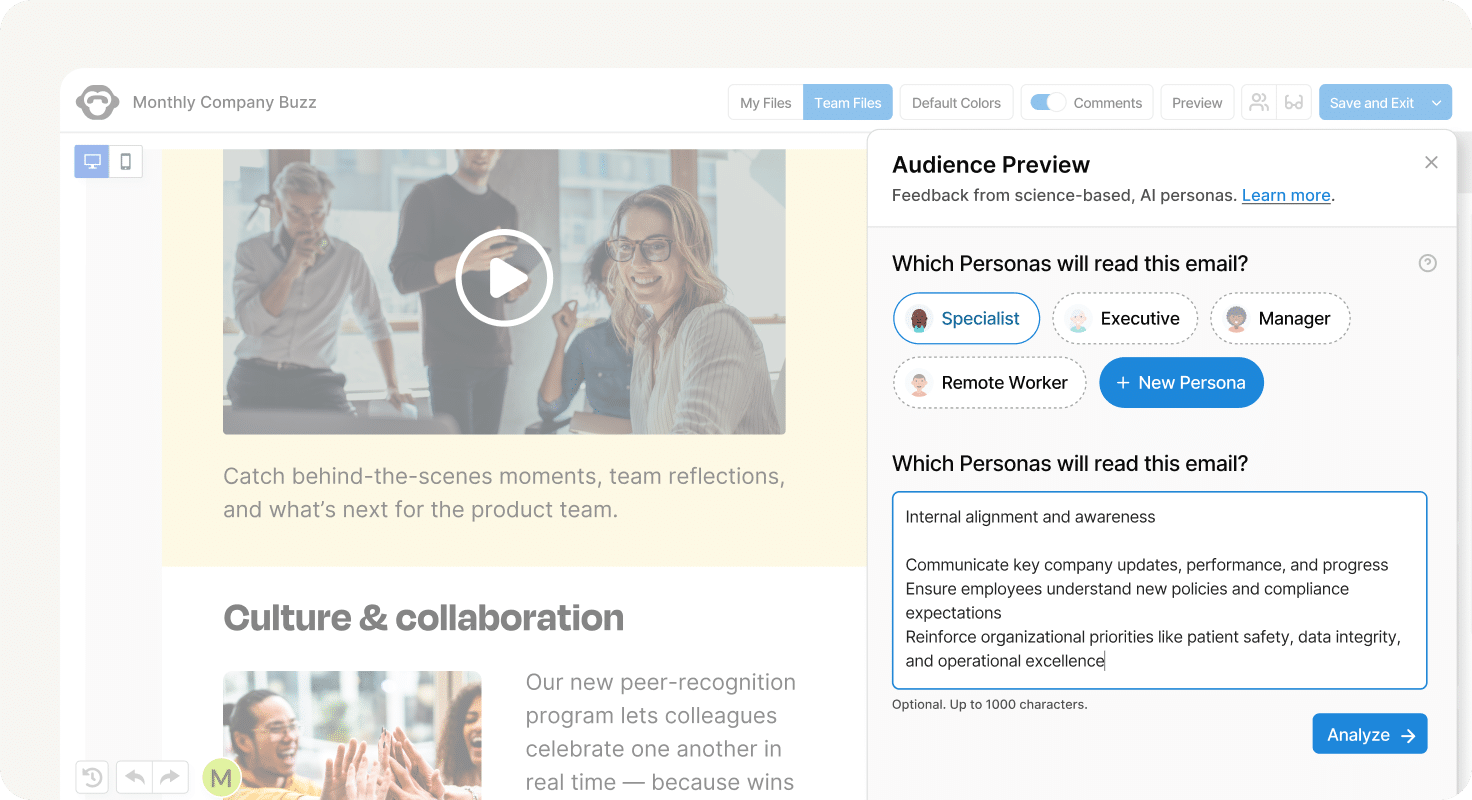
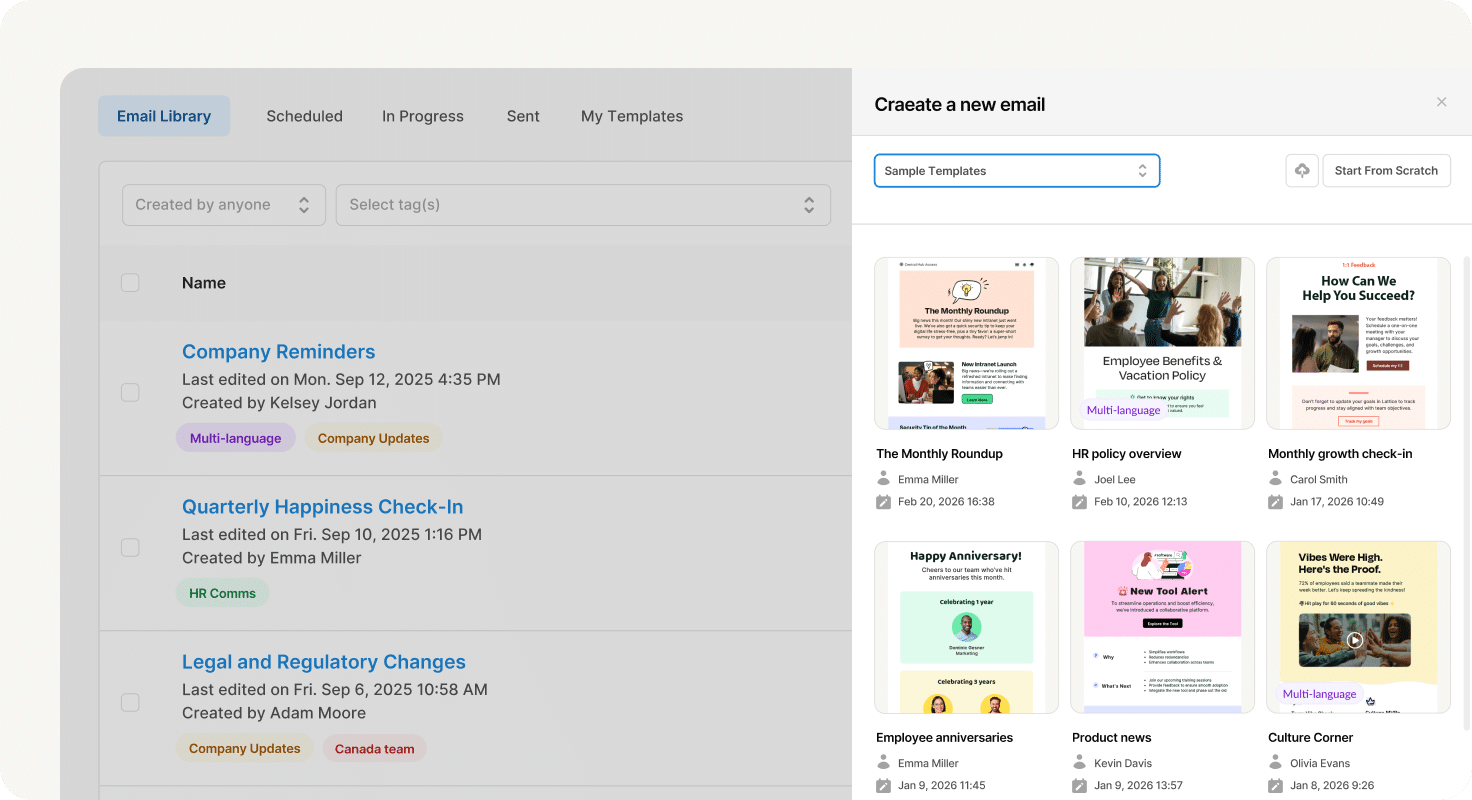
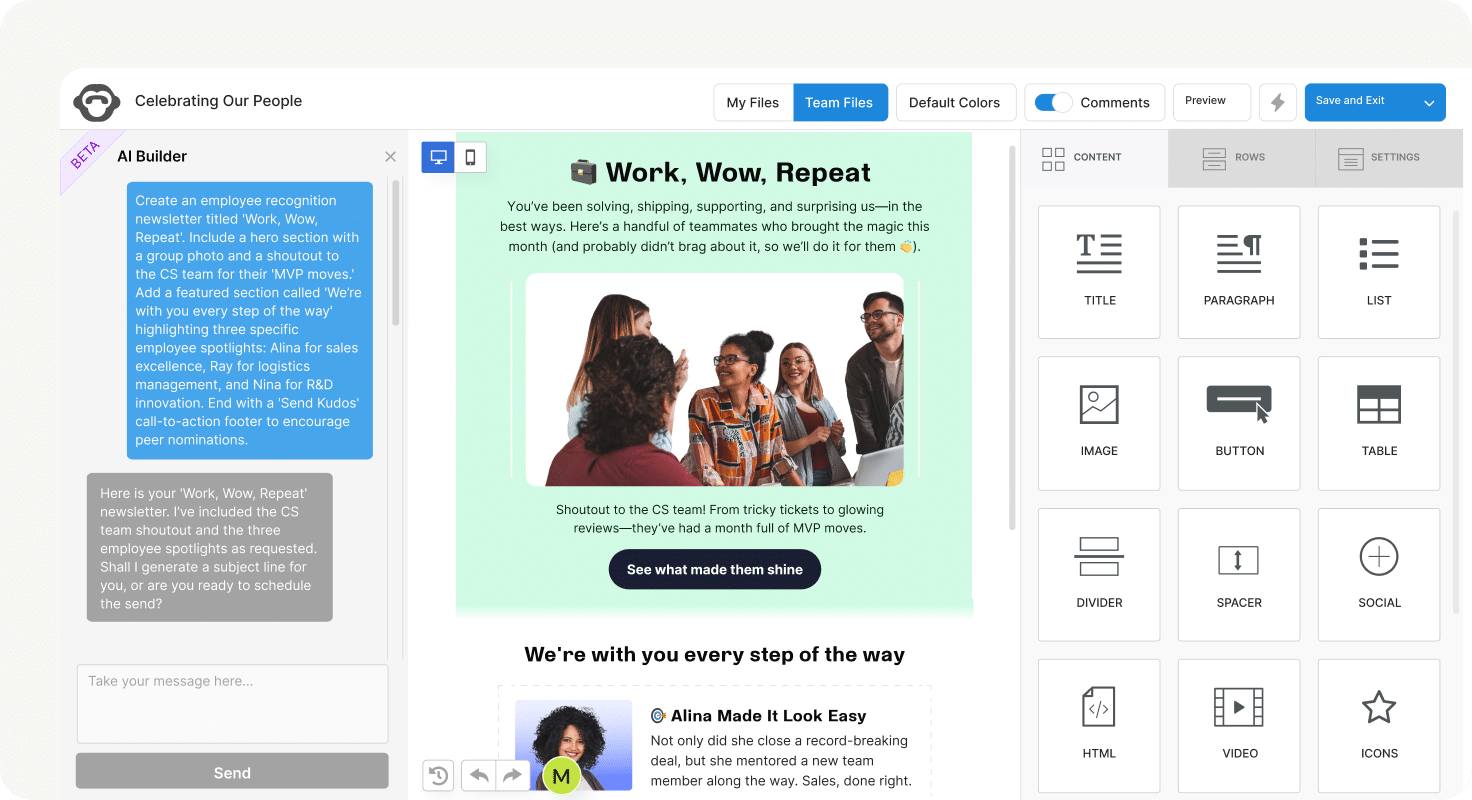
ContactMonkey is an internal communications software platform used by more than 1,000 organizations worldwide. It enables internal communications teams, HR professionals, and people operations leaders to create, send, and measure employee emails and newsletters directly from Microsoft Outlook and Gmail without switching platforms or requiring IT involvement. Core capabilities include a drag-and-drop email template builder, AI-assisted email creation and editorial review, audience segmentation, dynamic content targeting, embedded pulse surveys, real-time analytics, multi-language email translation, and HRIS integrations with Workday, BambooHR, and ADP. The platform is SOC 2 Type II and ISO 27001 certified, GDPR compliant, and offers regional data hosting. With ContactMonkey, organizations can improve email engagement, gather employee feedback, and prove the impact of internal communications. AiDOOS enhances deployment and adoption by providing tailored onboarding assistance, integration guidance, and best practices, ensuring teams quickly leverage ContactMonkey's full capabilities to drive measurable results.

Challenges It Solves

  • Manual formatting and lack of drag-and-drop design tools make creating professional internal emails difficult
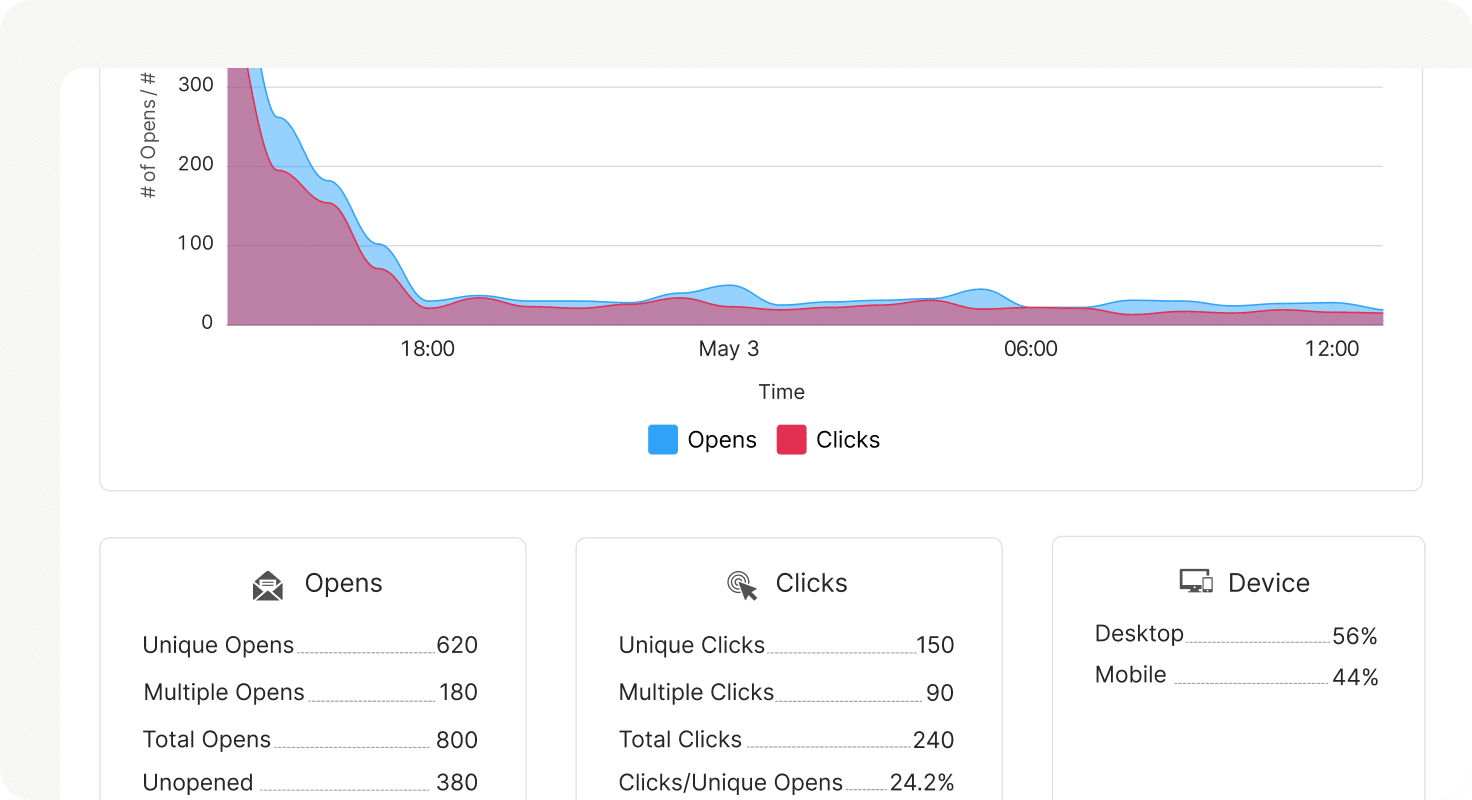
  • No way to measure open rates, clicks, or engagement in standard email clients like Outlook
  • Difficulty sending targeted messages to different audience segments without proper segmentation tools
  • Inability to embed surveys or feedback tools directly in emails without third-party integrations

Screenshots
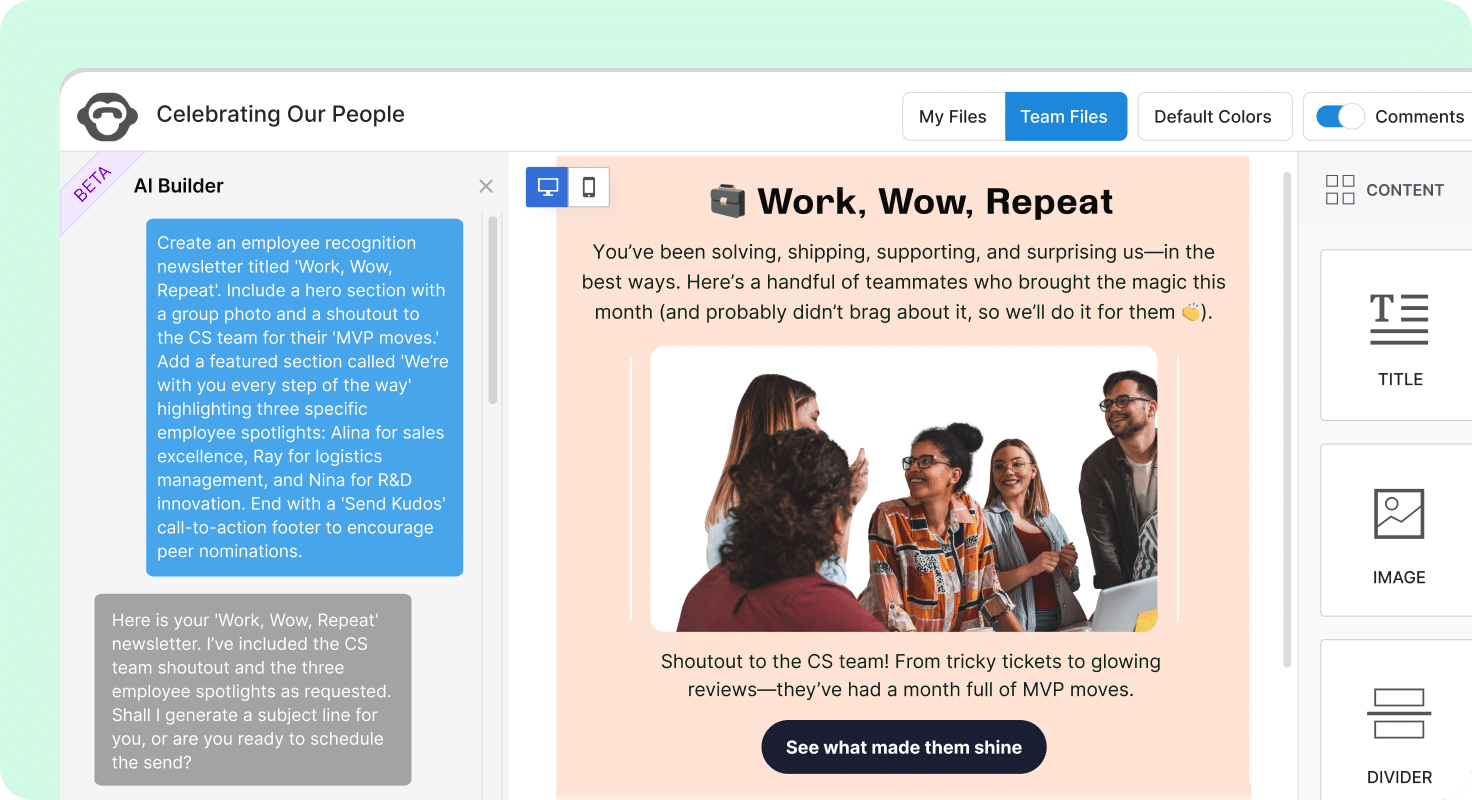
ContactMonkey screenshot 1
ContactMonkey screenshot 1 ContactMonkey screenshot 2 ContactMonkey screenshot 3 ContactMonkey screenshot 4 ContactMonkey screenshot 5 ContactMonkey screenshot 6 ContactMonkey screenshot 7 ContactMonkey screenshot 8

Watch Demo

ContactMonkey — Product Overview

Use Cases

Employee newsletters

Create and send engaging newsletters to keep employees informed and engaged.

Company-wide announcements

Distribute important updates to all employees with tracking and feedback tools.

Employee feedback collection

Embed surveys and reactions in emails to gather real-time feedback from employees.

Pricing

Custom pricing — built for your team

ContactMonkey pricing is tailored to your organisation's size, integrations, and requirements. AiDOOS generates your proposal instantly — scoped & ready in seconds.

Starter Business Enterprise
Schedule a Meeting
Free trial available — No credit card required. Full access to all features.
💡 Pricing insight from reviewers: ContactMonkey offers custom pricing based on company size and features, with a free trial available.

Key Features

Drag-and-drop email builder

Create branded, responsive emails without coding

Dynamic content

Personalize one email for many audiences with targeted content blocks

Pulse surveys and emoji reactions

Collect employee feedback directly within emails

Real-time analytics

Track opens, clicks, read time, and individual engagement

AI-powered editorial review

Automatically check emails for errors, inconsistencies, and accessibility

Outlook and Gmail integration

Send and track emails directly within your email client

What Reviewers Say AI-synthesized from 212 reviews

What works well

  • Ease of use and quick creation of visually appealing internal communications
  • Robust reporting and analytics capabilities
  • Seamless integration with Outlook and Gmail

Common concerns

  • May have a learning curve for advanced features
  • Pricing not publicly disclosed, requiring sales contact

Reviews

212 verified reviews
4.5
★★★★☆
out of 5 · 212 reviews
By segment
Enterprise66%
Mid-Market34%
S
Senior Manager
"User-Friendly with Real-Time Metrics"
I can upload a complete list of participants to distribute the report, and the system tracks real-time engagement. One issue is that images must have unique filenames to upload correctly. The tool makes it easy to distribute reports to targeted audiences while tracking real-time reading and engagement insights.
M
Mid-Market (51-1000 emp.)
"Easy Tracking and Reporting for Internal Comms"
ContactMonkey stays current with trends, ensuring we have the best tools to do our job effectively. I still dislike not being able to attach documents to important company-wide emails, and I wish we could edit emails after sending, even just within 30 minutes. But the platform gives us the metrics we've wanted for ages—seeing read rates and other data helps us improve future emails to be more engaging.
C
Communications Specialist
"Great Middle Ground for Email Communications"
Their new AI software adds an extra layer of editorial review, making our approval process much smoother. Occasionally we have issues with sends, but their responsive support team resolves things quickly. It helps us build professional internal emails and provides analytics on audience engagement.
E
Enterprise (> 1000 emp.)
"Flexible and Easy to Use"
The platform is very easy to use for creating templates that really reflect our brand, and they continuously add new features to simplify creation. Small features like AI-generated headings and summaries save time. However, there are notable limitations for Google customers—everything seems designed for Microsoft first. Even when new features are supposedly Google-compatible, it takes a while to get them, making us feel like second-class citizens. It helps us produce engaging and visually appealing newsletters, allowing us to reach every employee and drive traffic back to our intranet.
E
Enterprise (> 1000 emp.)
"Always Exceeds Our Expectations"
Our experience with ContactMonkey has been excellent from the start! The user-friendly platform, robust analytics, and powerful integrations provide immense value. Our customer success manager, Shane, is incredibly responsive and helpful, and the tech support team replies quickly when we encounter issues. We also appreciate the ability to test enhancements and give feedback to improve the product for everyone. End to end, it's been outstanding. One minor thing is that bullet formatting can be off when importing to Outlook, but the code translation isn't always perfect, though we usually achieve our desired result. It offers creativity, collaboration, and engagement analytics not found elsewhere. With the Workday integration and upcoming Audience Preview, we can segment and target the right audience with the right message at the right time.
S
Sales and Marketing Graduate
"Great Support Helped Me Get the Most Out of ContactMonkey"
The support team at ContactMonkey was incredibly helpful. I had trouble initially with my campaigns, but they were great—we had a one-on-one call and worked through solutions. That experience really helped me understand the product and use it to its full potential. I have few dislikes, but I wish I could add vertical dividers in addition to horizontal ones for our newsletters. We wanted the analytics capability, and it's been wonderful to see how users interact with our internal communications, including clicking links to read more.
A
Age Ratings Manager II
"Great Tool for Crafting Professional Emails"
I love how straightforward it is to design and edit emails with ContactMonkey, especially when using templates. The interface is user-friendly, so I don't waste time figuring things out. Customer support has been prompt and helpful with any questions. The only downside is the sending workflow—designing on the web and then importing into Outlook feels a bit disjointed. It would be great to edit directly within Outlook. The tool lets me inform all stakeholders about business updates, and thanks to its simple interface, designing emails feels both fun and professional. It also provides detailed email metrics that show me how users engage with different topics.
C
Communications Specialist
"Intuitive and Flawless Interface"
The UI is straightforward and completely reliable, always performing as expected. I have zero complaints about ContactMonkey. It solves multiple issues for us: it eliminates the hassle of formatting emails in Outlook, provides clear analytics on our communications' performance, and even allows us to be more creative and experimental with our messages. It's a tool that simply works.
C
Communications Manager
"Seamless Integration with Outlook Distribution Lists"
ContactMonkey works flawlessly with our internal distribution lists that update automatically from HR data, so they're always current. I used to spend a ton of time adding new hires, removing terminated employees, and fixing departments and titles after promotions. Now I can leverage the Outlook lists and get individual-level response metrics. I was initially skeptical, but it works perfectly and I'm thrilled. The account team has been fantastic—our rep helped integrate the tool with IT, kept checking in, and provided excellent training with regular short sessions tailored to our needs. We've had occasional hiccups (duplicate sends, missing preheaders, font issues), possibly related to Outlook upgrades, but overall it's saved me hours of list management. I now let IT handle the lists via automated processes and focus on content and strategy.
S
Senior Communications Advisor
"Revolutionary Internal Comms Tool with Robust Analytics and Flexible Messaging"
Our approach to internal communications has been totally transformed by this platform. The combination of deep analytics, a user directory, and multiple message display options has made a substantial impact. For our organization, which includes both office staff and field workers, it's been revolutionary—letting us leverage our data and make adjustments when necessary. The only real drawback initially was the inability to embed video from sources other than Vimeo or YouTube, but a recent update seems to have addressed that. With four different business divisions and a wide range of employees, ContactMonkey enables us to connect with everyone through numerous channels. It's also elevated our professionalism—our emails now look sleek and polished, resembling proper newsletters. I'm particularly fond of the ability to schedule communications ahead of time and see everything on a calendar. The dynamic lists have been a huge win for us, given the complexity of our internal distribution; now I can easily filter to find exactly the right audience.

Reviewer Demographics

Top Industries

No data available

Company Size

No data available

Enterprise Readiness

SOC 2 Type II
ISO 27001
GDPR

Identity & Access

SSO SAML 2.0
RBAC Roles and permissions with team-based access
Audit Logs

Data Security

At restAES-256
In transitTLS 1.2+
Key mgmtVendor-managed

SLA & Availability

Uptime SLA99.9%
RPO
RTO
Pen test

Compliance & Portability

Data residencyUS, Canada, EU, Australia
Data export CSV, XLSX
Right to erasure✓ Supported

Integrations

Microsoft Outlook

Create, send, and track internal emails directly within Outlook.

Native < 1 hour ⚡ AiDOOS Pre-wired

Gmail

Create, send, and track internal emails directly within Gmail.

Native < 1 hour ⚡ AiDOOS Pre-wired

Microsoft Teams

Deliver internal communications via Microsoft Teams channel.

Native < 1 hour ⚡ AiDOOS Pre-wired

SharePoint

Publish internal communications to SharePoint sites.

Native 1-2 hours

Workday

Sync employee lists and attributes from Workday for accurate audience targeting.

Native 1-2 hours ⇄ Bi-directional ⚡ AiDOOS Pre-wired

BambooHR

Sync employee lists and attributes from BambooHR for accurate audience targeting.

Native < 1 hour ⇄ Bi-directional

ADP

Sync employee lists and attributes from ADP for accurate audience targeting.

Native 1-2 hours ⇄ Bi-directional

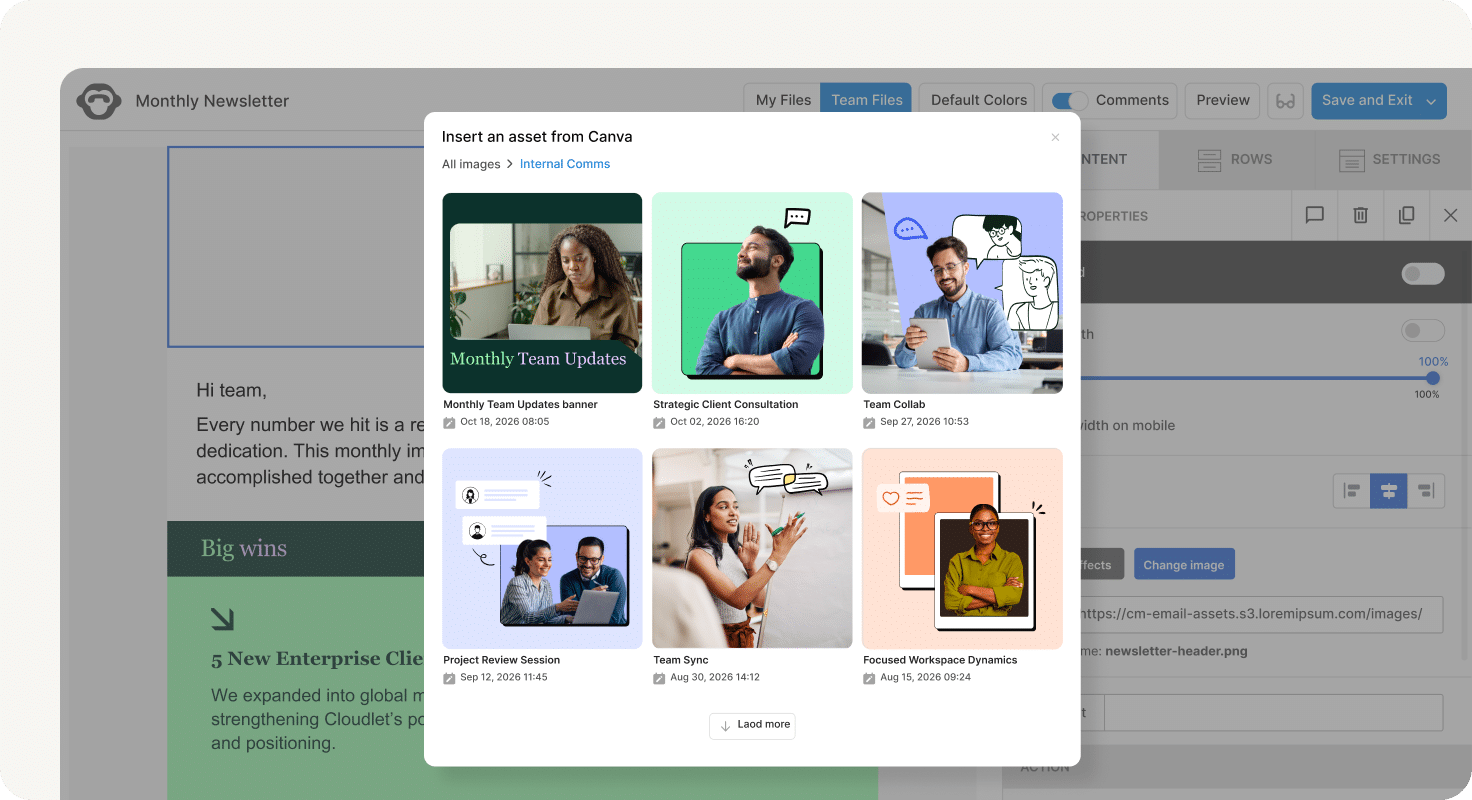
Canva

Browse and insert Canva designs directly into emails from the builder.

Third_Party < 1 hour

Governance & Compliance

EU AI Act

No data available

Data Processing Agreement

Standard Contractual Clauses DPA available

Sub-processors

No data available

Right to Erasure

✓ Supported

Change Notifications

No data available

NIST AI RMF

No data available

AiDOOS Managed Deployment

Deploy ContactMonkey in 72 hours

AiDOOS handles setup, CRM integration, SSO config, and user provisioning. Your team goes live — not your IT department.

12
Deployments
94%
Adoption rate
4.8/5
Post-deploy sat.
1-2 weeks
Time to value

Prerequisites

  • Active ContactMonkey subscription
  • Admin access to Outlook or Gmail for integration setup
  • SSO provider (optional for enterprise)

Configuration Options

  • Custom branding setup
  • HRIS integration configuration
  • User permissions and roles
  • Integration with existing email clients

How ContactMonkey Compares

Product AI & Analytics Ease of Use Enterprise Features Pricing Integrations Mobile Experience Quick Setup Customer Support Rating Price/mo
ContactMonkey This product
Excellent Excellent Excellent Fair Good Good Good Good ★ 4.5 $Custom/user
Staffbase
Good Good Excellent Fair Good Excellent Good Good $Custom/user
simpplr
Good Good Excellent Fair Good Excellent Good Good $Custom/user
Poppulo
Good Good Excellent Fair Good Good Good Good $Custom/user
Virtual Delivery Center · A new delivery category

A Virtual Delivery Center for ContactMonkey

Pre-vetted experts and AI agents in the loop, assembled as a delivery pod. Pay in Delivery Units — universal pricing across roles, seniority, and tech stacks. No hiring, no contracting, no procurement cycle.

  • Plans from $2,000 — Starter Pack, 10 Delivery Units, 90 days
  • Refundable on unused Delivery Units, anytime — no questions asked
  • Re-delivery guarantee on acceptance miss
  • Pre-flight delivery sizing — you see the plan before you commit

How a Virtual Delivery Center delivers ContactMonkey

Outcome-based delivery via AiDOOS’s VDC model.  Why VDC vs traditional consulting? →

Outcome-Based

Pay for results, not hours

Milestone-Driven

Clear deliverables at each phase

Expert Network

Access to certified specialists

Implementation Timeline

1
Discover
Requirements & assessment
2
Integrate
Setup & data migration
3
Validate
Testing & security audit
4
Rollout
Deployment & training
5
Optimize
Performance tuning
Schedule a Meeting

Frequently Asked Questions

What is ContactMonkey primarily used for?
ContactMonkey is an internal communications platform that enables companies to create, send, and measure employee emails and newsletters directly from Outlook and Gmail, with features like drag-and-drop email builder, audience segmentation, analytics, and surveys.
Does ContactMonkey integrate with Outlook?
Yes, ContactMonkey has a native integration with Microsoft Outlook, allowing users to create and send branded, trackable internal emails directly from their Outlook client.
Can ContactMonkey track email opens and clicks?
Yes, ContactMonkey provides real-time analytics tracking opens, clicks, read time, and other engagement metrics at the individual recipient level.
Is ContactMonkey suitable for companies without IT involvement?
Yes, ContactMonkey is designed to be used by internal communications teams, HR professionals, and people operations leaders without requiring IT involvement.
Does ContactMonkey support multi-language emails?
Yes, ContactMonkey supports multi-language email translation, making it easy to communicate with global teams in their preferred languages.
Can I deploy ContactMonkey through AiDOOS?
Yes, AiDOOS offers verified deployment of ContactMonkey with pre-configured integrations, typically ready in 72 hours, with ongoing management and support.

Quick Stats

★ 4.5
Rating
12
Deployments
72 hours
Live in
99.9%
Uptime SLA
Deployment Complexity
Easy (2/5)
Schedule a Meeting

Vendor

ContactMonkey Inc.
Founded 2012 · 51-200 employees · Ontario, Canada
Verified Vendor

Get an Instant Proposal

You'll get a structured implementation plan — scope, timeline, and cost — in seconds.