Pricing For Talent RAMP
Login Free Trial
Blocks ★ 4.9 · 18 reviews
Schedule Meeting
Marketplace › Marketing › Blocks  · Blocks alternatives

Blocks

Drag & Drop Email Template Builder. Try It Now

AiDOOS Verified SAAS Marketing
4.9 ★★★★★ 18 reviews
Live in 72 hours
Pricing
Tailored to you
AiDOOS generates your proposal instantly — scoped & ready in seconds
Schedule Meeting
Category
Marketing
Deployment
Cloud (SaaS)
API Access
Yes
AiDOOS Deploy
72 hours

About Blocks

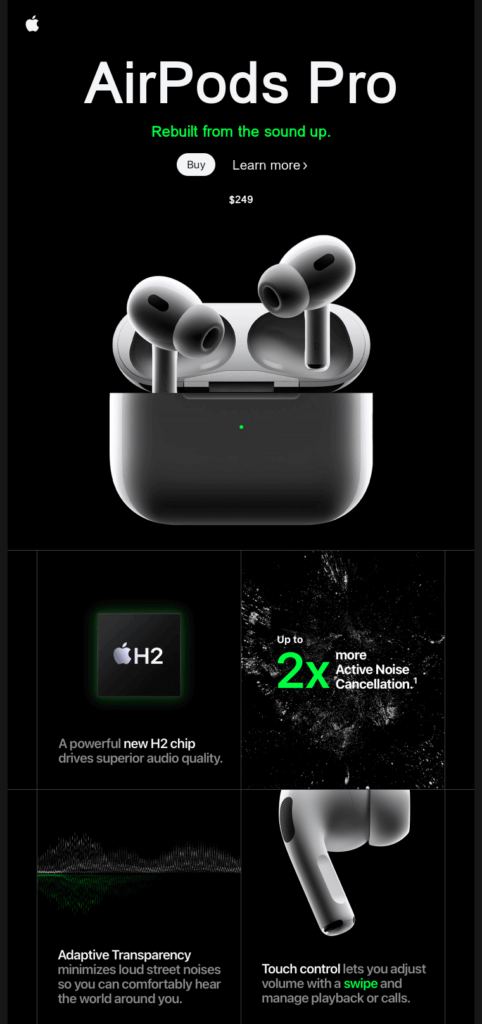
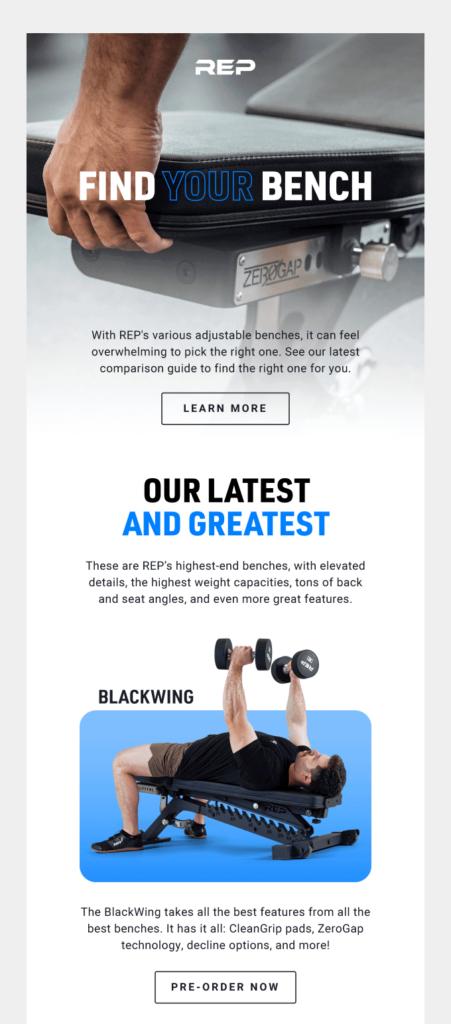
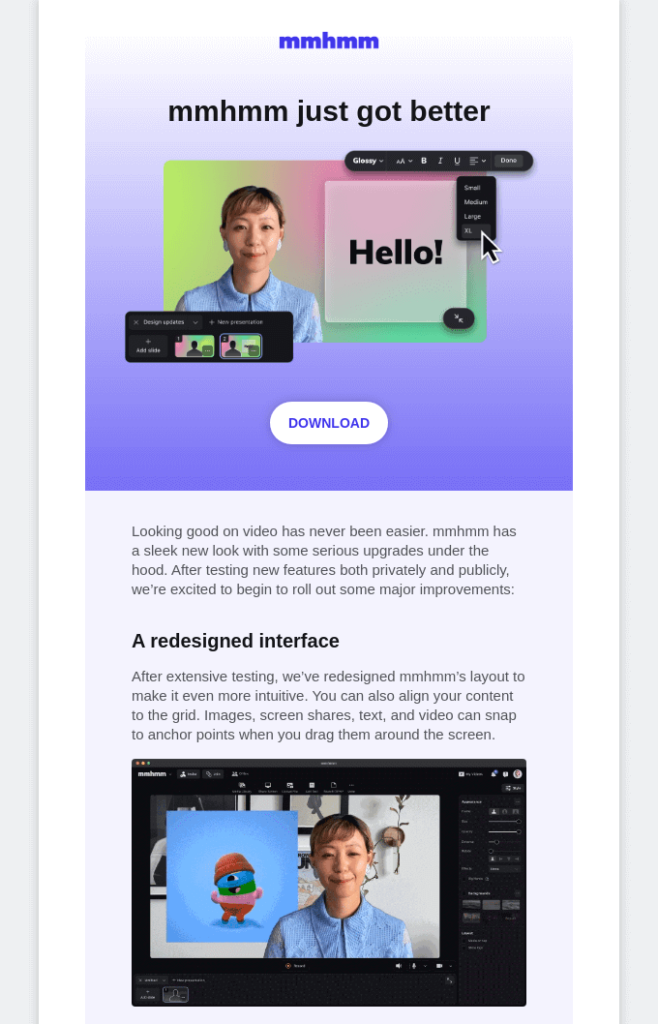
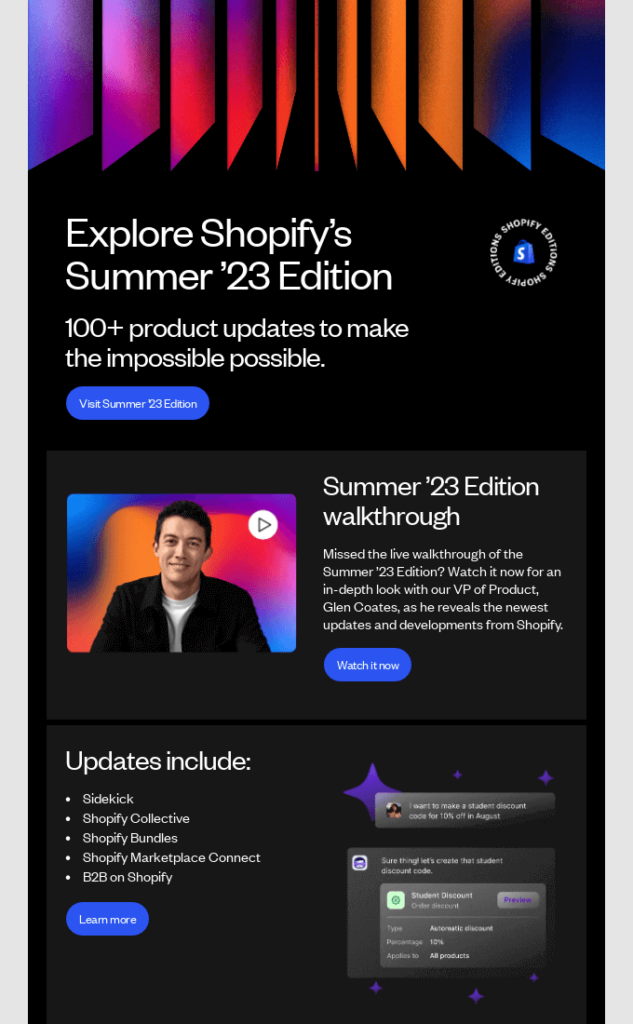
Blocks is an AI-powered, no-code email template builder that empowers marketers and non-technical users to create professional, responsive email templates effortlessly. With its intuitive drag-and-drop interface, users can design emails without writing a single line of code. Blocks leverages AI to assist in text generation and image creation, enhancing productivity. The platform includes a library of over 150 highly customizable templates across various industries, such as e-commerce, real estate, finance, and education. Users can discuss project details via built-in ChatGPT functionality, search stock images, and preview designs across multiple screen sizes. Blocks integrates with popular ESPs and MAPs like HubSpot, Marketo, and Salesforce, allowing seamless export. It offers collaboration features for team projects, role-based access, and a range of pricing plans, including a free tier. The platform aims to reduce chaos and stress in email development by optimizing the workflow, making email creation accessible to everyone regardless of technical background.

Challenges It Solves

  • Creating responsive email templates without coding skills
  • Streamlining email design workflow and collaboration
  • Reducing time spent on repetitive email design tasks
  • Ensuring email templates work across various ESPs and devices

Screenshots

Blocks screenshot 1
Blocks screenshot 1 Blocks screenshot 2 Blocks screenshot 3 Blocks screenshot 4 Blocks screenshot 5 Blocks screenshot 6 Blocks screenshot 7 Blocks screenshot 8

Use Cases

Product Launch

Create engaging product launch emails to announce new offerings and drive excitement.

Customer Service

Design effective customer service email templates to build trust and address inquiries.

Product Update

Craft product update emails to inform users about new features and improvements.

Pricing

Custom pricing — built for your team

Blocks pricing is tailored to your organisation's size, integrations, and requirements. AiDOOS generates your proposal instantly — scoped & ready in seconds.

Free Personal Advanced Pro
Schedule a Meeting
💡 Pricing insight from reviewers: Blocks offers a free tier with limited features, and paid plans starting from $16 per month billed annually.

Key Features

AI-powered no-code email builder

Build professional emails without coding using AI assistance.

150+ customizable templates

Start from a library of ready-made templates for various industries and use cases.

Drag-and-drop editor

Intuitive drag-and-drop interface for easy customization.

ChatGPT integration

Discuss project details and get AI assistance directly within the platform.

Responsive preview

Preview templates on different screen sizes to ensure mobile-friendliness.

Export to ESP/MAP

Export templates directly to popular email service providers or marketing automation platforms.

What Reviewers Say AI-synthesized from 18 reviews

What works well

  • Ease of use: intuitive drag-and-drop interface and no-code approach.
  • AI-powered assistance aids in copy generation and image selection.
  • Extensive template library with customizable options.

Common concerns

  • Free plan has limited features and email export limits.
  • May require additional cost for enterprise features like advanced support.

Reviews

18 verified reviews
4.9
★★★★★
out of 5 · 18 reviews
By segment
Mid-Market100%
S
Small-Business (50 or fewer emp.)
"Fantastic Email Builder"
A very handy email builder that speeds up the process and makes it easier. There are plenty of customization options, and you can even edit the HTML code directly. But if you're not into HTML, Blocks provides a user-friendly drag-and-drop interface. Not much to complain about. Even if issues arise, the support team is there to help. If you find yourself spending too much time on emails, Blocks is worth considering—it makes the process more comfortable and quicker.
G
Growth
"Great for Email Building"
I appreciate that even if you're not an experienced marketer or have never used such software, you can still quickly figure out how to use Blocks. The UI is intuitive and not cluttered, making it easy to start creating professional emails right away. The free version has some limitations, obviously, but it has everything you need to try the tool. It's great for both beginners and seasoned pros alike. Very easy to learn, and it helps you produce emails quickly.
H
Head of Growth
"Great for Email Creation"
I love that Blocks has tons of templates for nearly any occasion. All you have to do is swap out the text, images, and links, then export the email in just a couple of clicks. It's also ideal for those who don't know or want to code. You can drag and drop all elements of the email—very intuitive. I haven't had any issues with the builder. Blocks helps me create emails much faster, and I don't need to hire a designer or HTML developer anymore. I can do everything myself, which saves both time and money. I also love the custom blocks feature—I've saved all the blocks I use and simply rearrange them to make new emails in minutes instead of hours.
P
Product Manager
"Faster Email Creation Now"
I'm in love with the template gallery. It's not overwhelming but offers enough options to find a template I can customize. The editing process is also very intuitive. Highly recommended. I encountered a couple of minor bugs, but they were tiny, and the support team resolved them quickly, so my experience wasn't affected. I can create emails fast and easily. Plus, Blocks has a great free plan, so I don't need to pay for a subscription unless I want to make more emails than I currently do.
S
Small-Business (50 or fewer emp.)
"I Really Enjoyed Using Blocks"
Blocks comes with dozens of adaptable elements for your emails—just tweak the visuals, text, links, and more. The template library is also excellent, with various categories and email types. You can start creating emails immediately after signing up thanks to the free plan (which has some limitations but gives you a feel for the tool and whether it suits you). While you can send test emails, you can't send campaigns directly from Blocks. You'll need a separate email service provider for actual sends. Fortunately, templates made in Blocks work with most providers. It's a fantastic, easy-to-use service for building emails. It fully serves its purpose, is very convenient, and works even for entry-level marketers without much experience.
C
CEO & Founder
"AI-Powered Email Generator That Impresses"
The Collaborative AI Email Generator is a real time-saver! Its speed in drafting emails is remarkable and cuts my workload significantly. The tool keeps a consistent professional tone, fixes language mistakes flawlessly, and offers smart personalization based on recipient data. It's a game-changer for anyone wanting to streamline email communication. There's room for improvement, but it has become essential in my daily routine. Strongly recommended for boosting productivity! Great job, team! I see lots of potential for UX improvements while the functionality is great. I no longer need to hire a designer and developer each time to get an email ready. This can be done in minutes.
P
Product Owner
"Crafting Emails with Blocks Is a Joy"
My favorite thing about Blocks is the AI assistant that helps write and refine emails. In just a few clicks, it comes up with amazing subject lines and preheaders that boost open rates. The AI also suggests design elements and copy that align with my brand and audience, letting me create high-converting emails incredibly fast. Honestly, I have nothing bad to say about Blocks yet! The editor is super user-friendly and intuitive. Their support team has been fantastic during onboarding and helping me tailor my account. All in all, working with Blocks has been a wonderful experience. Blocks tackles the problem of how time-consuming and tedious email optimization can be. Its AI automatically tests and improves every element of my emails—subject lines, content, images, CTAs, etc.—for maximum performance. This lets me craft better emails in much less time, which has greatly helped my marketing team and our email metrics. With Blocks handling the testing and optimization, I can focus on creative, personal content instead of getting bogged down in testing details. Ultimately, Blocks' AI email engine benefits both my sanity and campaign results!
D
Digital Marketing Manager
"All You Need for Email Creation"
I absolutely love how easy Blocks is to learn and use. The template gallery is fantastic—it seems to be frequently updated—and I can pick any template and customize it without starting from scratch. The AI features, like image generation, are really handy sometimes. For what it does, it works perfectly. My only hope is that they add support for other languages besides English. The best part is that thanks to Blocks, I now spend less time making high-quality emails. Plus, I can test emails before launching them. Highly recommended!
S
Senior Brand Manager
"Build Emails in No Time"
Blocks is a huge time saver thanks to its user-friendly interface and quick performance. It's perfect for newsletters because you can create a basic template and tweak it for different campaigns instead of starting from scratch. If only you could send newsletters directly from Blocks—you can only send test emails to preview them, not the actual campaigns. As a builder, though, it's quite effective. When it comes to email creation, Blocks really saves time, which is crucial when you have multiple newsletters and a tight schedule.
S
Sales Manager
"Email Builder That's a Breeze"
I found Blocks incredibly straightforward to get going with. It offers every essential feature for crafting emails without any extra charges. However, I'd like to add colleagues to my projects, but the free version doesn't support that. Since using Blocks, I've been able to devote more time to important tasks instead of email creation. It saves both time and money.

Reviewer Demographics

Top Industries

No data available

Enterprise Readiness

GDPR

Identity & Access

SSO✗ Not supported
RBAC per-project with user roles
Audit Logs

Data Security

At restAES-256
In transitTLS 1.2+
Key mgmtVendor-managed

SLA & Availability

Uptime SLA99.9%
RPO
RTO
Pen test

Compliance & Portability

Data residency
Data export HTML
Right to erasure✓ Supported

Integrations

100+ total apps

HubSpot

Export email templates to HubSpot marketing automation platform.

Native < 1 hour ⚡ AiDOOS Pre-wired

Marketo

Export email templates to Marketo for marketing automation.

Native < 1 hour

Salesforce Marketing Cloud

Export email templates to Salesforce Marketing Cloud.

Native < 1 hour

Mailchimp

Export email templates to Mailchimp for email marketing.

Native < 1 hour ⚡ AiDOOS Pre-wired

Stripo

Import/export email templates to Stripo.

Third_Party < 1 hour ⇄ Bi-directional

BEE Pro

Import/export email templates to BEE Pro.

Third_Party < 1 hour ⇄ Bi-directional

Unlayer

Import/export email templates to Unlayer.

Third_Party < 1 hour ⇄ Bi-directional

Sender

Export email templates to Sender.

Third_Party < 1 hour

Governance & Compliance

EU AI Act

No data available

Data Processing Agreement

No data available

Sub-processors

No data available

Right to Erasure

✓ Supported

Change Notifications

No data available

NIST AI RMF

No data available

AiDOOS Managed Deployment

Deploy Blocks in 72 hours

AiDOOS handles setup, CRM integration, SSO config, and user provisioning. Your team goes live — not your IT department.

12
Deployments
94%
Adoption rate
4.8/5
Post-deploy sat.
1-2 weeks
Time to value

Prerequisites

  • Active Blocks account
  • Admin access to ESP/MAP
  • Email template export desired

Configuration Options

  • Configure SSO
  • Set up user roles
  • Map integrations to ESP/MAP

How Blocks Compares

Product AI & Analytics Ease of Use Enterprise Features Pricing Integrations Mobile Experience Quick Setup Customer Support Rating Price/mo
Blocks This product
Good Excellent Good Good Good Excellent Excellent Good ★ 4.9 $Custom/user
Stripo
Good Excellent Good Good Good Excellent Excellent Good $Custom/user
Unlayer
Good Excellent Good Good Good Excellent Excellent Good $Custom/user
Mailchimp
Excellent Excellent Excellent Good Excellent Excellent Excellent Good $13/user
Virtual Delivery Center · A new delivery category

A Virtual Delivery Center for Blocks

Pre-vetted experts and AI agents in the loop, assembled as a delivery pod. Pay in Delivery Units — universal pricing across roles, seniority, and tech stacks. No hiring, no contracting, no procurement cycle.

  • Plans from $2,000 — Starter Pack, 10 Delivery Units, 90 days
  • Refundable on unused Delivery Units, anytime — no questions asked
  • Re-delivery guarantee on acceptance miss
  • Pre-flight delivery sizing — you see the plan before you commit

How a Virtual Delivery Center delivers Blocks

Outcome-based delivery via AiDOOS’s VDC model.  Why VDC vs traditional consulting? →

Outcome-Based

Pay for results, not hours

Milestone-Driven

Clear deliverables at each phase

Expert Network

Access to certified specialists

Implementation Timeline

1
Discover
Requirements & assessment
2
Integrate
Setup & data migration
3
Validate
Testing & security audit
4
Rollout
Deployment & training
5
Optimize
Performance tuning
Schedule a Meeting

Frequently Asked Questions

How do I create my first email template with Blocks?
Sign up for free, create a project, and use the drag-and-drop builder to design your template. No coding needed.
Can I export my templates to other platforms?
Yes, Blocks supports export to many popular ESPs and MAPs including HubSpot, Marketo, Salesforce, and Mailchimp.
Does Blocks offer AI features?
Yes, Blocks includes AI-powered text assistant and image generator to enhance your email creation.
Is there a free plan?
Yes, Blocks offers a free plan with up to 1 user, 1 project, and 10 emails/templates per month.
How can I migrate from another email builder?
Blocks supports importing templates from Stripo, BEE Free, Unlayer, and others. Contact support for specific migration help.
What support options are available?
Support options include email and chat for paid plans, and telephone support for Pro and Enterprise plans.

Quick Stats

★ 4.9
Rating
12
Deployments
72 hours
Live in
99.9%
Uptime SLA
Deployment Complexity
Easy (2/5)
Schedule a Meeting

Vendor

Traderbox
New York, USA
Verified Vendor

Get an Instant Proposal

You'll get a structured implementation plan — scope, timeline, and cost — in seconds.