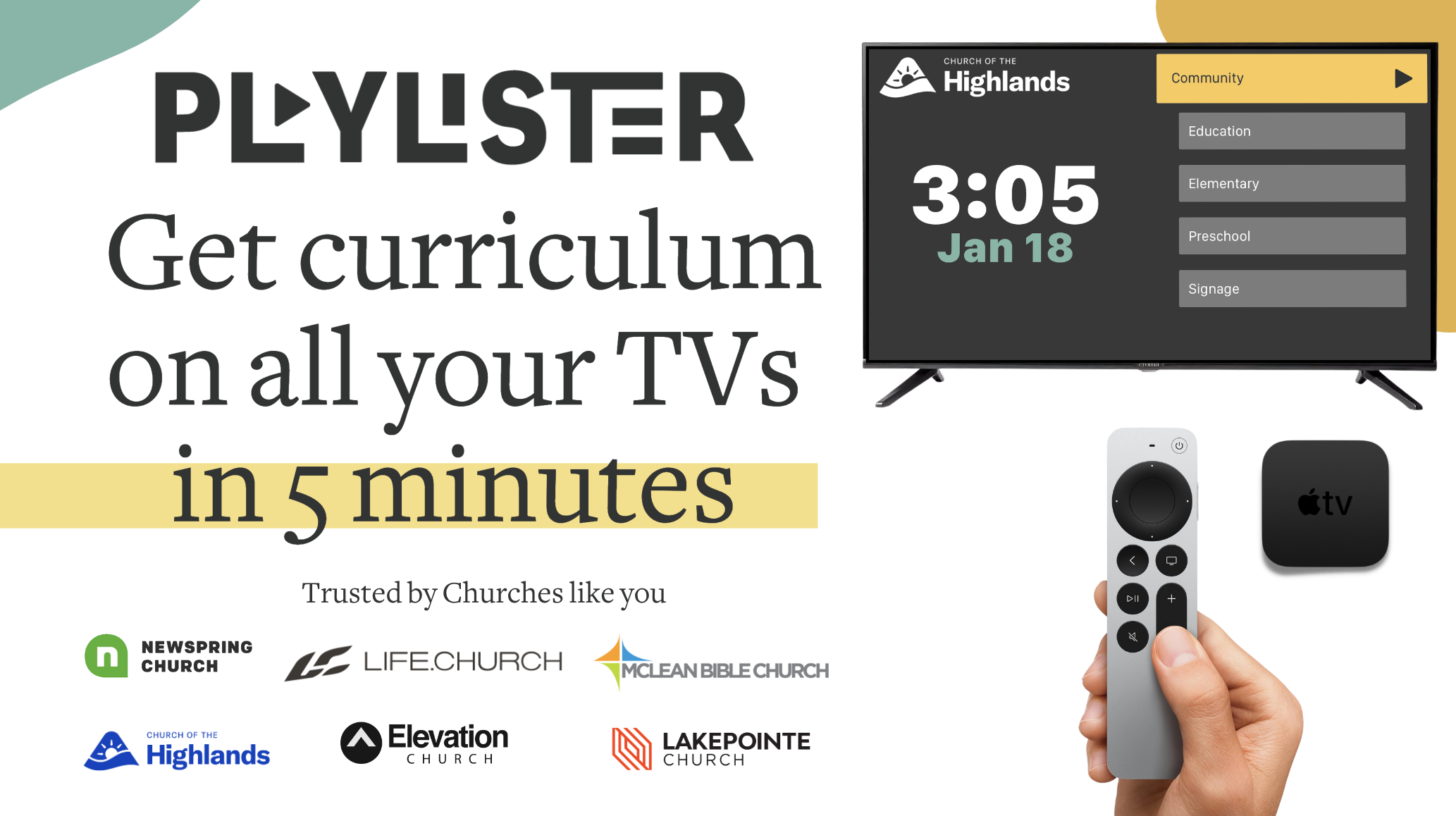
Looking to implement or upgrade Playlister?
Schedule a Meeting
Church Management

Playlister

Streamlined presentation software designed specifically for church kids ministry leaders

Category
Software
Ideal For
Churches
Deployment
Cloud
Integrations
None+ Apps
Security
Not specified
API Access
Not specified

About Playlister

Playlister is a specialized presentation software designed for church kids ministry leaders who need to deliver engaging, age-appropriate curriculum content efficiently. The platform streamlines the entire workflow—from curriculum upload and organization to seamless classroom presentation—enabling ministry leaders to focus on impact rather than technical logistics. Playlister reduces preparation time by centralizing all curriculum materials, ensuring visual consistency across presentations, and providing intuitive controls for real-time content delivery. By integrating with AiDOOS, churches can enhance governance through centralized content management, optimize deployment across multiple campuses, scale curriculum sharing across ministry networks, and maintain standardized educational quality. The platform empowers next-generation ministry impact through reliable, professional, and engaging visual presentations.

Challenges It Solves

  • Kids ministry leaders struggle to organize and present multiple curriculum formats consistently across classrooms
  • Manual content preparation consumes valuable time that could be invested in student engagement
  • Inconsistent presentation quality impacts the effectiveness of age-appropriate educational content delivery
  • Multi-campus churches lack centralized tools for curriculum standardization and content governance
  • Technical complexity distracts leaders from focusing on ministry impact and student outcomes

Proven Results

72
Reduced curriculum preparation time for ministry leaders
58
Increased presentation consistency across all kids ministry classes
81
Improved student engagement through professional visual delivery

Key Features

Core capabilities at a glance

Effortless Content Delivery

Upload, organize, and present curriculum slides seamlessly

Eliminate manual slide management and presentation delays

Age-Appropriate Content Library

Pre-curated, ministry-focused curriculum templates

Deploy vetted content immediately without design overhead

Multi-Classroom Management

Coordinate presentations across multiple ministry venues

Maintain consistency across all kids ministry locations

Intuitive Presentation Controls

Simple, user-friendly interface designed for non-technical leaders

Enable confident, distraction-free classroom presentations

Real-Time Content Sync

Automatic updates across all connected classroom displays

Ensure all participants see the latest curriculum content instantly

Customizable Branding

Apply church branding and visual identity to presentations

Reinforce ministry identity while maintaining professional appearance

Ready to implement Playlister for your organization?

Real-World Use Cases

See how organizations drive results

Weekly Kids Ministry Classes
Church ministry leaders prepare and deliver consistent, visually engaging curriculum presentations across multiple kids ministry classrooms each week, reducing preparation time significantly.
72
40% faster weekly curriculum preparation and delivery
Multi-Campus Ministry Coordination
Large churches with multiple campuses synchronize kids ministry content across locations, ensuring all children receive the same high-quality, consistent educational experience regardless of campus location.
58
100% curriculum consistency across all campus locations
Special Events and Seasonal Programs
Ministry leaders quickly assemble and present special curriculum content for VBS, seasonal celebrations, and events without spending excessive time on technical presentation setup.
65
Reduce event preparation time by 50% or more
Leadership Training and Onboarding
New kids ministry volunteers and leaders quickly learn presentation software without extensive technical training, allowing them to confidently deliver content on their first assignment.
81
Enable volunteer readiness within one training session

Integrations

Seamlessly connect with your tech ecosystem

G

Google Drive

Explore

Import and sync curriculum documents and media files directly from Google Drive for centralized content management

D

Dropbox

Explore

Connect Dropbox storage to automatically access and organize curriculum materials and educational resources

C

Church Management Systems (Planning Center, Breeze)

Explore

Sync class schedules, attendee lists, and curriculum assignments with existing church management platforms

P

PowerPoint

Explore

Import and convert existing PowerPoint presentations into Playlister format for existing curriculum libraries

C

Canva

Explore

Design custom curriculum visuals in Canva and import directly into Playlister presentations

V

Vimeo

Explore

Embed instructional videos and supplementary educational content from Vimeo into presentations

Y

YouTube

Explore

Integrate worship music, teaching videos, and supplementary content from YouTube directly into ministry presentations

Implementation with AiDOOS

Outcome-based delivery with expert support

Outcome-Based

Pay for results, not hours

Milestone-Driven

Clear deliverables at each phase

Expert Network

Access to certified specialists

Implementation Timeline

1
Discover
Requirements & assessment
2
Integrate
Setup & data migration
3
Validate
Testing & security audit
4
Rollout
Deployment & training
5
Optimize
Performance tuning

See how it works for your team

Alternatives & Comparisons

Find the right fit for your needs

Capability Playlister Sprinklr Social Connatix Flowcode
Customization Good Excellent Good Excellent
Ease of Use Excellent Good Good Excellent
Enterprise Features Fair Excellent Excellent Good
Pricing Fair Fair Fair Good
Integration Ecosystem Good Excellent Excellent Good
Mobile Experience Good Good Excellent Excellent
AI & Analytics Fair Excellent Good Good
Quick Setup Excellent Good Good Excellent

Similar Products

Explore related solutions
Sprinklr Social

Sprinklr Social

Sprinklr Social: Unified Enterprise Social Engagement Platform Sprinklr Social is the premier solut…

Explore

Connatix

Connatix

Connatix: Next-Generation Video Technology for Publishers & Advertisers Connatix is a cutting-edge …

Explore
Flowcode

Flowcode

Flowcode: Seamlessly Connect Physical and Digital Experiences Flowcode is a powerful technology pla…

Explore

Frequently Asked Questions

Can we customize Playlister with our church's branding and colors?
Yes. Playlister allows full customization of branding elements including logos, color schemes, and fonts to reflect your church's visual identity throughout all presentations.
Is Playlister suitable for churches with multiple campuses?
Absolutely. Playlister's multi-classroom management features enable seamless coordination across multiple campuses, ensuring consistent curriculum delivery everywhere. AiDOOS can further enhance governance and scaling across your entire network.
How difficult is it for volunteers to learn Playlister?
Playlister is designed with non-technical users in mind. Most volunteers become proficient within one training session due to its intuitive interface and straightforward navigation.
Can we import our existing curriculum materials into Playlister?
Yes. Playlister supports importing PowerPoint presentations, documents, images, and videos from common sources like Google Drive, Dropbox, and cloud storage platforms.
How does AiDOOS enhance Playlister deployment?
AiDOOS optimizes Playlister through improved governance, seamless integration management, scalability across multiple ministry locations, and enhanced performance monitoring to ensure reliable presentation delivery.
What happens if we have technical issues during a class presentation?
Playlister includes offline mode capability, allowing presentations to continue even if internet connectivity is temporarily lost. Support is available to troubleshoot any technical concerns quickly.