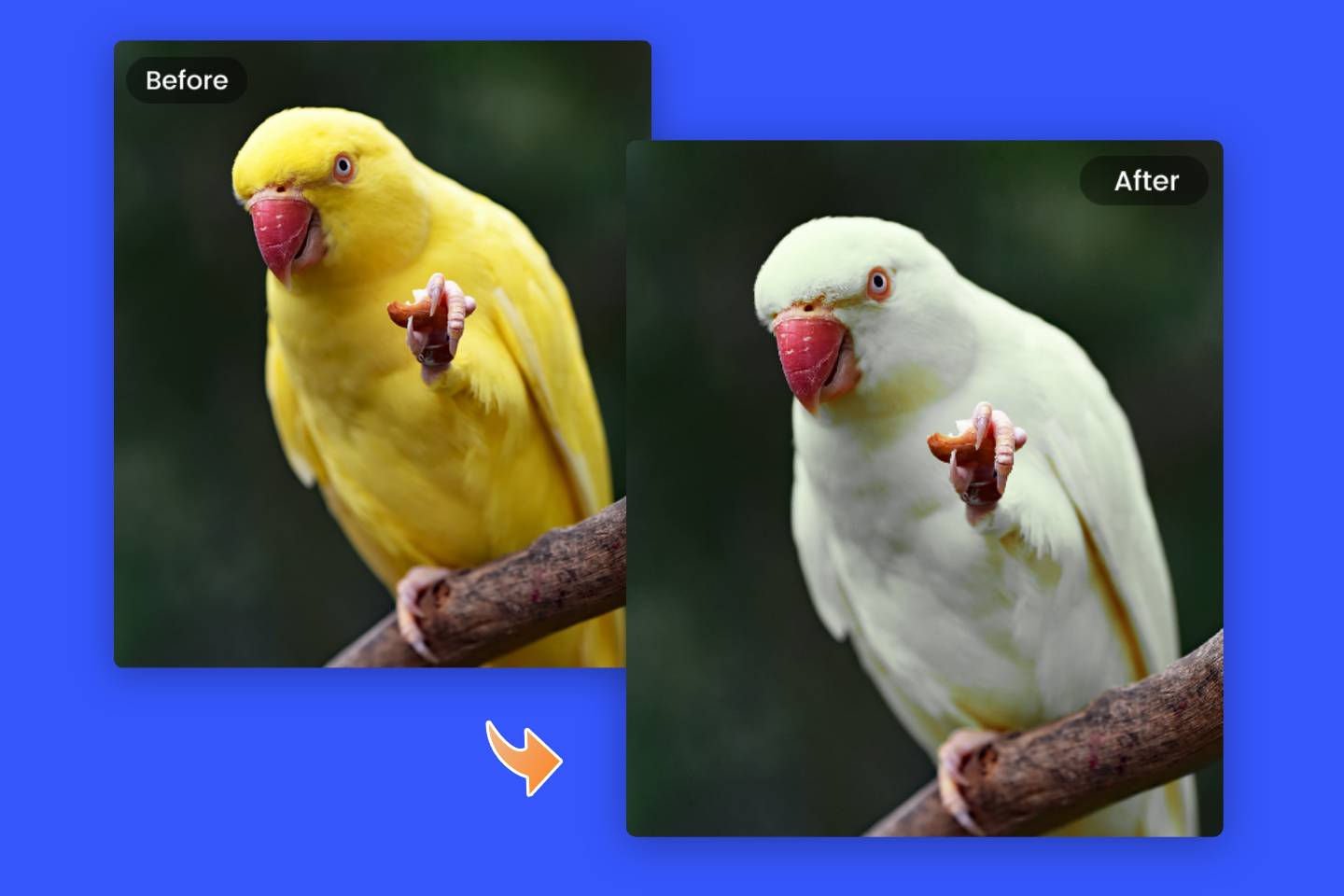
Looking to implement or upgrade Fotor AI?
Schedule a Meeting
AI Photo Editing

Fotor AI

Professional AI-powered photo editing without the cost or complexity

Category
Software
Ideal For
SMBs
Deployment
Cloud
Integrations
None+ Apps
Security
Cloud-based encryption, secure image processing
API Access
Yes - API available for enterprise integrations

About Fotor AI

Fotor AI is a cloud-based photo editing platform powered by advanced artificial intelligence, designed to democratize professional image enhancement. The platform eliminates barriers to entry by offering powerful AI-driven editing capabilities at no cost, making it accessible to businesses, marketers, designers, and content creators of all skill levels. Core features include intelligent background removal, one-click enhancement, batch processing, and style-based image transformations. AiDOOS marketplace enhances Fotor AI's deployment by enabling seamless integration with existing design workflows, providing governance frameworks for team collaboration, and optimizing scalability for enterprise-level image processing demands. The platform excels in reducing time-to-market for visual content while maintaining professional quality standards. Its freemium model allows users to test capabilities before upgrading, while AiDOOS integration ensures secure data handling and compliance with organizational standards. Perfect for rapid prototyping and production-scale image workflows.

Challenges It Solves

  • Traditional photo editing requires expensive software licenses and steep learning curves
  • Manual image editing is time-consuming, limiting content creation velocity
  • Small teams lack access to professional-grade design resources and expertise
  • Batch processing and repetitive editing tasks drain productivity and creative focus

Proven Results

78
Photos edited in seconds versus hours with traditional tools
65
Reduction in design software licensing and training costs
89
User productivity increase through AI-assisted editing workflows

Key Features

Core capabilities at a glance

AI Background Removal

Instantly remove backgrounds with pixel-perfect precision

Professional backgrounds generated in under 2 seconds

One-Click Enhancement

Automatic optimization of exposure, color, and contrast

Transform average photos into publication-ready images instantly

Batch Processing

Edit multiple images simultaneously with consistent styling

Process 100+ images with uniform quality in minutes

AI Art Generator

Create original artwork and visual assets from text prompts

Generate unlimited custom visuals without design expertise

Smart Retouching

AI-powered blemish removal and skin enhancement

Professional portrait quality without manual retouching effort

Style Transfer

Apply artistic styles and effects to create branded visuals

Maintain brand consistency across entire visual content library

Ready to implement Fotor AI for your organization?

Real-World Use Cases

See how organizations drive results

E-commerce Product Photography
Retailers use Fotor AI to enhance product images at scale, removing backgrounds and optimizing lighting for consistent catalog presentation. Batch processing enables rapid inventory photo updates.
82
Product image processing time reduced by 82 percent
Social Media Content Creation
Marketing teams leverage AI enhancement and batch editing to maintain consistent visual branding across Instagram, Facebook, and TikTok. One-click optimization ensures platform-ready content.
71
Content production velocity increased 71 percent weekly
Real Estate Listing Enhancement
Real estate professionals use AI enhancement and virtual staging to present properties in optimal light. Batch processing enables rapid listing creation across multiple properties.
76
Professional listing quality without hiring photographers
Freelance Design Services
Independent designers expand service offerings by using AI tools for client image editing, retouching, and asset generation, enabling faster project delivery.
68
Project turnaround time reduced 68 percent on average

Integrations

Seamlessly connect with your tech ecosystem

S

Shopify

Explore

Integrate Fotor AI with Shopify to auto-enhance product images and optimize them for storefront display with batch processing capabilities

C

Canva

Explore

Export edited images directly to Canva for seamless workflow integration in design template composition

W

WordPress

Explore

Upload and optimize images for WordPress sites with automatic formatting and quality enhancement

D

Dropbox

Explore

Sync images from Dropbox folders and automatically process with AI enhancement, storing results back to cloud storage

G

Google Drive

Explore

Access images stored in Google Drive, apply AI editing, and save enhanced versions directly to cloud storage

B

Buffer

Explore

Schedule edited images directly to Buffer for coordinated social media publishing and campaign management

Z

Zapier

Explore

Create automated workflows connecting Fotor AI with hundreds of business tools for trigger-based image processing

Implementation with AiDOOS

Outcome-based delivery with expert support

Outcome-Based

Pay for results, not hours

Milestone-Driven

Clear deliverables at each phase

Expert Network

Access to certified specialists

Implementation Timeline

1
Discover
Requirements & assessment
2
Integrate
Setup & data migration
3
Validate
Testing & security audit
4
Rollout
Deployment & training
5
Optimize
Performance tuning

See how it works for your team

Alternatives & Comparisons

Find the right fit for your needs

Capability Fotor AI Apache SystemML Mystic AI PerfectBot
Customization Good Excellent Excellent Good
Ease of Use Excellent Good Good Excellent
Enterprise Features Good Good Excellent Good
Pricing Excellent Excellent Good Fair
Integration Ecosystem Good Excellent Excellent Good
Mobile Experience Good Poor Fair Good
AI & Analytics Excellent Excellent Excellent Excellent
Quick Setup Excellent Fair Excellent Excellent

Similar Products

Explore related solutions
Apache SystemML

Apache SystemML

Unlock Scalable Machine Learning with Apache SystemML Apache SystemML is a powerful machine learnin…

Explore

Mystic AI

Mystic AI

Enterprise AI Deployment Platform | Mystic AI + AiDOOS Inference Solutions Accelerate your AI trans…

Explore

PerfectBot

PerfectBot

PerfectBot for Gorgias: Elevate Your Customer Support with AI-Powered Precision PerfectBot is a pow…

Explore

Frequently Asked Questions

Is Fotor AI truly free, or are there hidden costs?
Fotor AI operates on a freemium model. Core editing features, including background removal, one-click enhancement, and batch processing, are completely free. Premium features and higher processing limits are available through paid subscription tiers. AiDOOS marketplace users benefit from enterprise-grade terms and volume discounts.
Can I use Fotor AI images for commercial purposes?
Yes, images you create or edit with Fotor AI can be used for commercial purposes. Generated AI art may be subject to specific licensing terms detailed in Fotor's terms of service. AiDOOS users should consult their enterprise agreement for commercial licensing clarifications.
What file formats does Fotor AI support?
Fotor AI supports all major image formats including JPG, PNG, WebP, and TIFF. Batch processing maintains format integrity while optimizing quality. AiDOOS integrations can automate format conversion based on downstream application requirements.
How does Fotor AI handle sensitive or proprietary images?
Images are processed on secure cloud servers with encryption and automatic deletion after processing. No images are used for training or shared without permission. Enterprise users through AiDOOS can implement additional data governance policies and on-premise processing if required.
Can Fotor AI integrate with our existing design workflow?
Yes, Fotor AI integrates with Canva, Shopify, WordPress, Dropbox, Google Drive, and others. AiDOOS marketplace provides custom integration development, workflow automation through Zapier, and enterprise API access to optimize your specific design processes.
What's the processing speed for batch operations?
Batch processing speeds vary based on image quantity and enhancement complexity, typically handling 10-20 images per minute. AiDOOS enterprise deployments prioritize batch jobs for guaranteed turnaround times and can scale infrastructure for high-volume operations.