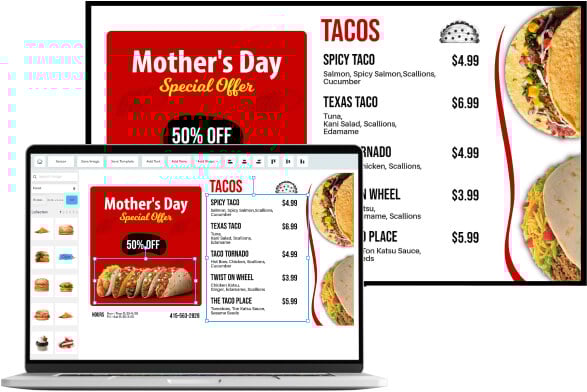
Looking to implement or upgrade DotSignage?
Schedule a Meeting
Digital Signage

DotSignage

Manage unlimited displays and engage audiences with cloud-based digital signage

Category
Software
Ideal For
Retailers
Deployment
Cloud
Integrations
None+ Apps
Security
Role-based access control, secure content management, encrypted data transmission
API Access
Yes - enables custom integrations and third-party connectivity

About DotSignage

DotSignage is a cloud-based digital signage platform that streamlines the management and distribution of multimedia content across geographically dispersed displays. The solution enables organizations to create, schedule, and monitor engaging visual communications from a centralized dashboard, eliminating the complexity of managing multiple screens manually. DotSignage serves retailers, restaurants, corporate offices, and educational institutions by providing intuitive tools for content creation, real-time updates, and audience engagement. The platform supports various media types including videos, images, text, and interactive content, allowing businesses to deliver dynamic messaging that resonates with their target audiences. When deployed through AiDOOS, DotSignage benefits from enhanced governance frameworks, optimized scaling across enterprise environments, and seamless integration with existing marketing and operational systems. AiDOOS augments DotSignage by providing managed deployment services, performance optimization, security hardening, and white-glove support for organizations requiring sophisticated multi-location display ecosystems.

Challenges It Solves

  • Managing content across multiple physical locations without a centralized control system
  • Delays in updating messaging across displays leading to outdated or inconsistent brand communication
  • High operational costs and complexity from manual content distribution and screen management
  • Inability to measure audience engagement and content performance in real-time
  • Lack of scheduling flexibility and remote monitoring capabilities for distributed displays

Proven Results

72
Faster deployment of campaigns across all locations
58
Reduction in content management operational overhead
45
Improved audience engagement through targeted messaging

Key Features

Core capabilities at a glance

Centralized Content Management

Control all displays from a single intuitive dashboard

Manage unlimited screens across multiple locations simultaneously

Real-Time Content Updates

Push changes instantly to all connected displays

Instant propagation eliminates synchronization delays

Advanced Scheduling Engine

Schedule content with precision timing and day-parting

Display right message at optimal times automatically

Template Library

Pre-designed templates accelerate content creation

Reduce design time by 60% with professional templates

Remote Monitoring & Analytics

Track display performance and health in real-time

Identify issues before they impact audience experience

Multi-Format Media Support

Display videos, images, text, animations, and interactive content

Create rich, engaging experiences across all media types

Ready to implement DotSignage for your organization?

Real-World Use Cases

See how organizations drive results

Retail Store Promotions
Retailers deploy dynamic promotional content across in-store displays to highlight sales, new products, and seasonal campaigns. Content updates instantly across all locations, ensuring consistent brand messaging and driving customer engagement.
68
Increased foot traffic and impulse purchase rates
Restaurant Menu Management
Quick-service and casual dining restaurants manage menu boards, daily specials, and promotional offers across multiple locations. Real-time updates ensure pricing consistency and enable rapid response to inventory changes.
55
Faster menu updates reduce operational delays
Corporate Internal Communications
Large enterprises use DotSignage for employee engagement through lobby displays, meeting room signage, and internal announcements. Organizations deliver company news, metrics, safety updates, and recognition content to distributed workforces.
62
Improved employee awareness and engagement metrics
Educational Institution Messaging
Schools and universities manage campus displays for schedules, announcements, event promotions, and emergency alerts. Content targeting enables location-specific messages for different departments and student populations.
71
Enhanced student communication effectiveness
Hospitality Wayfinding & Information
Hotels and venue operators deploy wayfinding displays, event schedules, and guest information systems. Real-time updates for room availability, check-in procedures, and amenity promotions improve guest experience.
58
Reduced guest inquiries and support requests

Integrations

Seamlessly connect with your tech ecosystem

G

Google Drive & Cloud Storage

Explore

Seamlessly import and manage media assets from cloud storage services for streamlined content workflows

S

Social Media Feeds

Explore

Display live social media content, feeds, and user-generated content on digital displays

E

Email & CRM Systems

Explore

Trigger display updates based on CRM events and marketing communications for coordinated campaigns

W

Weather & News APIs

Explore

Display real-time weather, news feeds, and external data sources for contextual messaging

C

Calendar & Event Management

Explore

Sync with calendar systems to automatically display upcoming events and room availability

P

Point of Sale (POS) Systems

Explore

Integrate with retail POS systems to display real-time sales data and inventory-based promotions

B

Business Intelligence Tools

Explore

Connect to BI platforms like Tableau and Power BI to display live dashboards and metrics

N

Notification & Alert Systems

Explore

Receive automated alerts and push notifications for display health, connectivity, and performance issues

Implementation with AiDOOS

Outcome-based delivery with expert support

Outcome-Based

Pay for results, not hours

Milestone-Driven

Clear deliverables at each phase

Expert Network

Access to certified specialists

Implementation Timeline

1
Discover
Requirements & assessment
2
Integrate
Setup & data migration
3
Validate
Testing & security audit
4
Rollout
Deployment & training
5
Optimize
Performance tuning

See how it works for your team

Alternatives & Comparisons

Find the right fit for your needs

Capability DotSignage CANDDi Drips pagewiz
Customization Good Good Excellent Good
Ease of Use Excellent Excellent Good Excellent
Enterprise Features Good Good Good Good
Pricing Good Fair Fair Good
Integration Ecosystem Good Excellent Good Good
Mobile Experience Good Good Good Excellent
AI & Analytics Fair Excellent Excellent Good
Quick Setup Excellent Excellent Good Excellent

Similar Products

Explore related solutions

C

CANDDi

Turn Anonymous Website Visitors into Valuable Leads with CANDDi Most businesses lose up to 98% of p…

Explore
Drips

Drips

Engage, Convert, and Retain Customers with Drips AI-Powered Conversational Texting® & Calling Drips…

Explore
pagewiz

pagewiz

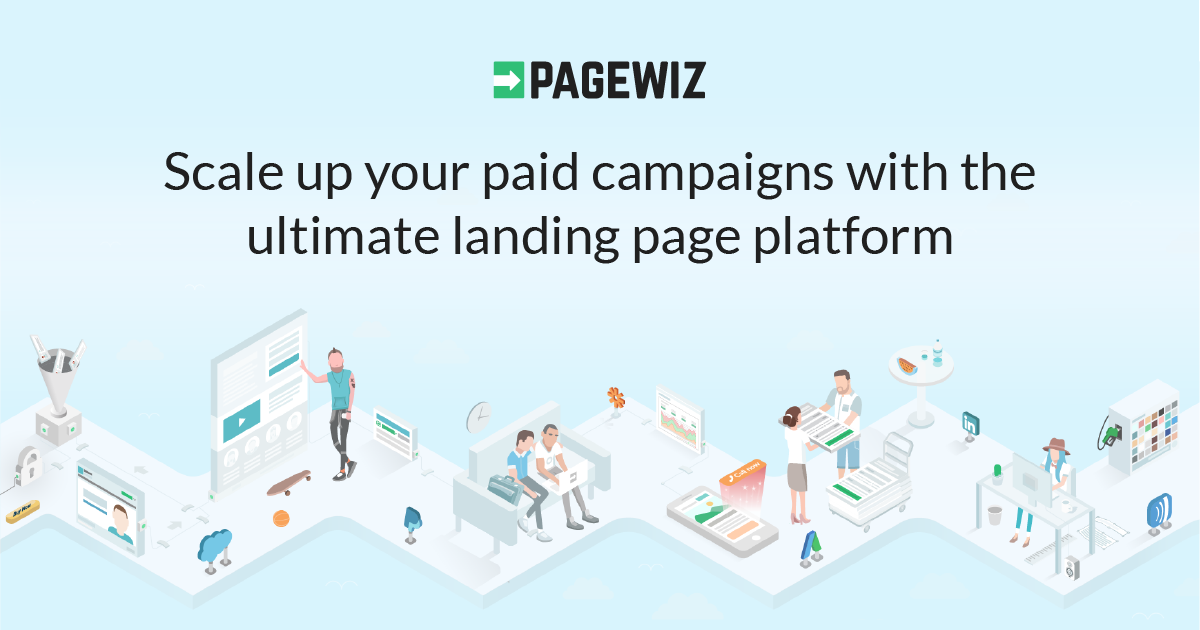
Transform Your Campaigns with Pagewiz: The Ultimate DIY Landing Page Platform Pagewiz empowers busi…

Explore

Frequently Asked Questions

How many displays can DotSignage manage simultaneously?
DotSignage is designed to scale from single displays to thousands of screens across global locations. The cloud infrastructure supports unlimited display management without performance degradation. When deployed through AiDOOS, infrastructure scaling is optimized for your specific organizational needs.
What file formats and media types does DotSignage support?
DotSignage supports videos (MP4, WebM, MOV), images (JPG, PNG, GIF), interactive content, live feeds, animations, and text-based messaging. The platform automatically optimizes media for display rendering, ensuring compatibility across different screen hardware.
Can I schedule content for specific times and locations?
Yes, DotSignage includes an advanced scheduling engine enabling precise day-parting, time-based content delivery, and location-specific messaging. You can create complex schedules that automatically adapt to different times, days, seasons, and target specific display groups or individual screens.
How does DotSignage handle offline displays?
DotSignage maintains local content caches on displays, allowing them to continue showing previously cached content when internet connectivity is temporarily lost. When the connection restores, displays automatically sync with the latest updates from the cloud platform.
What analytics and reporting capabilities are available?
DotSignage provides display performance metrics, uptime reports, content engagement data, and operational analytics. AiDOOS enhances these capabilities with advanced reporting dashboards, custom KPI tracking, and predictive analytics for optimizing content strategy.
How quickly can I deploy DotSignage across multiple locations?
DotSignage enables rapid deployment with minimal on-site technical requirements. Displays connect to the cloud platform with simple setup, and content management begins immediately. AiDOOS accelerates enterprise deployments with managed setup, staff training, and optimization services.