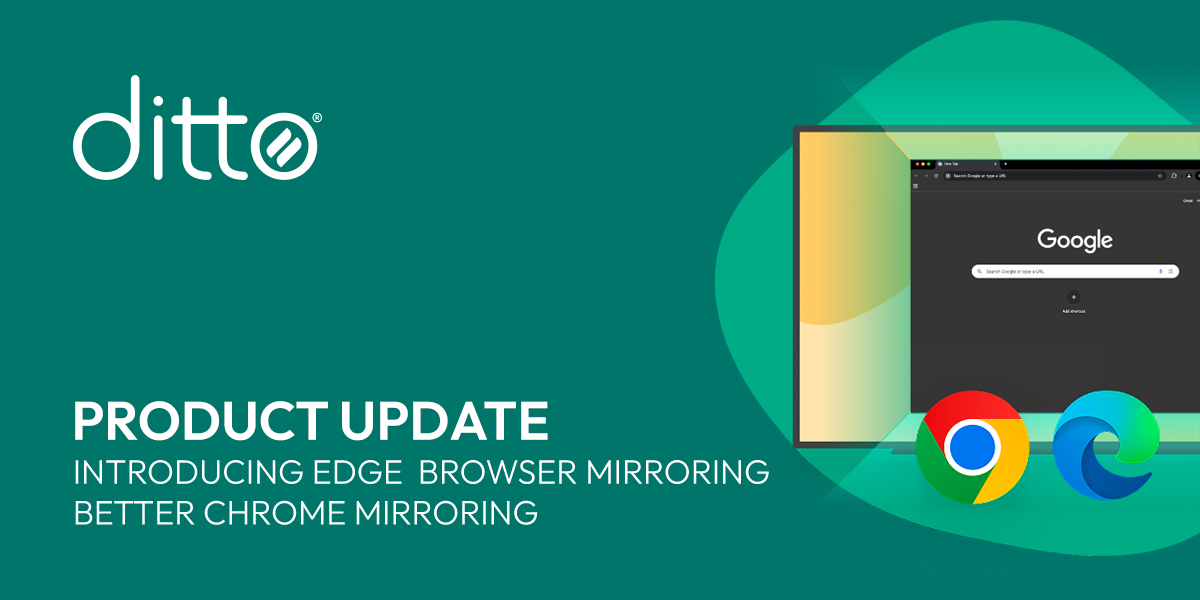
Looking to implement or upgrade Ditto?
Schedule a Meeting
Screen Mirroring

Ditto

Wireless screen mirroring and digital signage without cables or complex setup

Category
Software
Ideal For
Enterprises
Deployment
Cloud / Hybrid
Integrations
None+ Apps
Security
Wireless encryption, secure device pairing, administrative controls
API Access
Yes

About Ditto

Ditto is a cross-platform screen mirroring and digital signage solution that enables seamless visual content sharing across computers, tablets, smartphones, TVs, interactive whiteboards, and projectors. The platform eliminates the need for physical cables, dongles, or complex configuration processes, making it ideal for modern workplaces, educational environments, and enterprise settings. Ditto's core value proposition centers on accessibility and simplicity—users can instantly mirror screens and broadcast content wirelessly across multiple displays simultaneously. When deployed through AiDOOS, Ditto benefits from enhanced governance frameworks, streamlined multi-tenant deployment, optimized resource utilization, and unified integration management across enterprise infrastructures. AiDOOS amplifies Ditto's scalability by enabling organizations to manage large-scale rollouts, monitor usage patterns, and maintain consistent security postures across distributed environments. The solution supports real-time collaboration, reducing setup friction and accelerating adoption in hybrid and distributed work models.

Challenges It Solves

  • Incompatible display technologies requiring multiple proprietary cables and dongles
  • Complex setup processes hindering quick content sharing and collaboration
  • Limited wireless display support across diverse device ecosystems
  • Lack of centralized management for digital signage across multiple locations
  • Integration gaps between presentation tools and display infrastructure

Proven Results

72
Reduced setup time from minutes to seconds
58
Eliminated need for physical cables and adapters
81
Improved user adoption through simplified wireless connectivity

Key Features

Core capabilities at a glance

Universal Wireless Mirroring

Mirror any device to any display instantly

One-click screen sharing across all major platforms

Multi-Display Broadcasting

Broadcast content to multiple screens simultaneously

Manage 50+ displays from single control interface

Cable-Free Setup

Zero dongles, zero complexity

Deploy in minutes without IT infrastructure changes

Digital Signage Management

Centralized content scheduling and distribution

Control signage networks across multiple locations remotely

Cross-Platform Compatibility

Works seamlessly across Windows, macOS, iOS, Android

Support for 100% of enterprise device types

Administrative Controls

Enterprise-grade security and access management

Role-based permissions with detailed audit logs

Ready to implement Ditto for your organization?

Real-World Use Cases

See how organizations drive results

Corporate Meeting Rooms
Enable instant screen sharing in conference rooms without requiring presenters to connect cables or adapters. Ditto streamlines collaboration by allowing multiple participants to wirelessly mirror content to shared displays.
76
Meeting setup time reduced by 80 percent
Educational Classroom Deployment
Teachers and students can wirelessly display content from any device to interactive whiteboards and projectors. This facilitates interactive learning and student presentations without technical friction.
68
Increased classroom engagement and content sharing
Retail and Hospitality Signage
Centrally manage and schedule digital signage across multiple store locations. Update promotions, menus, and announcements in real-time without requiring on-site technical intervention.
82
Reduced content deployment time across networks
Hybrid Workplace Collaboration
Support remote and in-office employees by enabling seamless screen sharing to office displays. Ditto bridges physical and virtual collaboration spaces without additional infrastructure.
71
Improved hybrid team productivity and engagement
Training and Onboarding Programs
Facilitators can mirror training materials and demonstrations to multiple displays simultaneously. This enables consistent content delivery across multiple training sessions and locations.
65
Standardized training delivery across organization

Integrations

Seamlessly connect with your tech ecosystem

M

Microsoft Teams

Explore

Seamless screen sharing within Teams meetings with wireless display casting

G

Google Workspace

Explore

Direct integration with Google Meet for enhanced collaborative presentations

Z

Zoom

Explore

Screen mirroring support for Zoom meetings to conference room displays

A

Apple AirPlay

Explore

Native compatibility with Apple ecosystem for macOS and iOS devices

C

Cisco Webex

Explore

Integration for unified communications and display management

I

Interactive Whiteboards

Explore

Support for SMART, Promethean, and other major interactive display platforms

E

Enterprise Management Systems

Explore

API access for integration with MDM and IT governance platforms

Implementation with AiDOOS

Outcome-based delivery with expert support

Outcome-Based

Pay for results, not hours

Milestone-Driven

Clear deliverables at each phase

Expert Network

Access to certified specialists

Implementation Timeline

1
Discover
Requirements & assessment
2
Integrate
Setup & data migration
3
Validate
Testing & security audit
4
Rollout
Deployment & training
5
Optimize
Performance tuning

See how it works for your team

Alternatives & Comparisons

Find the right fit for your needs

Capability Ditto b2bleadbuilder Linkyfi Creative Realities
Customization Good Good Excellent Excellent
Ease of Use Excellent Excellent Good Good
Enterprise Features Good Good Excellent Excellent
Pricing Fair Fair Fair Fair
Integration Ecosystem Good Good Good Good
Mobile Experience Excellent Fair Good Good
AI & Analytics Fair Good Good Excellent
Quick Setup Excellent Excellent Excellent Good

Similar Products

Explore related solutions

b2bleadbuilder

b2bleadbuilder

Transform Your Lead Generation with LinkedIn & LinkedIn Sales Navigator Lead Generator Tool Superch…

Explore

Linkyfi

Linkyfi

Linkyfi: Transforming Public WiFi Into a Powerful Business Asset Linkyfi is a cutting-edge public W…

Explore
Creative Realities

Creative Realities

Transform Customer Engagement with CREX Digital Signage Solutions Creative Realities, Inc. (NASDAQ:…

Explore

Frequently Asked Questions

Does Ditto require any special hardware or dongles to operate?
No. Ditto is a software-based solution designed to work with standard displays, TVs, projectors, and interactive whiteboards without requiring proprietary hardware, adapters, or dongles. Setup is purely software-based across all supported devices.
What devices and platforms does Ditto support?
Ditto supports Windows, macOS, iOS, and Android devices, making it compatible with virtually all corporate, educational, and enterprise environments. It works with any modern display, TV, projector, or interactive whiteboard.
Can Ditto be managed across multiple locations?
Yes. Ditto provides centralized management capabilities enabling IT teams and administrators to control signage networks, manage permissions, and monitor activity across distributed locations from a single interface.
How does AiDOOS enhance Ditto deployment?
AiDOOS provides enhanced governance frameworks, multi-tenant deployment optimization, scalability management, and unified integrations that streamline large-scale Ditto implementations across enterprise environments.
Is Ditto suitable for sensitive or confidential content sharing?
Yes. Ditto includes encryption, secure device pairing, role-based access controls, and audit logging to protect sensitive information. Organizations can deploy it on-premise or private networks for maximum security.
How quickly can Ditto be deployed in our organization?
Ditto's cable-free, software-only design enables rapid deployment without infrastructure changes. Most organizations achieve full rollout within days rather than weeks, minimizing disruption and IT overhead.